Digital transformation investments in KSA and UAE often stall at deployment, with user adoption rates below 40% holding back ROI. Automated user adoption workflows accelerate onboarding, engage users systematically, and convert technology spending into measurable efficiency gains. This guide walks you through prerequisites, step-by-step workflow construction, troubleshooting pitfalls, continuous optimization strategies, and expected outcomes for Gulf enterprises seeking adoption excellence.
Table of Contents
- Introduction To User Adoption Workflows In Digital Transformation
- Prerequisites And Tools Needed Before Starting
- Core Steps To Build An Automated User Adoption Workflow
- Troubleshooting And Common Mistakes To Avoid
- Continuous Optimization Strategies For Sustained Success
- Expected Results And Outcomes From Automated User Adoption Workflows
- How SingleClic Empowers Your Digital Transformation Success
- Frequently Asked Questions
Key takeaways
| Point | Details |
|---|---|
| Automated workflows cut onboarding time by up to 50% | Systematic engagement accelerates proficiency and reduces time to productivity. |
| Executive sponsorship and business alignment drive success | 60% higher failure rate without leadership commitment makes sponsorship non-negotiable. |
| Multi-channel communication boosts completion rates | Single-channel approaches reduce workflow completion by 20% compared to integrated messaging. |
| Continuous optimization increases long-term compliance by 40% | Data-driven monitoring and refinement lock in adoption gains after 12 months. |
| Phased rollout and real-time feedback minimize resistance | Pilot groups validate workflows before enterprise-wide deployment, reducing change fatigue. |
Introduction to user adoption workflows in digital transformation
A user adoption workflow is a systematic, repeatable process guiding employees through engagement, training, and proficient use of new technology. It transforms passive software deployment into active learning journeys. High user adoption maximizes ROI by ensuring technology investments deliver intended business value. Without adoption, even the best platforms remain underutilized.
Gulf enterprises face unique regional challenges. Cultural considerations around communication styles, language preferences for Arabic interfaces, and competitive pressure to digitalize quickly create complexity. McKinsey research highlights adoption pitfalls affecting Gulf organizations deploying new software without structured workflows. User adoption workflows fit into digital transformation as the bridge between technical deployment and business outcome realization.
Effective workflows address these challenges through:
- Localized communication in Arabic and English
- Role-based training pathways respecting organizational hierarchies
- Real-time feedback loops capturing user concerns early
- Integration with existing ERP and CRM systems for seamless data flow
Understanding digital trends shaping 2026 strategies in KSA and UAE helps contextualize where adoption workflows accelerate transformation outcomes. These workflows are not standalone initiatives but integrated components of enterprise change management.
Prerequisites and tools needed before starting
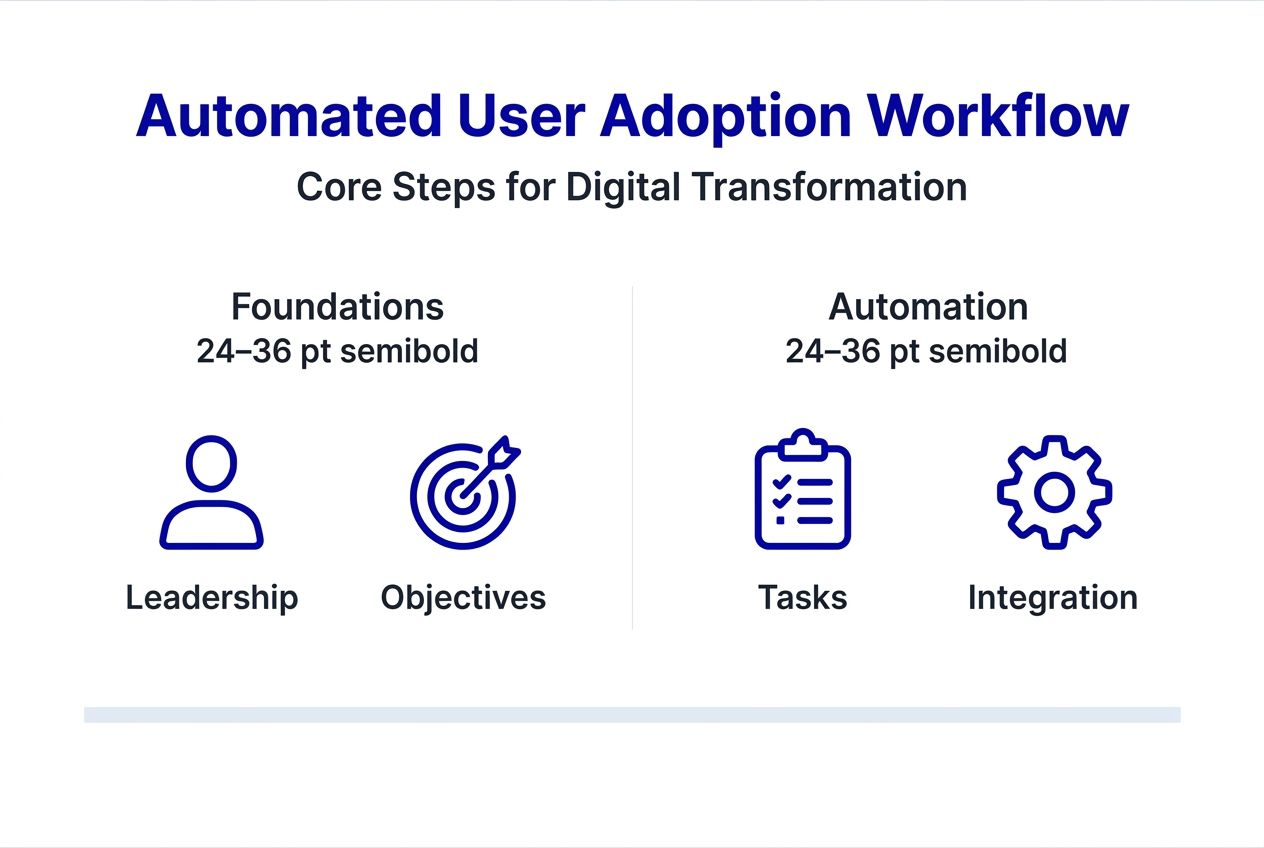
Successful workflow implementation requires foundational elements in place before launch. Clear executive sponsorship provides accountability, resource allocation, and organizational credibility. Without it, initiatives face 60% higher failure rates as teams lack authority to enforce adoption protocols. Leadership commitment signals priority across departments.
Align workflow objectives directly with core business goals. Define what adoption success looks like in measurable terms tied to operational KPIs. Is the goal reducing manual processing time? Improving compliance rates? Increasing cross-departmental collaboration? Specific alignment prevents scope creep and focuses resources.
Automation and low-code platforms accelerate workflow construction without extensive coding. Tools like Cortex, designed specifically for MENA enterprises, offer Arabic-enabled interfaces and on-premise deployment options critical for banks and government entities. Low-code platforms reduce technical barriers, allowing business teams to participate in workflow design. Cultural adaptation needs include language localization, regionally relevant examples in training content, and communication timing respecting business hours and holidays.
Pro Tip: Start with a small pilot group of 15 to 25 users representing different roles and technical skill levels to validate workflows before enterprise rollout.
| Tool Type | Key Features | Gulf Market Fit |
|---|---|---|
| Low-code platforms (Cortex) | Arabic UI/UX, on-premise deployment, unlimited users | Ideal for banks, government, large enterprises needing localization |
| RPA tools (UiPath) | Automate repetitive tasks, training follow-ups, data entry | Reduces manual workload in adoption processes |
| Analytics dashboards | Real-time metrics, visual progress tracking, bottleneck identification | Essential for continuous monitoring and executive reporting |
| Multi-channel messaging | Email, SMS, in-app, chat integration | Increases engagement across user preferences |
Building digital skills across KSA and UAE teams strengthens the foundation for adoption success. Equipped teams navigate change more effectively.
Core steps to build an automated user adoption workflow
Building an effective workflow follows a structured approach. Each step builds on the previous, creating a comprehensive adoption system.
Step 1: Secure executive sponsorship and define business goals
Identify a C-level sponsor who champions the initiative. Document specific business outcomes the workflow must achieve, such as reducing onboarding time from 6 weeks to 3 weeks or increasing system usage rates by 35%. Quantifiable goals enable progress measurement.

Step 2: Assess user needs and regional culture
Conduct surveys or interviews understanding user roles, technical comfort levels, preferred communication channels, and language preferences. Regional culture influences how users receive training. Hierarchical organizations may require manager-led cascades while flatter structures benefit from peer learning.
Step 3: Design automated workflow with multi-channel communication
Map the user journey from initial notification through proficiency milestones. Incorporate email for detailed instructions, SMS for time-sensitive reminders, in-app guidance for contextual help, and chat for real-time support. Automation triggers messages based on user actions or inaction, maintaining engagement without manual intervention. Real-time feedback mechanisms capture user sentiment and challenges immediately.
Step 4: Automate repetitive tasks with RPA
Use robotic process automation for follow-up sequences, progress tracking, certificate generation, and support ticket routing. Automation reduces manual workload by 60%, allowing teams to focus on complex user issues rather than administrative tasks.
Step 5: Implement phased rollout starting with pilot groups
Launch with a representative pilot group, gather feedback, refine workflows, then expand to broader departments. Phased approaches minimize risk and allow iterative improvement. Celebrate early wins publicly to build momentum.
Integrate with ERP and CRM systems for real-time data synchronization. User progress in the workflow should update automatically in HR and IT systems, eliminating duplicate data entry. Advanced workflow automation using low-code connects multiple business systems seamlessly.
Pro Tip: Select pilot participants who are respected influencers within their teams but not necessarily the most tech-savvy. Their credibility accelerates broader adoption when they share positive experiences.
Troubleshooting and common mistakes to avoid
Even well-designed workflows encounter obstacles. Recognizing common pitfalls prevents adoption setbacks.
Relying solely on email or single communication channels limits reach and engagement. Different users prefer different channels. Single-channel approaches reduce completion by 20% compared to integrated multi-channel strategies. Diversify touchpoints to match user preferences.
User resistance and change fatigue are natural responses to new systems. Proactively address concerns through transparent communication about why the change matters, what benefits users gain personally, and how leadership supports them. Anonymous feedback channels let users voice frustrations safely.
Clear, consistent messaging throughout rollout builds trust. Mixed messages from different departments create confusion and erode confidence. Establish a single source of truth for adoption communications.
“Organizations making frequent workflow changes without clear communication experience 40% drops in user engagement as teams lose confidence in process stability.”
Avoid changing workflows mid-rollout unless absolutely necessary. When changes are required, communicate the reason, the benefit, and the timeline clearly to all users. Stability during initial adoption phases builds user confidence.
Common mistakes include:
- Insufficient training content localized for regional context
- Lack of hands-on practice environments where users experiment safely
- No defined success metrics or progress tracking
- Ignoring feedback from pilot groups before broader rollout
Digital adoption optimization strategies address these challenges systematically, ensuring workflows remain effective as organizations scale.
Continuous optimization strategies for sustained success
Initial deployment is just the beginning. Sustained adoption requires ongoing measurement and refinement.
Track key adoption metrics regularly. Usage rates show how many users actively engage with the new system daily or weekly. Onboarding time measures how quickly new users reach proficiency. Support ticket volume indicates where users struggle. Compliance rates reveal whether users follow required processes correctly.
Dashboards visualizing these metrics help leadership spot trends and bottlenecks quickly. Real-time analytics identify departments or user groups lagging behind, enabling targeted interventions. Regular reporting to executives keeps adoption visible as a strategic priority.
Update workflows based on data and cultural feedback. If analytics show users abandoning a particular training module, investigate whether content is unclear, too long, or culturally misaligned. Iterative refinement keeps workflows relevant as business needs evolve. Organizations monitoring adoption metrics continuously achieve 40% higher compliance after 12 months compared to static approaches.
Optimization strategies include:
- Monthly review sessions analyzing metric trends
- Quarterly user satisfaction surveys capturing qualitative feedback
- A/B testing different communication approaches or training formats
- Updating content to reflect new features or process changes
| Adoption KPI | Tracking Frequency | Target Benchmark |
|---|---|---|
| Daily active users | Daily | 80% of licensed users within 6 months |
| Average onboarding time | Weekly | 50% reduction from baseline by month 3 |
| Support tickets per user | Weekly | 40% decrease by month 6 |
| Training completion rate | Daily | 90% completion within assigned timeframe |
| User satisfaction score | Monthly | 4.2 out of 5 or higher |
Customer data analytics powers these optimization efforts, turning raw usage data into actionable insights. Understanding growth metrics that matter in digital contexts helps leaders focus on indicators driving long-term business value.
Expected results and outcomes from automated user adoption workflows
Realistic expectations help leaders plan resources and communicate progress. Measurable results typically appear within 3 to 6 months post-implementation, though some improvements surface earlier.
Onboarding time reductions of up to 50% are common with effective automation. New employees or teams switching systems reach productivity faster, reducing the cost of change. Faster proficiency means quicker ROI on technology investments.
User satisfaction and engagement increase by 20% to 30% when workflows provide clear guidance, timely support, and visible progress tracking. Employees appreciate structured learning paths reducing frustration and confusion.
Compliance rates improve approximately 40% with continuous optimization. Automated reminders, progress tracking, and role-based accountability ensure users follow required processes consistently. Regulatory and internal policy adherence strengthens.
Support ticket volume declines as adoption workflows preemptively address common questions and challenges. Self-service resources embedded in workflows reduce help desk burden, freeing IT teams for strategic initiatives.
Expected outcomes include:
- Reduced change management costs through systematic adoption
- Higher employee morale as technology becomes enabler rather than obstacle
- Improved data quality as users enter information correctly from the start
- Stronger competitive position as organizations leverage technology faster than peers
Digital adoption directly drives business optimization, translating technology capabilities into measurable operational improvements. Leaders reporting these outcomes to boards demonstrate clear value from transformation investments.
How SingleClic empowers your digital transformation success
Building automated user adoption workflows requires expertise, proven tools, and regional understanding. SingleClic brings 10+ years of digital transformation experience across KSA, UAE, and Egypt, helping enterprises move beyond technology deployment into true operational optimization.
Our low-code platform Cortex accelerates workflow construction with Arabic-enabled interfaces and on-premise deployment options critical for Gulf enterprises. We combine business process automation expertise with deep knowledge of regional business culture, ensuring adoption strategies resonate with your teams. Whether you need a digital transformation office structure or hands-on implementation support, our 70+ consultants across the region deliver scalable solutions tailored to your industry. Explore our low-code platforms guide to see how we help organizations like yours achieve adoption excellence and measurable business results.
Frequently asked questions
What are the key components of an automated user adoption workflow?
Automated communication channels including email, SMS, in-app messages, and chat ensure users receive timely guidance through their preferred methods. Real-time feedback mechanisms capture user sentiment and challenges immediately, allowing quick responses. Executive oversight provides accountability and resource allocation throughout implementation. Phased rollout starting with pilot groups validates workflows before enterprise deployment. Continuous improvement cycles using data analytics refine workflows based on actual usage patterns. Customization based on user roles and regional culture is critical, as one-size-fits-all approaches ignore organizational and cultural nuances affecting adoption success.
How long does it typically take to see measurable results from automation?
Measurable improvements commonly appear within 3 to 6 months post-implementation as workflows mature and users progress through adoption stages. Some metrics like onboarding time may improve within weeks if workflows effectively guide initial system exposure. Long-term benefits including sustained compliance and user satisfaction build over the first year.
What common mistakes should enterprises avoid during implementation?
Avoid single-channel communication methods relying only on email, as this limits engagement and misses users preferring other channels. Don’t change workflows during rollout without clear, timely communication explaining why adjustments are necessary. Ensure executive sponsorship from the start to prevent resource gaps and organizational credibility issues that derail adoption efforts mid-stream.
Which tools are recommended for Gulf region enterprises?
Arabic-enabled low-code platforms like Cortex provide localized UX and UI critical for user comfort and adoption in KSA and UAE contexts. RPA tools such as UiPath automate repetitive adoption tasks including training follow-ups and progress tracking, reducing manual administrative burden. Analytics platforms supporting continuous tracking and optimization enable data-driven refinement keeping workflows effective as business needs evolve.