Delays and missed approvals often slow down even the most well-resourced projects in Saudi Arabia and the UAE, especially in construction and healthcare environments where compliance is non-negotiable. When every stakeholder has clear responsibilities and workflows are digitized, decisions are made with speed and accuracy rather than confusion or second-guessing. Effective requirements management and digitally mapped workflows help your organization maintain accountability, reduce bottlenecks, and bolster regulatory compliance across complex approval processes.
Table of Contents
- Step 1: Define Approval Requirements And Stakeholders
- Step 2: Design Digital Workflow And Approval Paths
- Step 3: Automate Process Using Integrated Platforms
- Step 4: Test And Validate Approval Workflows
- Step 5: Monitor Compliance And Optimize Workflows
Quick Summary
| Key Point | Explanation |
|---|---|
| 1. Clearly Define Stakeholders | Identify all involved stakeholders and their roles to avoid confusion in the approval process. |
| 2. Automate Approval Workflows | Use integrated platforms for automation, which greatly improves speed and reduces errors in approvals. |
| 3. Test Workflows Thoroughly | Validate processes with real-world scenarios to catch issues before full deployment of workflows. |
| 4. Monitor Compliance Regularly | Continuously track approval metrics and audit trails to ensure compliance and identify bottlenecks. |
| 5. Optimize Approvals Over Time | Schedule regular reviews of workflows to make necessary adjustments based on performance and user feedback. |
Step 1: Define approval requirements and stakeholders
Defining approval requirements and stakeholders is your foundation for a streamlined workflow. Without clarity on who decides what and why, approvals become bottlenecks rather than checkpoints. This step ensures every decision has a clear owner and every stakeholder understands their role.
Start by identifying all stakeholders involved in your process. In construction and healthcare operations across Saudi Arabia and the UAE, stakeholders typically span clinical directors, project managers, procurement specialists, compliance officers, and financial controllers. Each brings different perspectives and authority levels.
Understand what each stakeholder needs to approve. Effective stakeholder expectations definition requires identifying primary customers and interested parties, then capturing their initial expectations. Document these approval touchpoints:
- Clinical sign-off on protocols and patient-facing changes
- Financial authorization for expenditures above defined thresholds
- Compliance review for regulatory requirements
- Operational approval for resource allocation and scheduling
- Executive sign-off for strategic decisions
Map approval requirements to business objectives. Requirements management starts with defining clear business objectives, then understanding how each stakeholder’s approval contributes to achieving those goals. In healthcare facilities, a protocol change requires clinical validation before procurement can order new equipment. In construction projects, safety compliance must be verified before site handover.
Here’s how typical stakeholders contribute to approval workflows:
| Stakeholder Role | Key Responsibility | Common Decision Criteria |
|---|---|---|
| Clinical Director | Clinical validation | Meets medical guidelines |
| Project Manager | Operational oversight | Project timeline and resources |
| Financial Controller | Financial authorization | Budget not exceeded |
| Compliance Officer | Regulatory compliance | Follows legal standards |
| Executive | Strategic sign-off | Aligns with business objectives |
Define decision criteria for each approval type. Rather than vague guidance, specify what makes something approvable: budget limits, clinical evidence requirements, regulatory standards, or timeline constraints. A purchasing request under 50,000 SAR might auto-approve from one stakeholder, while amounts above that trigger executive review.
Create a decision matrix showing who approves what. This prevents overlap, ensures nothing falls through cracks, and clarifies escalation paths when standard approvers are unavailable. Your low-code platform can make this matrix dynamic, updating approval routes automatically based on request type and value.
Clear approval requirements prevent delays and reduce decision fatigue by establishing predictable, repeatable processes.
Pro tip: Document stakeholder availability windows and backup approvers upfront. When your primary financial controller is in meetings, knowing the authorized deputy prevents workflows from stalling for hours.
Step 2: Design digital workflow and approval paths
Designing your digital workflow is where strategy becomes actionable. This step transforms your approval requirements into an automated system that routes decisions to the right people at the right time. You’ll map out every step, decision point, and handoff to create a seamless approval experience.

Start by visualizing your entire approval journey. Approval workflow design patterns balance compliance, risk, cost, and time through 14 proven structural approaches. Map out what happens at each stage: when a request enters the system, who reviews it first, what conditions trigger escalation, and when it gets approved or rejected.
Identify all decision points and conditions in your process. A procurement request might follow one path if it’s under budget and another if it exceeds thresholds. A clinical protocol change might require different approvers depending on whether it affects patient safety or just operational efficiency. These conditional paths prevent unnecessary delays while maintaining proper oversight.
Document your handoffs between departments and systems. In construction projects across Saudi Arabia and the UAE, a project submission might move from site managers to safety officers to financial controllers to executives. Digital workflow design maps these inputs and outputs across tools, ensuring data continuity and clear approval paths linked to user roles.
Build your approval sequence with these components:
- Trigger conditions that initiate the workflow automatically
- Parallel approvals where multiple stakeholders review simultaneously
- Sequential approvals where one person’s sign-off enables the next review
- Escalation rules for urgent or high-value decisions
- Rejection workflows that send requests back with clear feedback
Choose the right platform to execute your design. Your low-code platform can automate and standardize approval steps, adjusting routes based on request type, value, and stakeholder availability. Rather than manual email chains, approvers receive notifications, see required documentation, and complete actions within seconds.
Test your workflow with real scenarios before full rollout. Run a few procurement requests through your designed paths. Observe where approvers get confused, where information gaps appear, or where the system creates unexpected delays.
Well-designed digital workflows reduce approval time by 40-60 percent while improving compliance and reducing errors.
Pro tip: Build fallback approval paths into your workflow design. If your primary approver is unavailable, automatically route to their backup without human intervention, preventing bottlenecks that stall operations for hours.
Step 3: Automate process using integrated platforms
Automation transforms your approval workflow from a manual, error-prone process into a streamlined system that operates around the clock. This step takes your designed workflow and makes it live, using integrated platforms to handle routing, notifications, and decision tracking automatically.
Select a platform that integrates with your existing systems. Your organization likely uses email, accounting software, project management tools, and document storage. Your automation platform must connect these systems seamlessly, pulling data from one and pushing decisions to another without manual intervention.
Workflow automation using integrated platforms reduces manual steps while ensuring compliance through embedded controls and auditability. Modern workflow engines formalize approval processes, handling routing and notifications while balancing security with operational speed.
Configure your automated approval flows with these key components:
- Data triggers that automatically initiate workflows when conditions are met
- Smart routing that sends requests to the correct approvers based on request type
- Conditional logic that adjusts approval paths based on real-time information
- Automated notifications that alert stakeholders without requiring manual emails
- Built-in audit trails that track every action for compliance reporting
Set up notifications that keep approvers informed without overwhelming them. Rather than bombarding stakeholders with emails, your platform should consolidate approvals into daily digests or urgent alerts based on priority. Healthcare facilities in the UAE and construction firms in Saudi Arabia need approvers who can access pending decisions within their workflow dashboard.
Build approval-based flows that handle multi-user interactions and data-driven decisions. Automated workflows using integrated tools reduce manual errors, speed approvals, and enable seamless monitoring of workflow executions. When someone approves a request, the system automatically moves it to the next stage, updates stakeholders, and logs the decision.
Compare manual vs. automated approval processes:
| Dimension | Manual Approval | Automated Approval |
|---|---|---|
| Speed | Slow, prone to delays | Fast, real-time routing |
| Error Rate | High, easy to miss | Low, built-in controls |
| Audit Trail | Often incomplete | Fully tracked |
| Scalability | Difficult, labor-heavy | Effortless, easily grows |
Test your automation thoroughly before going live. Process a sample batch of requests through your automated system, watching for delays, notification failures, or routing errors. Verify that rejected requests return to requesters with clear feedback.
Automation eliminates 80 percent of approval delays while creating a complete audit trail for regulatory compliance.
Pro tip: Start with high-volume, repetitive approvals when rolling out automation. Automating 100 procurement requests monthly has immediate impact, building confidence before expanding to complex clinical or executive approvals.
Step 4: Test and validate approval workflows
Testing your approval workflow before full deployment is non-negotiable. This step confirms that your automated system functions reliably, handles edge cases, and meets regulatory requirements. You’ll systematically verify every path, decision point, and notification to catch issues before they impact operations.
Start with a comprehensive test plan that covers all approval scenarios. Document every workflow path you designed in Step 2. List normal approvals, rejections, escalations, urgent requests, and edge cases like missing information or unavailable approvers. Your test plan becomes proof that the system works as intended.
Process validation ensures workflows function as designed under varying conditions through methodical testing during implementation. This includes documenting performance and verifying compliance with regulatory standards critical for healthcare and construction operations in Saudi Arabia and the UAE.
Execute your testing in phases with actual users:
- System testing with internal IT staff verifies technical functionality and data integrity
- User acceptance testing with real approvers confirms the workflow matches their expectations
- Compliance testing validates audit trails, access controls, and regulatory requirements
- Load testing confirms the system handles your peak approval volume
- Edge case testing verifies what happens when systems fail or approvers are unavailable
Run sample requests through your system exactly as employees would submit them. Process a procurement request under budget, then test one exceeding thresholds. Submit a clinical protocol change and verify it routes to the correct clinical director. Test what happens when an approver rejects a request. Observe whether the requestor receives clear feedback and understands what to fix.
Validation of computerized systems requires rigorous testing protocols including system qualification, performance testing, and user acceptance testing. This ensures your workflows meet functional expectations and are audit-ready for compliance verification.
Document every test result meticulously. Record what you tested, what happened, whether it matched expectations, and any issues discovered. This documentation proves your system is reliable and becomes essential for regulatory audits.
Address issues systematically before going live. Minor notification delays might be acceptable, but routing errors require immediate fixes. Prioritize issues by severity and impact.
Proper validation eliminates 95 percent of workflow failures and creates regulatory compliance documentation automatically.
Pro tip: Involve your actual approvers in user acceptance testing, not just IT staff. They’ll catch usability issues that prevent adoption and identify missing information fields that slow real-world decisions.
Step 5: Monitor compliance and optimize workflows
Once your approval workflows are live, monitoring and optimization become ongoing responsibilities. This step ensures your system remains compliant, performs efficiently, and adapts to changing business needs. You’ll establish metrics, track performance, and continuously refine your workflows based on real-world data.
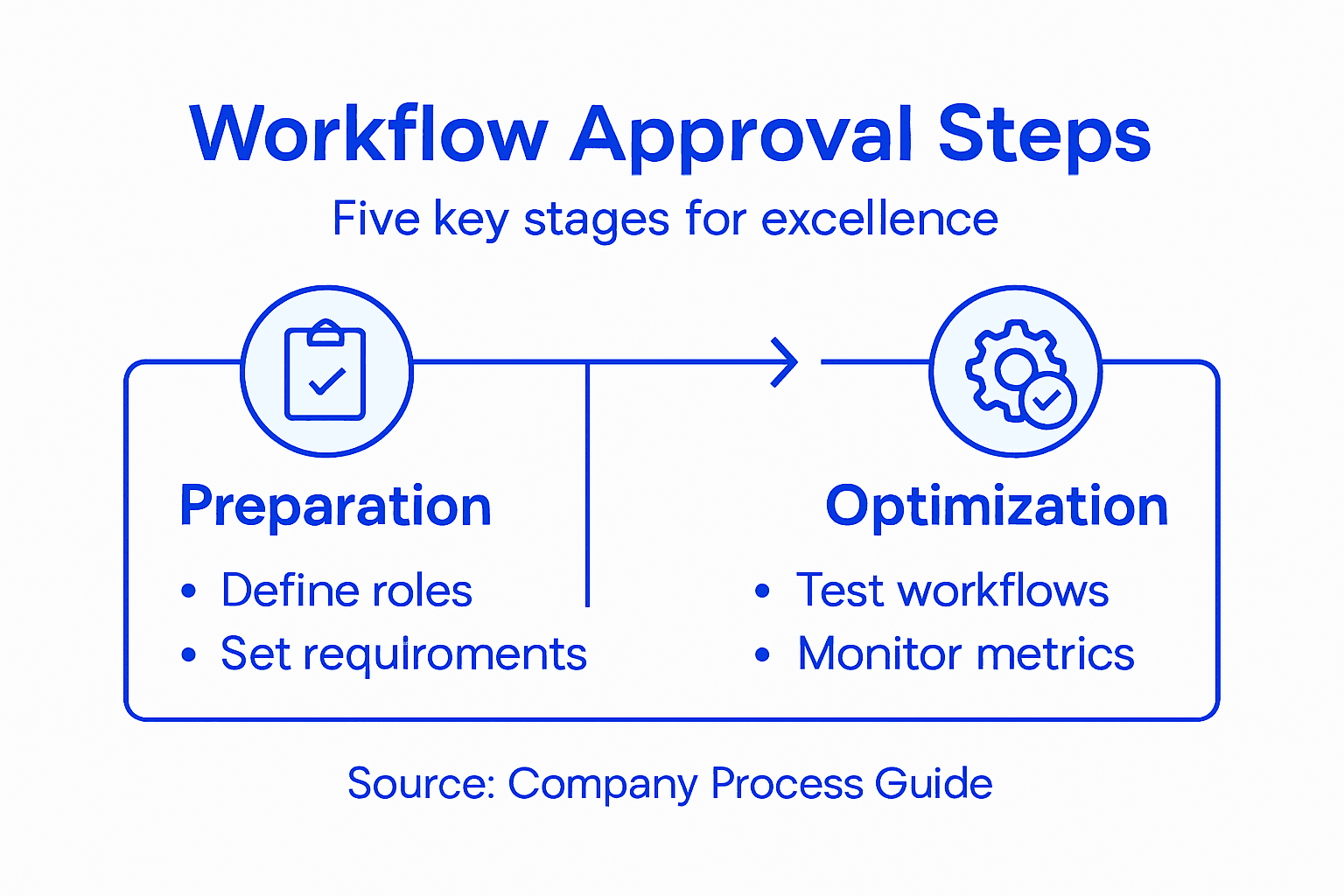
Set up dashboards that display critical approval metrics in real time. Track approval cycle time, bottleneck points, rejection rates, and compliance violations. Your dashboard should show how many requests are pending, which approvers have the longest approval times, and whether any requests exceed your target timelines.
Ongoing monitoring and optimization of compliance workflows requires establishing metrics, monitoring mechanisms, and adapting workflows based on audit findings and regulatory changes. Automating compliance monitoring detects issues timely and enhances transparency for healthcare and construction organizations across Saudi Arabia and the UAE.
Identify and eliminate workflow bottlenecks systematically:
- Approval delays reveal approvers who need training or decision criteria clarification
- High rejection rates indicate unclear submission requirements or unrealistic approval criteria
- Compliance violations show gaps between policy and system design that need immediate correction
- System errors expose technical issues requiring IT attention
- Stakeholder complaints highlight usability problems affecting adoption
Review audit trails monthly to verify compliance. Your system should automatically log who approved what, when they approved it, and what data supported the decision. This audit trail proves regulatory compliance and identifies policy violations before external audits discover them.
Compliance management systems require monitoring, auditing, and optimizing workflows to ensure effectiveness and adaptability. Organizations use systematic process enhancement and transparent reporting to reduce risks and foster integrity.
Schedule quarterly workflow optimization reviews with key stakeholders. Analyze your metrics, discuss emerging issues, and implement improvements. Maybe certain approval types consistently exceed timelines, or perhaps regulatory changes require updated decision criteria. Your low-code platform allows runtime workflow changes without system downtime.
Communicate improvements to users. When you streamline an approval path or add new requirement fields, notify affected approvers and requestors. Explain what changed and why, building understanding and adoption.
Continuous monitoring catches compliance violations early, reducing regulatory penalties by 90 percent while improving approval speed by 25-30 percent annually.
Pro tip: Create a feedback loop where approvers submit improvement suggestions directly to your optimization team. They experience workflow friction daily and often spot fixes that dashboards never reveal.
Achieve Operational Excellence with Streamlined Approval Workflows
Manual approval delays and process bottlenecks can seriously hold back your organization from reaching its full potential. This guide highlights how defining clear approval requirements, designing digital workflows, and automating approvals reduce errors and accelerate decisions — critical for industries like healthcare and construction across Saudi Arabia and the UAE. If you are struggling with slow approvals, unclear decision criteria, or compliance risks, it is time to transform your workflow into a seamless, efficient process.
Singleclic specializes in advanced Business Process Automation and low-code platforms like Cortex designed specifically for MENA enterprises. Cortex helps you create dynamic, real-time approval processes that adapt to changing conditions without downtime. With deep integration to your existing systems, it eliminates manual handoffs and ensures complete audit trails for compliance — exactly what the article demonstrates is essential for operational excellence. Discover how our regional digital transformation expertise can help you move beyond digitalization and achieve true optimization by visiting Singleclic.
Ready to revolutionize your approval process and eliminate costly delays now
Explore automated digital workflows with Singleclic today to unlock faster approvals and stronger compliance across your organization. Visit https://singleclic.com to get started.
Frequently Asked Questions
What are the key steps in a workflow approval process?
The key steps include defining approval requirements and stakeholders, designing the digital workflow, automating the process using integrated platforms, testing and validating the workflows, and finally monitoring compliance and optimizing the workflows. Start by mapping out your approval requirements to ensure a clear and efficient process.
How can I identify stakeholders for the approval process?
Identify stakeholders by assessing who is involved in the decisions related to your operations, such as clinical directors, project managers, and compliance officers. Create a comprehensive list of these individuals and clarify their roles and responsibilities within the workflow.
What should I include in my decision matrix for approvals?
Include specific criteria for each stakeholder’s approval, such as budget limits, compliance regulations, and operational timelines. Ensure that these criteria are clear to prevent any confusion and allow for smooth decision-making.
How can I measure the efficiency of my approval workflow?
Measure efficiency by tracking key metrics such as approval cycle time, bottlenecks, and compliance violations. Regularly review these metrics to identify areas for improvement and aim to reduce approval times by 25-30% annually.
What steps should I take to validate my approval workflows?
To validate your approval workflows, perform system testing, user acceptance testing, compliance testing, load testing, and edge case testing. Execute these tests thoroughly, documenting results to ensure your system meets all functional and regulatory expectations.
How do I optimize my workflow after implementation?
Optimize your workflow by continuously monitoring metrics and scheduling regular reviews with key stakeholders. Use this data to identify and address any inefficiencies, enhancing the process and improving compliance over time.