Resource allocation in healthcare can feel like solving a puzzle without seeing the whole picture. With rising costs and complex operational demands in Saudi Arabia and the UAE, manual scheduling and disconnected systems lead to wasted time, increased errors, and mounting frustration. Collaborative coordination across healthcare networks is more than an ideal—it is the foundation for meeting patient needs and controlling expenses. This guide outlines concrete steps to assess, automate, and optimize your resource planning for measurable operational gains.
Table of Contents
- Step 1: Assess Existing Resource Management Processes
- Step 2: Select and Integrate An Automation Platform
- Step 3: Configure Automation Rules And Workflows
- Step 4: Test Automated Resource Allocation For Accuracy
- Step 5: Monitor Results And Optimize Continuously
Quick Summary
| Key Insight | Explanation |
|---|---|
| 1. Assess current resource management | Understand existing processes and bottlenecks before implementing automation to identify areas for improvement. |
| 2. Form a multidisciplinary evaluation team | Gather input from various departments to ensure that the selected automation platform meets all functional needs. |
| 3. Prioritize configuration of automation rules | Start with your most impactful processes to effectively transition from manual to automated workflows without overwhelming your system. |
| 4. Conduct thorough testing before rollout | Validate the system’s accuracy via historical data and real-time tests to ensure it meets operational demands effectively. |
| 5. Continuously monitor and optimize performance | Establish metrics for regular review and optimize rules, ensuring the system adapts to changing healthcare needs and improves over time. |
Step 1: Assess existing resource management processes
Before you can automate anything, you need to understand what you’re working with. Take a hard look at your current resource management setup—how are staff schedules created, how do equipment allocations happen, and where are bottlenecks costing you time and money?
Start by documenting your current workflows exactly as they happen today. This isn’t about what you think should happen; it’s about what actually does happen.
- Map out each step in your scheduling process from request to approval
- Identify where decisions get made (and by whom)
- Track how long each phase typically takes
- Note which tools or systems are currently involved
- Document any manual workarounds or “shadow systems” staff use
You’ll likely discover that resource allocation in healthcare is more complex than it first appears. Collaborative coordination within healthcare networks requires synchronized management of supplies, equipment, and personnel—which means your assessment needs to capture how different departments currently share information (or don’t).
Pay special attention to pain points. Where do your scheduling teams waste time? Where do errors happen most often? In healthcare systems across Saudi Arabia and the UAE, we often see identical inefficiencies: staff spending hours on Excel spreadsheets, duplicate data entry across systems, and last-minute scrambling when someone calls in sick.
Here’s a summary of common pain points and their business impact in manual healthcare resource management:
| Pain Point | Typical Cause | Business Impact |
|---|---|---|
| Excessive manual scheduling | Reliance on spreadsheets | Increased labor costs |
| Duplicate data entry | Multiple unlinked systems | Higher error rates |
| Last-minute staff changes | Poor real-time coordination | Disrupted patient care |
| Shadow workarounds | Inflexible formal systems | Loss of process visibility |
Your assessment should reveal not just what processes exist, but where they’re failing and why.
Once you’ve documented the current state, quantify the impact. How many hours per week do teams spend on manual scheduling? How many resources are underutilized because allocation isn’t optimized? These numbers become your baseline for measuring improvement later.
This foundational work matters because when you implement automation—whether through a low-code platform like Cortex or another solution—you’ll know exactly which processes need automation and which manual controls should stay in place.
Pro tip: Interview at least 5-10 staff members across different departments before finalizing your assessment; frontline teams often know workarounds and constraints that documentation doesn’t reveal.
Step 2: Select and integrate an automation platform
Choosing the right automation platform is one of your most critical decisions. This platform will become the backbone of your resource planning operations, so you need to evaluate it carefully against your specific organizational needs.

Start by assembling a multidisciplinary evaluation team. Include your scheduling managers, IT leadership, finance representatives, and at least one clinical staff member who understands day-to-day resource constraints. This diverse perspective prevents you from selecting a platform that looks good on paper but fails in practice.
Define your requirements in three categories:
- Functional requirements: Can the platform handle your scheduling complexity, staff allocation across departments, equipment tracking, and real-time availability updates?
- Non-functional requirements: Does it support Arabic interfaces (critical for Saudi Arabia and UAE implementations), run on-premises if needed, integrate with your existing systems, and scale as your organization grows?
- Operational requirements: What kind of training and support does the vendor provide? How quickly can they implement?
When you evaluate vendor submissions, automated model building capabilities help accelerate clinical decision support and operational improvements. Look for platforms that can automate your data processing and training workflows without requiring constant manual intervention.
Be realistic about integration complexity. Many healthcare organizations in the region discover that their legacy systems don’t play well with new platforms. Ask vendors directly about integration capabilities and request references from similar healthcare organizations.
The platform you select should reduce manual work, not create new bottlenecks through poor integration.
Consider solutions like Cortex, our low-code platform built specifically for MENA enterprises. It supports full Arabic functionality, unlimited users, on-premises deployment, and deep integrations with your existing systems—critical factors for healthcare CTOs managing sensitive patient data.
Run a pilot with a smaller department first. This gives you real-world validation before organization-wide rollout and helps your teams build confidence with the new system.
Pro tip: Request a 30-day proof-of-concept focused on your highest-pain scheduling scenario; vendors often provide this free, and it reveals integration challenges before you commit.
Step 3: Configure automation rules and workflows
Now that your platform is in place, it’s time to build the rules and workflows that will actually do the work. This is where your automation moves from potential to reality—turning manual decisions into intelligent, consistent processes.
Start with your highest-impact workflow. Don’t try to automate everything at once. Pick the scheduling challenge that costs you the most time or creates the most errors, whether that’s shift coverage, equipment allocation, or on-call rotations.
Work with your clinical and operational teams to map the decision logic. How does a scheduling coordinator currently decide who covers an open shift? What constraints matter most (staff qualifications, availability windows, workload balance)? These become your automation rules.
Most modern platforms use drag-and-drop rules engines designed for healthcare regulations, allowing you to configure billing workflows, patient management, and clinical validation without requiring engineering resources. This low-code approach means your domain experts can build the rules themselves rather than waiting for IT.
Structure your rules logically:
- Trigger rules: When does a workflow start (new request submitted, staff member unavailable, etc.)?
- Validation rules: What conditions must be true before the system takes action?
- Assignment rules: How does the system decide which resource gets allocated?
- Notification rules: Who needs to know when something happens, and when?
Agentic workflows in healthcare use advanced AI to handle complex operations like clinical documentation and patient management, significantly improving operational efficiency. Consider how your platform can learn from patterns and improve allocations over time.
Test thoroughly before going live. Run scenarios that represent real situations: unexpected absences, surge demands, conflicting requirements. Your platform should handle edge cases gracefully without breaking the workflow.
The best automation rules are ones your team understands and trusts because they reflect how work actually happens.
In healthcare systems across Saudi Arabia and the UAE, we’ve found that building rules collaboratively—with scheduling teams, clinicians, and IT working together—creates buy-in and better outcomes. Take time to explain why each rule exists.
Pro tip: Start with 3-5 core rules rather than 20; it’s easier to add complexity later than to untangle over-complicated automation that nobody understands.
Step 4: Test automated resource allocation for accuracy
Before your automated system touches real patient care operations, you need to prove it works reliably. Testing isn’t optional—it’s the bridge between theory and trust.
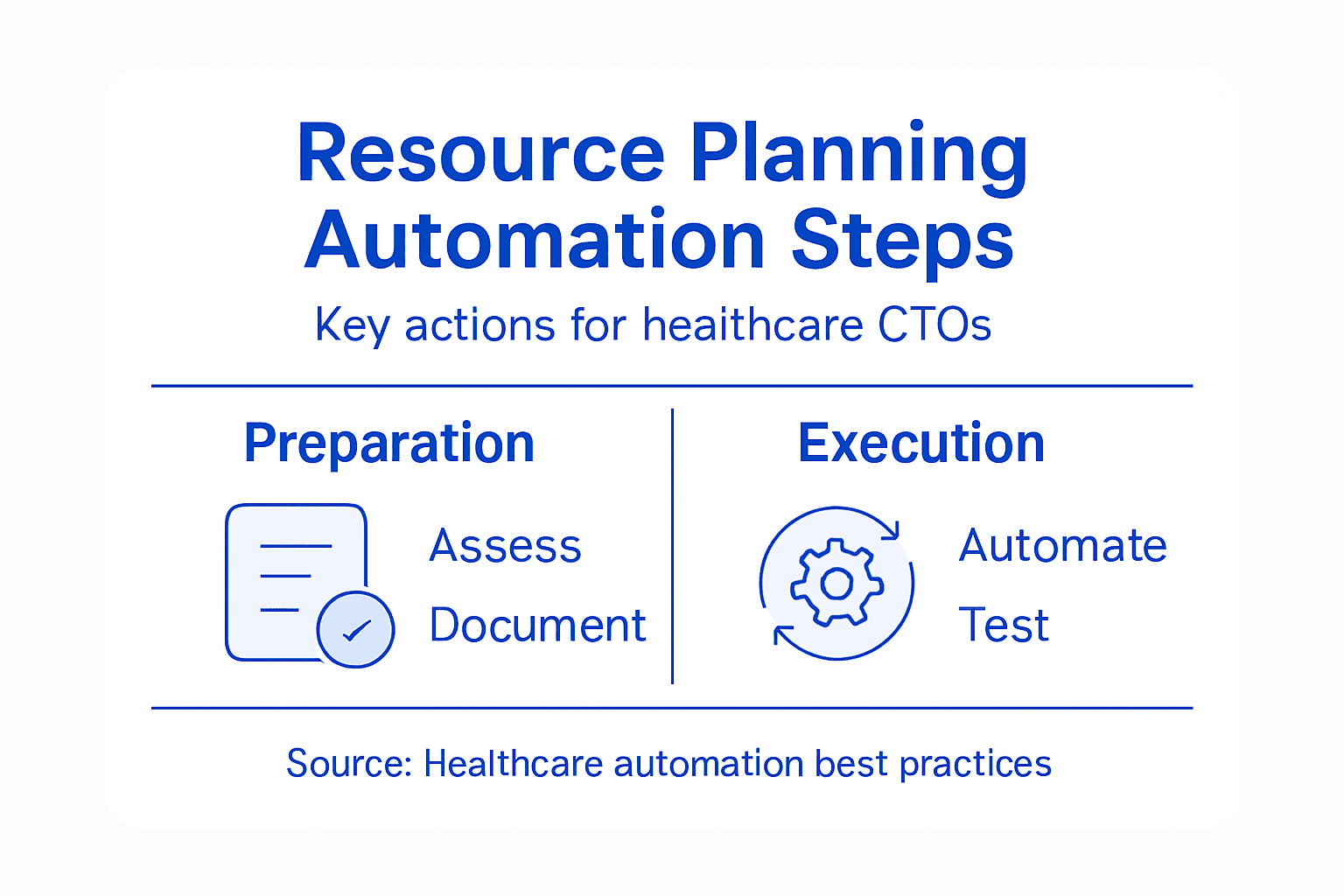
Begin with historical data validation. Pull the last 3-6 months of your actual scheduling decisions and run them through your automated system. Does it match what your team decided? If not, why? Understanding these differences reveals whether your rules need adjusting or if the system is actually finding better solutions.
Create test scenarios that represent real operational challenges:
- Unexpected staff absences during peak demand
- Equipment failures requiring reallocation
- Surge situations (emergency admissions, department closures)
- Conflicting requirements (specialized skills needed in multiple places)
- Compliance constraints (maximum shift lengths, mandatory rest periods)
AI-driven resource allocation tools enhance efficiency by predicting demand and dynamically adjusting to real-time data, ultimately improving patient outcomes and operational costs. Your testing should validate whether your system actually reduces bottlenecks and wait times as expected.
Run what’s called an alpha test with your core team only. Let your scheduling coordinators use the system to make real-time decisions while you monitor outcomes. Are they confident in the allocations? Are patients getting the right staff at the right time?
Then move to a beta test in one department. This is your proof-of-concept in actual operations. In healthcare systems across Saudi Arabia and the UAE, we typically run beta tests for 2-4 weeks to gather meaningful data.
Accuracy in resource allocation means matching calculated needs with actual personnel levels while maintaining quality care.
Measure what matters: Did shift coverage times improve? Did equipment utilization increase? Did staff satisfaction shift? Were there any compliance violations? Rigorous testing phases including alpha and beta tests validate automated systems in clinical settings and confirm whether the system is genuinely solving your problems.
Comparing manual vs. automated resource allocation processes:
| Criteria | Manual Allocation | Automated Allocation |
|---|---|---|
| Speed | Hours per request | Seconds to minutes |
| Accuracy | Prone to errors | Consistent and reliable |
| Staff Satisfaction | Frustration from delays | Improved scheduling fairness |
| Scalability | Limited by staff hours | Handles large-scale demands |
| Cost Efficiency | High operational costs | Lower long-term expenses |
Document every deviation and refinement. These notes guide your full rollout and help future teams understand why rules exist.
Pro tip: Have your clinical team shadow the automated decisions for one full week; their frontline perspective catches issues that data alone won’t reveal.
Step 5: Monitor results and optimize continuously
Automation isn’t a one-time setup. Your resource planning system needs constant attention to stay effective as patient demand shifts, staffing changes, and operational constraints evolve. This is where you transform good automation into exceptional performance.
Start by establishing clear performance metrics. Define what success looks like for your organization. Are you measuring staff utilization rates, reduction in unfilled shifts, equipment downtime, patient wait times, or cost per resource allocation?
Track these metrics consistently:
- Weekly shift coverage rates and overtime usage
- Equipment utilization and idle time
- Department-specific allocation accuracy
- Staff satisfaction with scheduling fairness
- Compliance violations or near-misses
- Cost per allocation decision
Continuous monitoring and optimization enable real-time adjustments to adapt to fluctuations in patient demand and resource availability. Your system should help you respond quickly when circumstances change—whether it’s a pandemic surge, staffing shortage, or seasonal demand variation.
Review your data weekly with a small cross-functional team. Include scheduling coordinators, clinical leadership, and your IT representative. What patterns are emerging? Where is the system underperforming? What rules might need refinement?
Don’t assume your initial rules are optimal. Simulation optimization techniques provide tools for evaluating and refining healthcare resource planning through scenario testing and iterative optimization. Use your platform to simulate “what if” scenarios before implementing changes.
For healthcare organizations in Saudi Arabia and the UAE managing multiple facilities, this becomes even more critical. Integrated resource allocation models enable real-time sharing and adjustment of assets across your network, improving system-wide resilience.
The difference between adequate automation and exceptional automation is iteration—continuously learning from real data and adjusting accordingly.
Schedule quarterly deep-dive reviews to assess whether your rules still match your organizational priorities. As staff turnover occurs, departments grow, or clinical protocols change, your automation rules need updating.
Document every optimization decision. Future CTOs will appreciate understanding why rules exist and what you learned from monitoring data.
Pro tip: Set up automated alerts that notify your team when specific metrics drop below thresholds; this prevents problems from festering for weeks before you notice them.
Empower Your Healthcare Resource Planning with Singleclic
Healthcare CTOs face the challenge of complex resource management that demands precision, speed, and adaptability. This article highlights key pain points such as manual scheduling inefficiencies, lack of real-time coordination, and the urgent need for seamless automation that supports full Arabic functionality and deep system integration. Avoid costly errors and wasted time by adopting intelligent automation rules and workflows that evolve with your operational needs.
Singleclic offers the perfect solution for healthcare organizations across Saudi Arabia and the UAE seeking to transform resource planning into a streamlined, reliable process. Our Arabic-enabled, low-code platform Cortex empowers your teams to automate complex scheduling, equipment allocation, and staff coordination without coding expertise. With on-premise deployment options designed for security and scalability, Cortex lets you optimize workflows in real time while reducing labor cost and improving patient care.
Experience why leading healthcare providers trust us to deliver enterprise AI, business process automation, and digital transformation tailored to the region. Visit Singleclic to discover how our expert consultants and scalable solutions can help you overcome your toughest resource planning challenges today.
Explore Our Business Process Automation Solutions
Learn More About Cortex, Our Low-Code Platform
Partner with Singleclic to Optimize Healthcare Operations
Frequently Asked Questions
What are the first steps to assess existing resource management processes in healthcare?
To assess existing resource management processes, start by documenting current workflows as they happen today. Map out each step in the scheduling process, identify decision-makers, and note any manual workarounds used by staff to understand inefficiencies clearly.
How can I select the right automation platform for resource planning in healthcare?
Choose an automation platform by forming a multidisciplinary evaluation team that includes scheduling managers, IT leadership, and clinical staff. Define requirements in functional, non-functional, and operational categories to ensure the platform meets your organization’s specific needs.
What are the key rules to configure for automated workflows in resource planning?
Focus on key rules like trigger rules to start workflows, validation rules to ensure conditions are met, assignment rules for resource allocation, and notification rules for alerts. Collaborate with scheduling teams to map out decision logic effectively and ensure the system reflects real operational needs.
How should I test the accuracy of automated resource allocation before full implementation?
Test the automated system using historical data to validate that it produces similar schedules as your team’s manual decisions. Run real operational scenarios, such as unexpected absences, to ensure the system can handle complex scheduling challenges reliably.
How can I continuously monitor and optimize an automated resource planning system?
Establish clear performance metrics such as staff utilization rates and patient wait times to track the effectiveness of the automation. Schedule regular reviews, at least quarterly, to assess these metrics and make necessary adjustments to rules based on evolving operational needs.
What are the common pain points in healthcare resource allocation that automation can address?
Common pain points include excessive manual scheduling, duplicate data entries, and last-minute staff changes due to poor coordination. By automating these processes, you can improve efficiency, reduce operational costs, and enhance patient care delivery.
Recommended
- 7 Key Types of CRM Systems Every Healthcare CIO Must Know
- Revolutionizing Healthcare: Unlocking Potential with Data Analytics and Automation | Singleclic
- Robotic Process Automation for Healthcare | singleclic
- Role of ERP in Healthcare: Transforming Operations and Care
- Energiebeheer voor bedrijven: kansen en verplichtingen – Holland Electric Duurzaam