Yes, Odoo supports Arabic and right-to-left (RTL) layouts, but getting it production-ready takes more than flipping a language setting. You need to enable Arabic, add RTL assets, install the relevant Arabic AI Content Generator for multilingual SEO localization modules, and test printed invoices for mixed-language edge cases. The three checks that matter most: translation completeness (PO files), RTL CSS and asset rebuilds, and invoice PDF rendering, since that is where most bugs surface first.
TL;DR:
- Arabic support requires enabling the language, rebuilding web assets for RTL, and installing country-specific localization modules, which can take about an hour.
- Upstream fixes address common RTL bugs like numerals next to Arabic text by adding explicit direction attributes and spacing, preventing layout issues.
- Most rendering bugs surface in secondary widgets like date pickers and editors, making thorough post-setup testing critical for smooth operation.
- Building a custom module to implement specific fixes is safer than patching core files, and tracking upstream commits helps maintain compatibility through upgrades.
- Enterprise editions offer more prebuilt localizations and official support, while community versions often need manual module installation and local testing for Arabic localization.
Table of Contents
- Quick setup checklist: install Arabic, enable RTL, and check essential modules
- Translation workflow and i18n best practices for Arabic strings
- Common RTL rendering bugs and how upstream fixes solve them
- Front-end RTL fixes to check after enabling Arabic
- Testing and QA checklist for Arabic localization
- How to create or update a localization module
- Deployment and upgrade considerations for Arabic and RTL changes
- How we approach Arabic localization delivery across the region
- Get help implementing Arabic localization and RTL fixes
- FAQ
- Sources
Quick setup checklist: install Arabic, enable RTL, and check essential modules
Getting basic Arabic support running takes about an hour if you follow a fixed order.
- Go to Settings → Translations → Languages, activate Arabic, and set it at both the user and company level.
- Enable the RTL interface option under language settings, then rebuild web assets so the RTL stylesheet compiles correctly.
- Install l10n_gcc_invoice or l10n_ar depending on your country, plus the website RTL package if you run e-commerce or a public-facing portal.
- Restart the Odoo workers, clear the asset cache, and confirm the backend menus, forms, and reports flip direction as expected.
Community modules covering Gulf-specific fields or extra Arabic reports are usually found on the Odoo Apps store or community GitHub repositories, but check the version compatibility before installing. Odoo Enterprise ships with more prebuilt country localizations already wired into accounting and payroll, including WPS-related payroll fields for Gulf markets, while Community edition often needs manual module installation and testing before those features work the same way.
Translation workflow and i18n best practices for Arabic strings
Odoo stores translatable strings inside each module’s i18n folder as .po files, one per language. You can edit these directly with Poedit, or export and reimport them through the Odoo UI under Settings → Translations → Export/Import.
- Keep every
.pofile in version control alongside the module so translation changes are reviewed the same way as code. - Use a shared terminology list for recurring business terms (invoice, quotation, delivery) so multiple translators do not introduce inconsistent Arabic equivalents.
- For community-driven translation work, Weblate is commonly used to coordinate contributions to Odoo’s core translation files, which keeps terminology synced across releases.
- Translatable HTML fields, like
display_nameon products or custom invoice line descriptions, are not always covered by standard PO exports, so check them manually after each release upgrade.
For general translation mechanics and common pitfalls when enabling Arabic, a community discussion on Odoo Arabic translation walks through exporting and reimporting PO files through the standard UI tools.
Pro Tip: Freeze your terminology list before a big rollout, since renaming a core term mid-project forces you to re-review every report and screen that uses it.
Common RTL rendering bugs and how upstream fixes solve them
The most persistent bug in Arabic Odoo deployments involves numerals sitting directly next to Arabic text inside product names or invoice lines. When a SKU or product name mixes digits and Arabic letters with no separating space, the browser and PDF renderer can misjudge the text direction, causing numbers to shift position or overlap with adjacent Arabic characters.
Odoo’s fix pads the gap between numerals and Arabic substrings with regex-inserted spacing and attaches explicit direction attributes to the rendering nodes, rather than relying on the browser to guess direction.
Two upstream commits address this directly. The first fix forces RTL rendering for Arabic partners by adding t-att-dir to QWeb report nodes and applying a regex-based padding rule to product.display_name so numerals and Arabic text never touch. A related commit simplifies invoice line name selection and attaches t-att-dir to the printed invoice template so the direction follows the partner’s language rather than a hardcoded default.
When you hit a similar bug in your own deployment:
- Reproduce the issue in a dev database using a product name that mixes numerals and Arabic text.
- Check whether the QWeb template already sets
t-att-dirtied toenv.lang; add it if missing instead of forcing a staticdir="rtl". - Apply padding fixes in a custom
l10nmodule override rather than patching core files directly, so upgrades do not wipe your changes. - Track upstream commits for your version and back-merge official fixes instead of keeping a permanent local patch.
Front-end RTL fixes to check after enabling Arabic
A handful of UI components tend to break quietly after you switch to RTL, even when the main forms look fine.
- Confirm date picker arrows point the correct direction; an upstream fix appends the
o_rtlclass to the main components container usinglocalization.direction, which is the pattern to follow in custom widgets rather than one-off CSS overrides. - Check the WYSIWYG editor’s translate button position, since hard-coded
leftorrightCSS values often place it on the wrong side; a pull request addressing translate button placement shows the direction-aware approach to use instead. - Re-test menus, popovers, and any third-party widgets after every upgrade, since RTL regressions tend to reappear in exactly these secondary components rather than in primary forms.
Pro Tip: Never hardcode left or right positioning in custom CSS. Use logical properties or direction-aware classes so the same stylesheet works in both LTR and RTL without duplication.
Testing and QA checklist for Arabic localization
Printed PDFs catch bugs that the browser never shows you, so your test plan needs dedicated cases for them.
- Generate invoices and quotations for products with numerals directly adjacent to Arabic text, and confirm spacing renders correctly.
- Test long product names that mix Arabic and Latin characters, plus SKUs containing punctuation or mixed scripts.
- Run the same PDF generation across at least two browsers, since rendering engines handle bidirectional text differently.
- After any version upgrade, re-run calendar, date picker, and WYSIWYG editor tests, since these are the components most likely to regress.
The most frequent Arabic localization regressions surface in secondary widgets like date pickers and editors, not primary forms, which is why a staging environment with production-like multilingual data matters more than browser testing alone. Document each test case with the expected rendering and reproduction steps so developers can act on a bug report without rebuilding your data set from scratch.
How to create or update a localization module
If you need a fix that is not yet upstream, a small custom module is safer than patching core files.
- Start with a standard
__manifest__.pydeclaring your module’s dependencies, including the base localization module you are extending. - Add an
i18n/folder with.pofiles for any new translatable strings your module introduces. - Override the report template under
views/report_*.xmlto addt-att-diror adjust alignment, rather than editing the original QWeb file directly. - Add a Python compute hook on
display_nameif you need the numeral-spacing fix applied to a model the core patch does not cover.
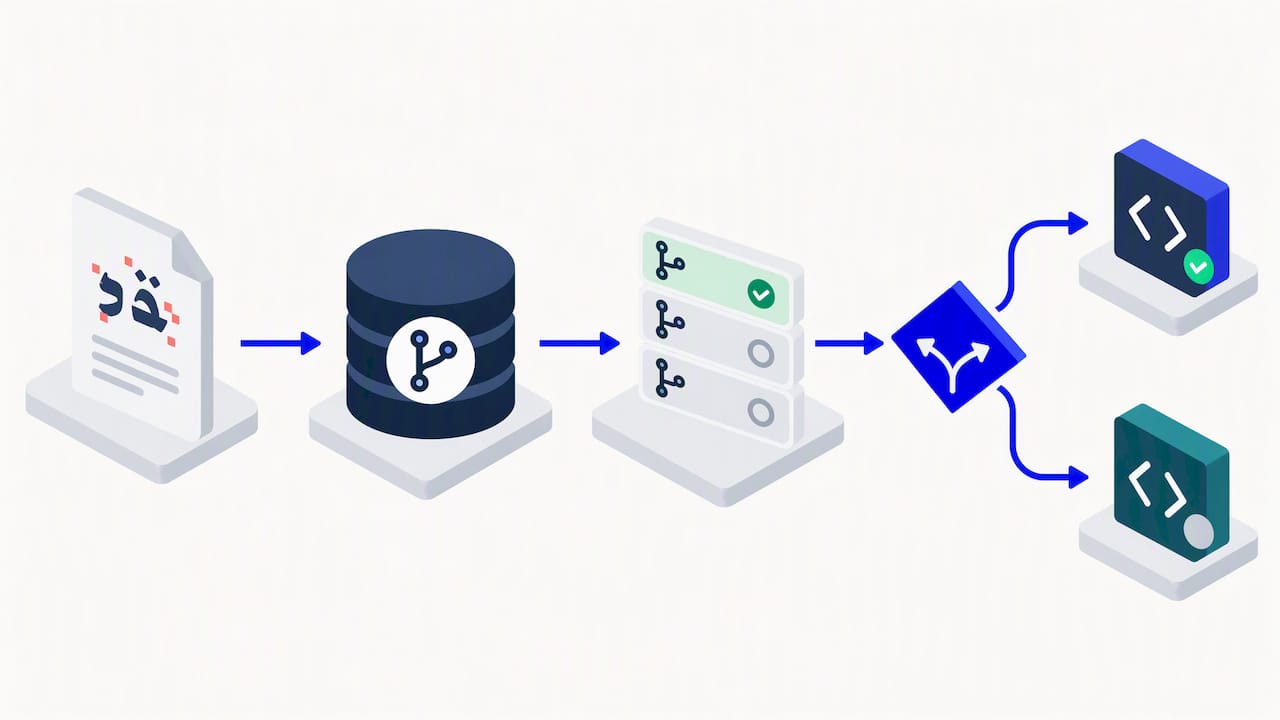
Keep the module in version control from day one, write at least one test that renders a sample invoice PDF, and decide early whether the fix is specific to your deployment or general enough to submit as a pull request upstream. Submitting upstream means future releases carry the fix automatically, while a private fork means you own the merge work on every upgrade.
Pro Tip: Before writing a custom override, search open and recently merged pull requests on the Odoo GitHub repository. Someone may have already solved your exact rendering bug.
Deployment and upgrade considerations for Arabic and RTL changes
Rolling out Arabic support safely is an operations problem as much as a development one.
- Rebuild and compile web assets after any CSS change; tools like
rtlcsshandle LTR-to-RTL stylesheet conversion if you are maintaining custom themes. - Rehearse the upgrade in a staging environment that mirrors production data, including multilingual product catalogs, before touching the live database.
- Remember that Enterprise and Community editions differ in which localization modules ship by default and in the level of official support available, so verify your edition’s module list before planning a timeline.
- Before go-live, run a short ops checklist: back up the database, export current translations, rebuild assets, and smoke-test invoice printing one more time.
How we approach Arabic localization delivery across the region
Our team has implemented Odoo for construction, real estate, and other regulated sectors across the Gulf and Egypt, and the pattern holds: Arabic-first UX is not a late-stage add-on, it is part of the acceptance testing from day one. We typically fold localization and RTL QA into a 3 to 6 month Odoo delivery plan, pairing it with our Cortex low-code layer when a client needs approvals or workflow automation connected to the same Arabic interface. If your team already owns translation and QA capacity, handling this in-house is realistic. If you are short on either, bringing in a regional implementer early avoids rediscovering the same invoice bugs in production.
— Tamer Badr
Get help implementing Arabic localization and RTL fixes
We deliver Odoo implementations, Arabic-enabled low-code integration through Cortex, and regional deployment experience across sectors in the Gulf and Egypt.

If your Arabic rollout keeps surfacing invoice or RTL bugs, or you are starting a fresh Odoo deployment and want localization built in from the start, we can scope the work with you.
- Request an assessment of your current Odoo setup and translation coverage.
- Get a deployment plan covering RTL fixes, module structure, and QA checkpoints.
- Review our services overview to see where localization fits alongside ERP, CRM, and automation work.
Reach out through our services page to start the conversation.
FAQ
Does Odoo support Arabic out of the box?
Odoo ships with Arabic as an installable language and includes RTL rendering support, but you still need to enable the language, activate RTL assets, and install relevant localization modules such as l10n_gcc_invoice. Printed invoices and secondary UI widgets often need additional testing before they are production-ready.
Why do numbers and Arabic text overlap on my invoices?
This happens when numerals sit directly next to Arabic characters with no separating space, confusing the renderer’s direction logic. Upstream Odoo fixes address this with regex-based spacing in product display names and explicit direction attributes on report templates.
What is the difference between Odoo Enterprise and Community for Arabic localization?
Enterprise typically ships with more country localization modules preinstalled and includes official support for fixing regressions. Community often requires manually installing and testing modules like l10n_gcc_invoice, which means more QA work falls on your own team.
How do I fix a translate button or date picker that appears on the wrong side in RTL?
These are usually caused by hardcoded left or right CSS values rather than direction-aware positioning. Upstream fixes, including one addressing translate button placement and another fixing date picker arrows, show the pattern of toggling an o_rtl class at the container level instead.
Should I patch Odoo’s core files or build a custom module for RTL fixes?
Build a custom module that overrides the relevant QWeb template or adds a Python compute hook, since core file edits get overwritten on every upgrade. Track upstream commits for your Odoo version so you can back-merge official fixes instead of maintaining permanent local patches.