Ecommerce ERP software centralizes orders, inventory, fulfillment, and finance into a single system of record so you can stop firefighting across spreadsheets and disconnected apps and scale predictably. If you’re reading this, you’re likely past the point where Shopify apps and manual reconciliations are cutting it. The right move is to audit your operational complexity before you shortlist a single vendor.
Run this quick self-assessment first:
- Orders per day: Are you processing enough volume that manual routing or fulfillment errors are costing you money?
- SKU and variant count: Structural complexity indicators like managing thousands of SKUs with variants or kits reliably signal ERP readiness.
- Sales channels: Selling across three or more channels (your own store, Amazon, wholesale portals) means inventory and settlement reconciliation are already a daily problem.
- Reconciliation time: If your finance team spends more than a few hours each week manually matching marketplace payouts to orders, that time is a direct cost you can eliminate.
Ecommerce businesses typically outgrow Shopify apps and spreadsheets between $2M and $10M in revenue or when multichannel complexity starts causing inventory failures and missed financial closes. The ROI case is straightforward: fewer stockouts, automated order routing, and a financial close that takes days instead of weeks—many see payback within the first 18 months.
Table of Contents
- What does ecommerce ERP software actually do?
- Concrete benefits ecommerce teams see after ERP adoption
- Which deployment model fits ecommerce: cloud, on-premise, or hybrid?
- How should your ecommerce platform and ERP integrate?
- Which ERP vendors do ecommerce decision-makers typically shortlist?
- How to choose the right ecommerce ERP: checklist, TCO, and vendor questions
- Common implementation pitfalls and how to avoid them
- What’s new for ecommerce ERP: AI, automation, and the single-data-core strategy
- Key takeaways
- The case for treating ERP selection as a strategic decision, not a software purchase
- Singleclic helps ecommerce organizations implement and integrate ERP the right way
- Research sources and further reading
What does ecommerce ERP software actually do?
An ecommerce ERP is not a storefront replacement. It is the operational backbone behind your storefront, handling the logic, data, and financial records that commerce platforms like Shopify or BigCommerce were never designed to manage at scale. Orders flow in from every channel, get routed to the right warehouse or 3PL, trigger inventory updates across all locations, and post automatically to your general ledger. That entire chain runs without manual intervention.
The modules that drive ecommerce outcomes specifically are:
- Inventory and OMS: Real-time stock visibility across warehouses, 3PLs, and sales channels with automated reorder rules.
- Order management: Routing logic, split shipments, backorder handling, and priority queues.
- Finance and multi-subsidiary accounting: Automated posting of marketplace settlements, multi-currency support, and consolidated reporting across legal entities.
- Warehouse management (WMS): Pick, pack, ship workflows, bin locations, and carrier integrations.
- Returns and RMA workflows: Reverse logistics tied back to inventory and financial adjustments.
- Integration and API layer: Certified connectors or middleware to Shopify, Adobe Commerce, BigCommerce, and marketplace APIs.
- Customer data hub or basic CRM: Order history, lifetime value, and support ticket linkage.
The data flow that matters most: An order placed on any channel hits the ERP’s OMS, which checks real-time inventory, routes the order to the correct WMS or 3PL, triggers a shipment record, and posts the revenue and cost entries to the general ledger automatically. When that chain breaks, you get oversells, delayed shipments, and a month-end close that requires manual correction. When it works, your finance team closes on time and your operations team has nothing to firefight.
For a deeper look at the essential ERP modules that matter most for business leaders, Singleclic’s feature checklist maps each capability to business outcomes.

Concrete benefits ecommerce teams see after ERP adoption
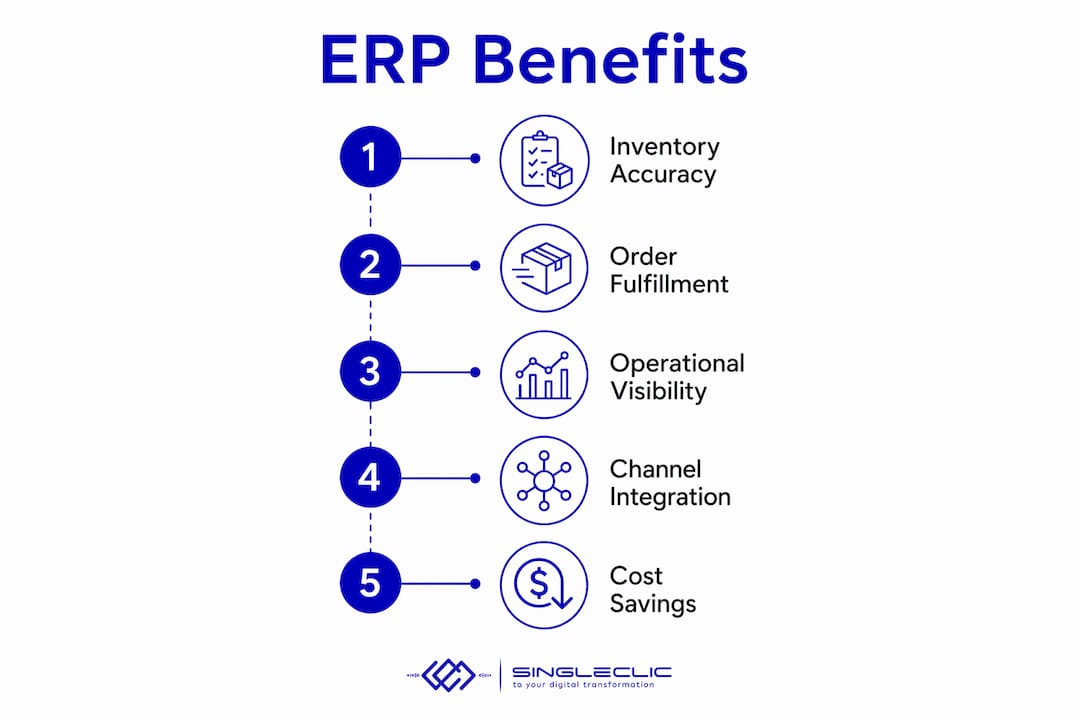
The benefits that actually move the needle for ecommerce operations fall into four categories.
Inventory accuracy and oversell prevention are the most immediate wins. When every sales channel draws from a single inventory pool updated in real time, you stop selling products you don’t have. Multichannel sellers running separate systems routinely discover oversells only after a customer complains.
Faster order-to-fulfillment comes from automated routing. Instead of a warehouse team manually checking a spreadsheet to decide which 3PL gets which order, the ERP applies your routing rules and sends the pick instruction automatically. That cuts the time between order placement and shipment confirmation significantly.
Month-end close acceleration is where finance teams feel the difference most. Marketplace settlements from Amazon, Walmart, or eBay arrive as batched payouts that bundle fees, refunds, and net proceeds. An ERP with proper settlement mapping posts those entries automatically rather than requiring a finance analyst to decode each batch manually.
Operational efficiency and headcount redeployment follow from all three. Teams that spent hours on reconciliation and manual data entry shift to higher-value analysis. That redeployment is often how companies justify the TCO of an ERP project within the first 18 months.
Callout: Cloud ERP is the dominant architecture for ecommerce today because it delivers faster updates, elastic scalability during peak seasons, and lower infrastructure overhead compared with on-premise deployments.
Which deployment model fits ecommerce: cloud, on-premise, or hybrid?
For most ecommerce businesses, cloud-first is the correct default. Cloud ERP scales with your order volume, receives vendor-managed updates, and connects to modern commerce APIs without requiring your IT team to manage server infrastructure. During peak seasons like Q4, that elasticity matters.
On-premise deployments still make sense in specific scenarios: regulated industries with strict data residency requirements, businesses with deep integrations to legacy manufacturing or distribution systems, or organizations in markets where cloud connectivity is unreliable. The trade-off is real: you own the infrastructure, the upgrade cycles, and the integration maintenance burden. For a detailed cloud vs. on-premise decision framework, Singleclic’s guide covers regulated and asset-intensive contexts specifically.

Two-tier or hybrid architectures are common in larger organizations. The pattern is a global ERP (SAP S/4HANA or Oracle ERP Cloud) handling corporate finance and consolidation, with a lighter cloud ERP or commerce-native system managing ecommerce operations at the subsidiary or regional level. Gartner has covered two-tier ERP modernization as a practical path for enterprises that need agility at the edge without replacing their core financial system.
Pro Tip: If your business operates across multiple legal entities, currencies, or tax jurisdictions, prioritize cloud ERP with native multi-subsidiary support or design a two-tier architecture from the start. Retrofitting multi-entity accounting into a single-entity ERP is expensive and disruptive.
How should your ecommerce platform and ERP integrate?
Most commerce-first companies are better served keeping their storefront on a dedicated commerce platform (Shopify, BigCommerce, Adobe Commerce) and using the ERP as the backend. The integration between them is where most projects succeed or fail.
The data flows you must map before selecting a connector:
- Product and catalog sync: SKUs, variants, pricing, and inventory levels pushed from ERP to storefront.
- Order ingestion: New orders pulled from the storefront into the ERP’s OMS in real time or near-real time.
- Inventory updates: Available-to-promise quantities pushed back to the storefront after each order or warehouse transaction.
- Shipment and tracking: Carrier tracking numbers posted back to the storefront and customer notification triggered.
- Refunds and returns: RMA records in ERP linked to storefront refund events and inventory adjustments.
- Payment and settlement mapping: Marketplace payout batches mapped to individual orders and financial entries. This is where reconciliation complexity lives: payout batching, marketplace fees, and chargebacks require careful mapping to ERP financial entries.
Choosing the right connector type
- Native certified connector: Use for standard 1–2 system integrations where the vendor maintains the mapping. Lowest cost, fastest setup, but limited flexibility.
- Middleware or iPaaS (e.g., Celigo, Boomi, MuleSoft): Use when connecting three or more systems or when business logic requires orchestration across platforms. Higher upfront cost, but far more maintainable than custom code.
- Custom API integration: Last resort when no connector exists. Always account for the long-term maintenance burden of custom code before committing.
Red flags to watch during vendor demos: delayed inventory feeds (batch sync longer than 15 minutes for high-volume sellers), missing settlement mapping for your key marketplaces, and no built-in error-handling or retry logic for failed order syncs.
For a broader view of how ERP and CRM integration improves operational visibility, Singleclic’s guide covers the integration patterns that matter most for commerce and customer data.
Which ERP vendors do ecommerce decision-makers typically shortlist?
The market has clear tiers and use-case fits. Here is the comparison table, followed by the profiles that matter most for your shortlisting decision.
| Vendor | Best For | Deployment | Licensing Model | Key Ecommerce Integrations | Inventory & OMS | Implementation Complexity |
|---|---|---|---|---|---|---|
| Singleclic | Mid-market to enterprise in MENA needing Dynamics 365 or Odoo with Cortex low-code connectors | Cloud / On-premise / Hybrid | Project-based; Odoo and Dynamics 365 licensing | Shopify, BigCommerce, Adobe Commerce via Cortex or native connectors | Full OMS, inventory, WMS via Dynamics 365 F&O or Odoo | Medium to high; full implementation and post-go-live support included |
| Oracle NetSuite | Brands approaching mid-market with multi-entity or international finance needs | Cloud-native | Per user / per module | Shopify, BigCommerce, Magento via SuiteCommerce and connectors | Strong OMS, multi-location inventory | Medium; 3 months typical |
| SAP S/4HANA | Mid-market to enterprise needing deep process standardization | Cloud / On-premise / Private cloud | Per user / per module | Adobe Commerce, Shopify via SAP Integration Suite | Enterprise-grade OMS and WMS | High; 6 months typical |
| Acumatica | Midsize companies wanting flexible user licensing | Cloud / SaaS | Per tenant (unlimited users) | Shopify, BigCommerce via certified connectors | Solid OMS, multi-warehouse | Medium; 3 months |
| Epicor | Distributors and manufacturers expanding into ecommerce | Cloud / On-premise | Per user | Shopify, custom API | Strong distribution and inventory depth | Medium to high |
| Sage | SMBs and mid-market needing strong finance modules | Cloud / On-premise | Per user / per module | Shopify, WooCommerce via third-party connectors | Moderate OMS capabilities | Low to medium; 2–4 months |
| Brightpearl | DTC brands and multichannel sellers processing hundreds to thousands of orders per month | Cloud-native | Per tenant | Shopify, BigCommerce, Amazon, eBay native | Retail-first OMS and inventory automation | Low; fast time-to-value |
Oracle NetSuite is the most commonly recommended platform for brands approaching $5M+ in revenue with multi-subsidiary or international finance complexity. Its ecosystem of certified connectors covers most major commerce platforms, and its multi-location inventory and OMS are mature. The first-year TCO for a typical NetSuite setup includes license and integration costs, which can be substantial.
SAP S/4HANA suits organizations that need enterprise-grade process standardization and have the IT resources to manage a complex implementation. SAP Business One is the lighter edition for smaller mid-market companies. Both offer public and private cloud options alongside on-premise, which matters for businesses with data residency requirements.
Acumatica stands out for its unlimited-user licensing model. For growing teams where per-user costs compound quickly, that pricing structure changes the TCO math materially. Its cloud architecture is modern and its Shopify and BigCommerce connectors are well-maintained.
Epicor brings genuine depth in distribution and manufacturing operations. If your ecommerce business is an extension of a physical distribution or manufacturing operation, Epicor’s operational modules are hard to match at its price point.
Sage covers the SMB and lower mid-market well with strong finance functionality and a long track record. Its ecommerce integrations rely more on third-party connectors than native ones, which adds integration planning overhead.
Brightpearl is the retail-native option for DTC and multichannel sellers. It is not a full ERP in the traditional sense but a retail operations platform with fast time-to-value. For sellers processing 500–5,000 orders per month across Shopify, Amazon, and eBay, it often delivers results faster than a full ERP implementation.
For a broader comparison of cloud ERP systems, Singleclic’s resource covers adoption patterns and feature mapping across the major platforms.
How to choose the right ecommerce ERP: checklist, TCO, and vendor questions
Selection decisions that skip the evaluation process almost always result in a costly re-implementation within three to five years. Here is a prioritized checklist.
- Integration quality first. Evaluate the connector ecosystem for your specific commerce platforms and marketplaces before anything else. A great ERP with a weak Shopify connector will cause more pain than a mid-tier ERP with a certified, well-maintained one.
- OMS and inventory capabilities. Can the system handle your order routing logic, split shipments, and multi-location inventory without heavy customization?
- Multi-entity accounting. If you operate across legal entities or currencies today, or plan to, verify native support before committing.
- Extensibility and partner ecosystem. How large is the implementation partner network? Can you find certified partners in your region with reference customers in your vertical?
- Upgrade policy and data ownership. Understand the vendor’s upgrade cadence, your ability to export data, and what happens to your customizations during major version upgrades.
TCO breakdown: what you’re actually paying for
| Cost Category | Typical Range (First Year, ~10 Users) | Notes |
|---|---|---|
| Software license / subscription | Included in totals below | Varies by vendor tier |
| Odoo-based setup | — | Lower entry point; strong for SMB/mid-market |
| Business Central setup | — | Mid-market Microsoft ecosystem |
| NetSuite setup | — | Mid-market to enterprise |
| Integration (native connector) | $5K–$15K | Standard mappings, vendor-maintained |
| Integration (middleware/iPaaS) | — | Multi-system orchestration |
| Data migration | — | Depends on data quality and volume |
| Training and change management | — | Often underbudgeted |
| Annual maintenance | 15% of license | Ongoing support and upgrades |
TCO figures above are first-year scenario estimates for a 10-user implementation and will vary based on customization scope, data complexity, and partner rates.
Questions to ask every vendor and implementation partner during demos:
- What is your certified connector for Shopify/BigCommerce/Adobe Commerce, and what is its update cadence?
- Can you provide three reference customers in my vertical and revenue range?
- What does your sandbox environment look like, and how long do we have access during testing?
- Who owns the data if we terminate the contract?
- How do you handle marketplace settlement reconciliation for Amazon and Walmart?
For a field-tested ERP implementation playbook covering Dynamics 365 and Odoo, Singleclic’s guide walks through each phase with decision checkpoints.
Common implementation pitfalls and how to avoid them
ERP projects fail in predictable ways. The most common failure modes are not technical. They are organizational.
- Underestimating change management. Failure to plan for change management is a top reason ERP projects underdeliver. Executive sponsorship, documented business rules, and role-based training plans are not optional extras.
- Ignoring data quality before migration. Migrating dirty data into a new ERP does not clean it. A pre-migration data audit that identifies duplicate SKUs, inconsistent customer records, and unmapped product categories saves weeks of post-go-live firefighting.
- Building custom integrations too early. Custom code created before business rules are finalized becomes a maintenance liability. Use native connectors or middleware until your processes are stable.
- No clear owner for business rules. When no one owns the decision about how split shipments are routed or how returns are posted to the general ledger, those decisions get made inconsistently during configuration and create reconciliation problems later.
Implementation checklist
- Governance: assign a named project owner with authority to make business rule decisions.
- Data migration plan: audit, clean, and map data before the migration sprint begins.
- Phased rollout: go live with core order-to-cash first, then add modules.
- Testing strategy: build test cases for your highest-volume order flows, your most complex returns, and your marketplace settlement reconciliation.
- Training plan: role-specific, not generic. Warehouse staff need different training than finance analysts.
- Post-go-live support window: plan for at least 60–90 days of hypercare with your implementation partner available.
Pro Tip: Treat your ERP as a decade-long platform commitment, not a software purchase. Select for adaptability and partner ecosystem depth, not the lowest first-year cost. The vendors that look cheapest at contract signing often carry the highest total cost when customization, integration maintenance, and re-implementation are factored in.
For a practical guide to avoiding common implementation failures, Singleclic’s playbook covers the governance and testing patterns that protect go-live timelines.
What’s new for ecommerce ERP: AI, automation, and the single-data-core strategy
AI capabilities in ERP are moving from marketing language to operational reality, but only for organizations that have already solved their data foundation problem.
Oracle’s modern ERP suites now incorporate AI and analytics to automate manual accounting tasks and supply chain forecasting, reacting in real time to demand signals. The prerequisite is a centralized, clean data core across commerce, inventory, and finance. Without it, machine learning models train on noise and produce unreliable forecasts.
The practical AI use cases gaining traction in ecommerce ERP today:
- Demand forecasting: ML models trained on historical order data, seasonality, and channel-level trends to optimize reorder points and safety stock levels.
- Automated accounting: AI-assisted matching of marketplace settlements to orders, flagging anomalies for human review rather than requiring manual reconciliation of every line.
- Anomaly detection: Real-time alerts on inventory discrepancies, unusual return rates, or payment processing failures before they compound.
The single-data-core strategy is the prerequisite for all of it. Consolidating your commerce platform, ERP, and warehouse system so that all analytics and forecasting pull from a single source of truth is the architectural decision that makes AI adoption viable. Organizations running five disconnected systems cannot benefit from AI forecasting because the data is fragmented across all five.
Recommended next steps for AI readiness:
- Run a data readiness audit: identify where inventory, order, and financial data currently lives and where it is duplicated or inconsistent.
- Map your integration surface: document every system-to-system data flow and flag gaps.
- Pilot one forecasting or automation use case on clean data before committing to a broader rollout.
- Measure the baseline (current reconciliation hours, stockout rate, forecast accuracy) before the pilot so you can quantify the improvement.
For a deeper look at how AI is transforming ERP workflows and what prerequisites matter most, Singleclic’s resource covers the practical pilots and automation patterns that deliver measurable results.
Key takeaways
Invest in ecommerce ERP software when channel count, SKU complexity, or reconciliation failures are costing you money daily. The right platform, integration strategy, and implementation partner determine whether you get ROI in 18 months or spend three years fixing a bad deployment.
| Point | Details |
|---|---|
| Trigger for ERP adoption | Three or more sales channels, 4,000+ SKUs, or multi-entity operations—or between $2M and $10M in revenue—signal ERP readiness more reliably than lower complexity. |
| Integration strategy | Use native connectors for 1–2 systems; move to middleware or iPaaS when connecting three or more systems or when business logic requires orchestration. |
| TCO reality | First-year costs for a 10-user setup range from — (Odoo) to — (NetSuite); integration and change management add further cost. |
| Top implementation risk | Change management and data quality failures cause more ERP project delays than technical issues. Plan for both before go-live. |
| Singleclic’s role | Singleclic implements Dynamics 365 and Odoo for mid-market and enterprise clients, with Cortex low-code connectors for ecommerce integration and post-go-live support across KSA, UAE, and Egypt. |
The case for treating ERP selection as a strategic decision, not a software purchase
There is a version of this decision that most articles do not address honestly: the gap between what an ERP vendor demonstrates in a sales cycle and what your team actually experiences six months after go-live. Vendors show polished demos of their best-case configuration. What they rarely show is the state of your data after migration, the behavior of your integration when a marketplace changes its API, or the change management work required to get your warehouse team to stop using the spreadsheet they’ve relied on for three years.
The ERP projects that deliver ROI within 18 months share a common pattern. They start with a realistic audit of operational complexity, not a vendor shortlist. They invest in data quality before migration, not after. They assign a named internal owner with the authority to make business rule decisions, and they treat the implementation partner relationship as a long-term engagement, not a one-time project.
The vendors in this article are all capable platforms. The differentiator is almost never the software. It is the quality of the implementation, the depth of the integration work, and the organizational readiness to change how people work. That is where the investment pays off or does not.
Singleclic helps ecommerce organizations implement and integrate ERP the right way
If you’ve read this far, you already know the platforms. What most ecommerce businesses need is not another demo. They need an implementation partner who has done this before, who can map their integration surface honestly, and who will still be available six months after go-live when the first reconciliation issue surfaces.

Singleclic implements Microsoft Dynamics 365 and Odoo for mid-market and enterprise clients, with a specific focus on getting the integration layer right from the start. Cortex, Singleclic’s low-code platform, handles the connectors, approval workflows, and process automation that sit between your ERP and your commerce stack, without requiring custom code that becomes a maintenance liability. With 10+ years of delivery experience and 100+ enterprise clients across KSA, UAE, and Egypt, Singleclic brings the regional expertise and technical depth that generic system integrators cannot match.
If you’re evaluating platforms or preparing a TCO assessment, request a discovery call with Singleclic’s team to map your integration needs and get a realistic implementation timeline for your specific operation.
Research sources and further reading
The following sources informed the analysis, vendor profiles, and selection guidance in this article. Use them to verify vendor capabilities, TCO estimates, and implementation timelines for your specific context.
- Best E-Commerce ERP Software 2026 | ERP Research: Vendor shortlist rankings, target customer sizes, and fit criteria for Brightpearl, NetSuite, and Acumatica.
- eCommerce ERP System 2026: Retailer Guide | ERP Pilot: First-year TCO ranges, integration strategy guidance (native vs. middleware vs. custom), and reconciliation complexity analysis.
- Enterprise Resource Planning (ERP) | Oracle: Oracle’s documentation on AI and analytics capabilities in modern ERP suites and the data prerequisites for AI adoption.
- Choosing the Right ERP for Your E-commerce | K-Hub: Change management and future-proofing guidance for ERP selection.
- When your online shop needs a real backend | Aha Ecommerce: Structural complexity triggers (channels, SKUs, legal entities) as the real indicators for ERP adoption.
- Best Cloud ERP Software | Forbes Advisor: Cloud ERP architecture advantages for SMBs and ecommerce businesses.
- 2-Tier ERP: Modernizing the Hidden Jewels of the Enterprise | Gartner: Framework for two-tier ERP architecture in enterprise organizations.
- A Guide to ERP and Ecommerce | Top10ERP: Overview of ERP and ecommerce integration patterns and platform considerations.
- Microsoft Dynamics 365 | Singleclic: Singleclic’s implementation services for Dynamics 365 ERP and CRM.
- ERP Implementation Playbook | Singleclic: Field-tested implementation steps for Dynamics 365 and Odoo deployments.