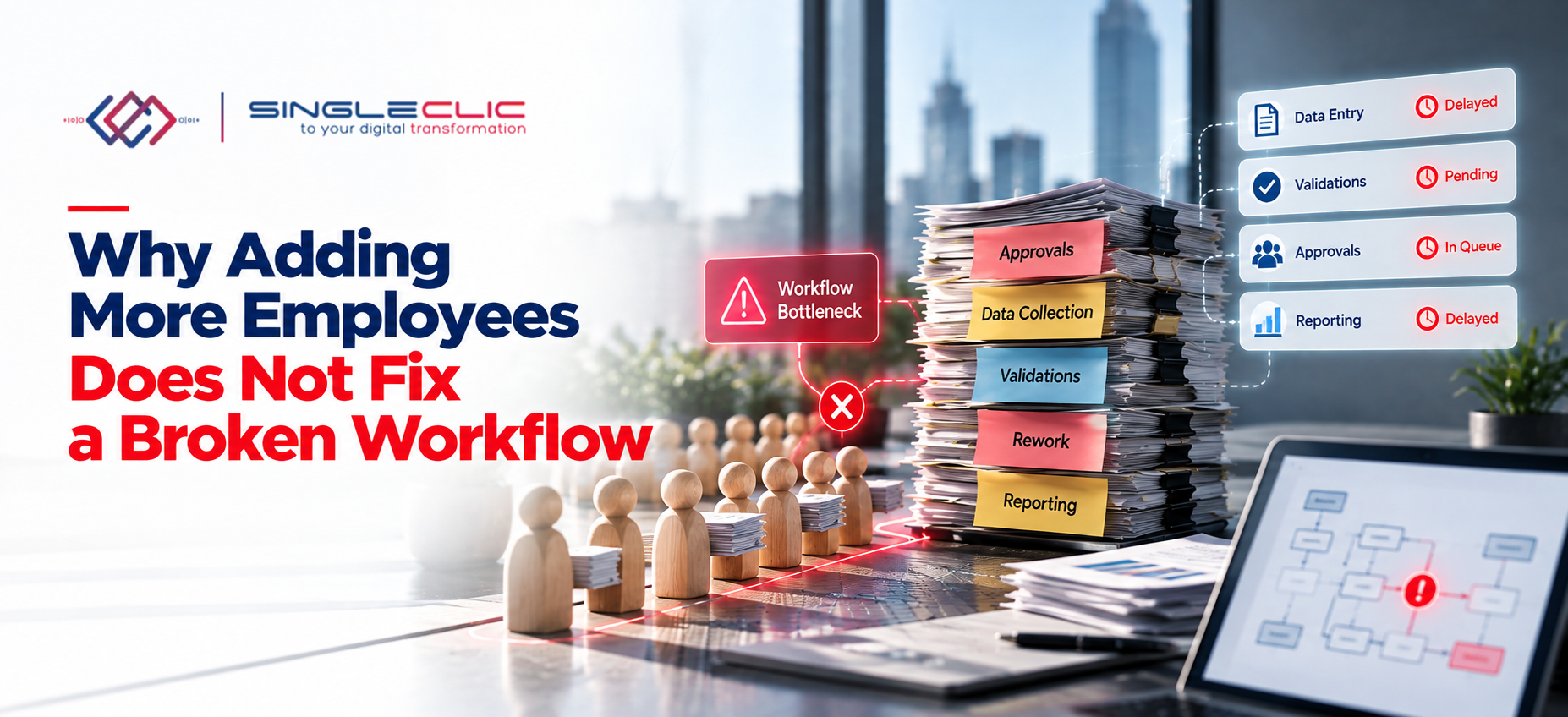
When workloads grow, hiring more people feels like the obvious answer. Requests pile up, approvals slow down, and the team is stretched, so extra headcount looks like the fastest relief.
But if the underlying workflow is inefficient, new hires often add more handoffs, more messages, and more coordination instead of more output. Before growing the team, ask a different question first: where is the process actually breaking down?
What is Workflow Automation?
Workflow automation is the use of software to carry out repetitive, rule-based work without manual effort. Instead of a person copying data, forwarding a request, or sending a reminder, the system does it when a defined condition is met.
Most tools follow simple if/then logic: if an invoice is submitted, then route it to the approver; if the approver does not respond in two days, then send a reminder. These rules reduce delays, lower the risk of human error, and give teams visibility into where work stands. This is also why workflow automation sits at the center of business process management.
More People Do Not Automatically Mean Better Processes
Capacity and efficiency are different things. Capacity is how much work a team can absorb. Efficiency is how smoothly that work travels from start to finish. Hiring raises capacity, but it cannot fix a process that wastes time at every step.
When people join an inefficient workflow, the inefficiency scales with them. More people can mean more handoffs, more approvals to chase, more duplicate data entry, and more meetings just to stay aligned.
What Does a Broken Workflow Look Like?
Broken workflows rarely look dramatic. They look like normal work that has become heavier over time. Common signs include:
- Too many manual tasks: copying, forwarding, and updating trackers by hand
- Repetitive data entry: the same information typed into an ERP, a spreadsheet, and an email
- Too many approval stages: simple requests stretched across days
- Unclear ownership: tasks sit idle because everyone assumes someone else has them
- Disconnected systems: departments use separate tools, and the versions rarely agree
- Chasing updates: employees spend hours asking where a request is
The Hidden Cost of Inefficient Workflows
The cost seldom appears on a single report, but it shows up everywhere: lost productivity, processing delays, higher operational costs, more errors, heavier employee workload, slower customer responses, and poor visibility into how the process performs. Together, these often exceed the cost of fixing the process itself.
Why Hiring More People Can Mask the Real Problem
Extra staff gives temporary workload relief, not structural improvement. They may compensate for bottlenecks without removing them, so the process stays dependent on manual effort. The next increase in volume brings the same pressure back, followed by another round of hiring.
How to Identify Workflow Bottlenecks
Finding the real problem means studying the process, not only the people inside it.
- Map the end-to-end process, including informal steps such as emails and spreadsheets.
- Identify repetitive tasks that follow the same rules every time.
- Measure processing and waiting times. In many processes, waiting is far longer than working.
- Track handoffs between teams. Each one is a place where information can be lost.
- Find approval bottlenecks by looking at which approvals take the longest or are returned most.
- Analyze exceptions and rework, since patterns here usually point to the root cause.
Types of Workflow Automation Tools
Workflow automation is not one tool. Different functions use different kinds of solutions:
Project management: connects people, tasks, and deadlines so teams can see progress and avoid duplicated effort.
Sales and marketing: manages leads and customer data, triggers follow-ups, and sends tailored messages based on customer behavior.
Customer service: assigns tickets, tags requests, and sends standard replies so agents can focus on complex cases.
Finance: keeps budget approvals, invoicing, purchase requests, and accounting entries organized and consistent. Finance workflows benefit most from clear audit trails.
Human resources: supports onboarding, time off requests, timesheets, and documentation with less administrative oversight.
For enterprises, these functions are often connected through an ERP and CRM platform, with business process automation linking the steps between them.
The Benefits of Workflow Automation
Fewer errors. Manual data entry invites small mistakes with large effects, from wrong invoices to inaccurate records. Automated workflows use centralized data and consistent rules.
Streamlined processes. Tasks are assigned and followed up automatically, so bottlenecks are easier to see and delays shrink.
Higher productivity. When repetitive work is automated, teams spend less time tracking information and chasing approvals, and more time on work that needs judgment.
Better communication. Automated notifications and clear workflows help everyone understand their role and keep cross-functional work moving.
Deeper insights. Real-time reporting shows where time is lost, so leaders can make decisions based on how the process actually performs.
When Should a Business Consider Workflow Automation?
Consider it when you see high volumes of repetitive tasks, manual data transfers between systems, frequent errors, long approval cycles, several disconnected systems, constant follow-ups, or no real-time visibility. If several of these apply, the issue is probably the process, not the headcount.
How to Choose the Right Workflow Automation Tool
Start by analyzing your current processes, pinpointing bottlenecks, and understanding who will use the tool. Then compare options against practical criteria:
- A simple, user-friendly interface
- Integration with the systems your teams already use
- Customizable workflows that match your real process
- Cloud-based or flexible deployment options
- Analytics and real-time reporting
- Strong security and data protection
- Scalability as the business grows
- Support for your language, including Arabic-first experiences for regional teams
If you need approval flows or internal tools built around your own rules, a low-code platform such as Cortex can turn a manual process into a working application in days rather than months. If you already run Microsoft Dynamics 365 or Odoo, automation can be built around the data you already hold.
Examples of Workflow Automation in Action
- Sending an automatic acknowledgment and follow-up after a customer submits a contact form
- Starting a nurture sequence after a defined customer action
- Invoicing customers automatically for recurring payments
- Routing purchase requests to the right approver by amount
- Reimbursing employee expenses after approval
- Sending reminders for deadlines and pending approvals
- Assigning tasks to team members based on workload
- Onboarding new employees with a standard checklist
- Approving and recording leave requests
Each of these removes a small manual step. Together they free hours every week.
People + Better Processes: Building a Scalable Operation
Automation does not remove the need for people. It changes what they spend time on. Employees should focus on judgment, analysis, relationships, and decisions, while technology handles predictable, repetitive workflows. With both in the right place, the business can grow without a matching growth in manual effort.
To review your current workflows, contact the Singleclic team, or explore more guidance on the Singleclic blog.
FAQ
Why doesn’t hiring more employees improve productivity?
The limit is often the process, not the number of people. In an inefficient workflow, extra staff adds handoffs and coordination without removing the delays that cause the slowdown.
What is workflow automation?
It is the use of software to perform repetitive steps, route tasks, send notifications, and move data between systems according to defined rules.
How can businesses identify workflow bottlenecks?
By mapping the process, measuring processing and waiting times, tracking handoffs, reviewing approval delays, and analyzing exceptions and rework.
When should a company automate a process?
When it involves repetitive high-volume tasks, manual data transfers, frequent errors, long approval cycles, multiple disconnected systems, or poor visibility.
How does workflow automation improve productivity?
It removes repetitive manual work, reduces errors, speeds up approvals, and gives teams clear visibility, so people can focus on work that needs expertise.
What are the signs of an inefficient workflow?
Repeated data entry, long approval times, unclear ownership, disconnected systems, frequent rework, and employees spending significant time chasing updates.
What is the difference between workflow automation and process automation?
Workflow automation focuses on the flow of tasks and approvals between people and systems. Process automation is broader and covers an entire business process, including logic, data, and system actions. In practice, they overlap and are often used together.