Modern government work requires tools that can keep information organized and tasks running smoothly. With technology changing so fast, finding software that fits new challenges is more important than ever. Some tools promise better decision making and more secure data, while others focus on easy connections between departments. The right software could make the difference in how quickly teams respond to new demands or follow complex rules. Wonder which ones stand out for the future of government work? The next section highlights some top choices worth considering.
Table of Contents
Singleclic
At a Glance
Singleclic is a regional leader in digital transformation for government and enterprise in the MENA region. It combines deep sector expertise with bespoke implementations so decision makers get long term operational optimization rather than one-off digitization projects.
Core Features
Singleclic offers a low-code platform for rapid development, enterprise AI with full data control, and robust process automation and data analytics. The company integrates industry solutions for government, banking, and healthcare and supports major platforms like Microsoft Dynamics 365 and Odoo.
Pros
-
Deep regional expertise: Singleclic brings local MENA experience that shortens deployment cycles and aligns solutions with regional regulations and language needs.
-
Strategic optimization focus: The firm prioritizes operational improvement and measurable outcomes rather than only delivering technology.
-
Strong technology partnerships: Partnerships with Microsoft Dynamics 365 and Odoo enable proven ERP and CRM foundations for large programs.
-
Comprehensive solution set: The offering spans low-code, AI, RPA, BPM, and custom apps so you can consolidate vendors and reduce integration risk.
-
Industry-specific customization: Prebuilt modules and domain knowledge for healthcare, banking, and government reduce time to value for complex processes.
Who It’s For
Singleclic is designed for C level executives and digital transformation leaders in KSA, UAE, and Egypt who need tailored ERP and automation programs. It suits government agencies and large enterprises that require local support, Arabic UI options, and regulated on-premise deployments.
Unique Value Proposition
Singleclic blends localized delivery with broad technical scope so you get a single partner for strategy, implementation, and continuous improvement. The company pairs low-code speed with enterprise AI and systems integration to convert legacy processes into measurable, auditable workflows. Takeaway: engage Singleclic when you need a partner that owns both the business redesign and the technical roadmap.
Real World Use Case
Singleclic implemented Microsoft Dynamics 365 for Emirates Health Services to optimize healthcare workflows and helped develop Egypt’s GAHAR health management system. Those projects demonstrate the firm’s ability to handle national scale, sensitive data, and crossorganizational process alignment.
Pricing
Pricing is not specified on the website. Interested clients are encouraged to contact Singleclic for custom quotes and a scoped proposal tailored to project size, deployment model, and regulatory requirements.
Website
Website: https://singleclic.com
Odoo
At a Glance
Odoo is an all-in-one suite of business applications that bundles CRM, accounting, inventory, eCommerce, and project tools into a single platform. Its combination of a free Community edition and a feature-rich Enterprise edition makes it attractive for organizations seeking consolidation.
Core Features
Odoo provides a open source app ecosystem with modules for CRM, point of sale, accounting, inventory, and project management that integrate natively. The platform offers both Community and Enterprise editions plus cloud hosting options and broad support for custom integrations and third party modules.
Pros
-
Comprehensive application set: The suite covers most business functions so you reduce the number of separate systems to manage.
-
Extensive customization: The open source model and active developer community enable tailored workflows and local adaptations for regional requirements.
-
Integrated data model: Native integration between modules reduces manual data reconciliation and centralizes reporting across functions.
-
Deployment flexibility: You can choose cloud hosting or on premise deployment depending on your security and residency needs.
-
Transparent pricing approach: Clear plans with a free one app option and paid tiers simplify budgeting for pilots and rollouts.
Cons
-
Complexity for new users: The breadth of modules and configuration choices can feel overwhelming during initial selection and rollout.
-
Implementation cost for customization: Achieving advanced custom workflows often requires professional services which adds to total cost of ownership.
-
Learning curve across apps: Users unfamiliar with multiple integrated applications require staged training for effective adoption.
Who It’s For
Odoo fits organizations that want a unified platform rather than many point solutions. It appeals to teams that value customization and control over their stack and to procurement leaders who prefer predictable licensing models for rapid scale.
Unique Value Proposition
Odoo combines a modular open source ecosystem with an enterprise offering that covers hosting and support. That pairing lets you prototype on a low budget with the Community edition and scale into an Enterprise subscription without leaving the same platform.
Real World Use Case
A retail chain used Odoo to centralize sales, inventory management, accounting, and customer records across multiple locations. That single source of truth cut administrative duplication and improved stock visibility at store and central levels.
Pricing
Odoo provides a free plan that includes one app and unlimited users. Paid plans start at about $24.90 per user per month for access to all apps. Custom plans add multi company support, private hosting, and bespoke development at tailored pricing.
Website: https://odoo.com
SAP
At a Glance
SAP delivers a broad, enterprise grade software suite that embeds advanced AI and connects data across finance, supply chain, HR, and customer experience. It offers deep integration and strong partner support but its scale and complexity can slow adoption for smaller teams.
Core Features
SAP centers on Embedded AI across applications and workflows, combined with SAP Business Data Cloud for trusted contextualized data. The platform includes SAP Cloud ERP applications for process orchestration and insights and the SAP Business Technology Platform for enterprise data and application management. It also provides solutions across finance, spend, supply chain, human capital, and customer experience.
Pros
-
Comprehensive suite: SAP covers multiple business functions in a single vendor ecosystem which reduces the need for point solutions.
-
Embedded AI: The platform brings AI into workflows to automate tasks and surface data driven recommendations.
-
Partner ecosystem: SAP offers an extensive partner network and resources that support implementations and ongoing operations.
-
Global recognition: Large organizations trust SAP, which helps when procuring vendor credibility and long term support.
-
Sustainability focus: SAP includes capabilities and initiatives aimed at responsible business practices and sustainability reporting.
Cons
-
Complex deployment: Implementations and integrations can require significant time and resources, increasing project risk.
-
Pricing transparency: Pricing details are not specified on the homepage which creates uncertainty for budgeting and procurement.
-
Product breadth: The range of offerings may overwhelm new or small scale users and lengthen decision cycles.
Who It’s For
SAP is best for medium to large enterprises looking for integrated, AI enabled business solutions across multiple functions. Organizations that need deep data contextualization and cloud ERP scale will extract the most value from SAP.
Unique Value Proposition
SAP combines end to end enterprise applications with embedded AI and a global data platform to deliver contextualized insights across functions. That combination helps organizations move from isolated systems to a unified, data centric approach backed by a broad partner network.
Real World Use Case
A multinational company implements SAP Cloud ERP and SAP AI capabilities to centralize core processes, improve customer engagement, and report on sustainability goals. The deployment ties finance, operations, and customer data into a single source for reporting and decision making.
Pricing
Pricing is not specified on the homepage and requires direct contact with SAP or an authorized partner for quotes and licensing details.
Website: https://sap.com
Oracle Cloud Infrastructure (OCI)
At a Glance
Oracle Cloud Infrastructure delivers high-performance cloud services tailored for large scale AI and data workloads while offering broad multicloud reach and on-prem options. The platform is powerful for AI training and enterprise databases but requires careful planning and expertise to deploy.
Core Features
OCI provides a Multicloud AI Database that runs across AWS Google Azure and Oracle Cloud together with a comprehensive AI Data Platform that includes models and a data catalog. The offering also includes Cloud@Customer to run services inside customer premises and Fusion Applications with integrated AI for ERP HCM and CX.
Pros
-
High performance and scale: OCI supports large AI training and inferencing workloads with infrastructure built for throughput and compute intensity.
-
Multicloud flexibility: The Multicloud AI Database is available across major providers which reduces vendor lock in and supports hybrid architectures.
-
Industry-specific ecosystem: OCI pairs core cloud services with industry oriented cloud applications to address sector needs such as back office modernization.
-
On-prem deployment option: Cloud@Customer allows organizations to run Oracle services inside their own data centers which improves data residency and control.
-
Strong partner support: Major technology partners back parts of the platform which can accelerate model development and hardware availability.
Cons
-
Complex pricing and procurement: Pricing details are not simple and typically require consultation to estimate total costs accurately.
-
Steep setup and operational demands: Advanced features need significant configuration and in house expertise to reach full value.
-
High entry cost for on-prem options: Some solutions like Cloud@Customer require very large commitments with entry costs reported as starting around $250,000 per month.
Who It’s For
OCI is built for large enterprises and technology companies that run demanding AI and data workloads and that need multicloud or on-prem choices. Government agencies with strict data residency and security needs will find the Cloud@Customer option relevant if budgets support the investment.
Unique Value Proposition
OCI combines large scale AI compute with a Multicloud AI Database and an on-prem execution path that few providers match. That combination appeals when you must unify data across clouds run heavy AI models and retain tight control over where data and workloads reside.
Real World Use Case
DHL Supply Chain uses Oracle Fusion applications to modernize back office operations and apply integrated AI capabilities to financial and operational processes. This shows how Fusion Applications and OCI services can converge to support enterprise scale process modernization.
Pricing
Pricing varies by service and deployment and requires review of product pages and price lists to produce accurate estimates. For Cloud@Customer and similar on-prem offers expect substantial contractual commitments and consultative pricing discussions.
Website: https://oracle.com
IFS Cloud
At a Glance
IFS Cloud delivers industry-specific AI-powered solutions that target complex operational needs across aerospace, construction, energy, and manufacturing. Its strength lies in embedding measurable intelligence into processes so organizations can operate with greater resilience and actionable insight.
Core Features
IFS Cloud bundles ERP, EAM, FSM, and ESM capabilities into a single suite with embedded AI and analytics to drive operational excellence and digital transformation. Global support with local expertise rounds out the platform for multinational deployments.
Pros
-
Tailored industry focus: IFS Cloud provides solutions designed for specific sectors which reduces unnecessary functionality and aligns workflows with industry practices.
-
Strong AI emphasis: The platform embeds industrial intelligence into day to day operations so teams get predictive insights and performance measurements rather than raw data.
-
Proven global footprint: A broad customer base and references such as Chelsea Football Club and Rolls-Royce demonstrate that IFS supports large, complex enterprises at scale.
-
Comprehensive product range: The combination of ERP, asset management, field service, and enterprise service management offers a unified platform for core operational processes.
-
Local expertise for global rollouts: Regional support capabilities make cross country implementation and compliance easier for organizations operating in KSA, UAE, and Egypt.
Cons
-
Pricing transparency is limited: The website does not publish detailed pricing or licensing models which makes budgeting and vendor comparison harder for procurement teams.
-
Implementation complexity: Solutions are comprehensive which often requires significant customization and integration effort and extended project timelines for complex estates.
-
Unclear customization details: Public documentation offers limited specifics on fine grained product customization options which increases discovery time during selection and scoping.
Who It’s For
Large enterprises and government agencies with complex operational needs will gain the most from IFS Cloud. Organizations in aerospace, construction, energy, and manufacturing that require industry specific features and embedded analytics will find the platform well suited to their objectives.
Unique Value Proposition
IFS Cloud combines sector specific functionality with embedded measurable intelligence so organizations receive targeted capabilities and actionable analytics in one product. That makes it practical for teams that want domain aware features plus AI driven performance monitoring.
Real World Use Case
A manufacturing firm deploys IFS Cloud to optimize production processes, meet compliance requirements, and introduce AI driven maintenance scheduling. Real time analytics reduce downtime and provide leadership with clear KPIs for production reliability and innovation.
Pricing
Pricing is not publicly specified. Contact IFS for a tailored proposal based on scope, modules required, and deployment model to obtain exact licensing and support costs.
Website: https://ifs.com
Enterprise Digital Transformation Solution Comparison
This table provides an overview of various enterprise solutions specializing in digital transformation. Compare their core features, strengths, and focus areas to determine which fits your organizational needs effectively.
| Product | Core Features | Pros | Cons | Pricing |
|---|---|---|---|---|
| Singleclic | Low-code platform, enterprise AI, process automation. | Regional expertise, strategic optimization focus, technology partnerships, comprehensive solutions. | Information not provided. | Contact for tailored proposals. |
| Odoo | Open-source modular platform covering CRM, accounting, inventory, and project management. | Comprehensive application set, extensive customization options, integrated data model. | Complexity for new users, implementation cost for advanced configurations. | Free option; paid plans start at $24.90 per user/month. |
| SAP | Embedded AI, SAP Cloud ERP, SAP Business Data Cloud. | Comprehensive suite, embedded AI features, strong partner ecosystem, and global resources. | Complex deployments and lack of pricing transparency for budgeting. | Contact SAP for a detailed quote. |
| Oracle Cloud (OCI) | Multicloud AI capabilities, high-performance computing, on-prem Cloud@Customer solutions. | High performance, multicloud flexibility, strong partner support. | Complex pricing models, steep setup requirements, and high entry costs for some solutions. | Consultative pricing discussions required. |
| IFS Cloud | Industry-focused ERP/EAM suites with embedded AI analytics. | AI-powered, tailored sector focus, proven use in global enterprises. | Limited pricing transparency, implementation complexity. | Contact for tailored proposals. |
Elevate Your Government ERP Strategy with Singleclic
Navigating the complexities of ERP for government demands more than just technology it requires a partner who understands local regulations, language needs, and the need for operational optimization. The challenges highlighted in the “Top 5 ERP Tools for Government 2026” spotlight the importance of tailored solutions that go beyond digitalization to deliver measurable and sustainable improvements.
Singleclic delivers exactly that—combining deep regional expertise with cutting-edge ERP and automation technologies like Microsoft Dynamics 365 and Odoo. Our Arabic-enabled, on-premise low-code platform Cortex empowers governments in KSA, UAE, and Egypt to automate workflows, maintain full data control, and optimize processes in real time.
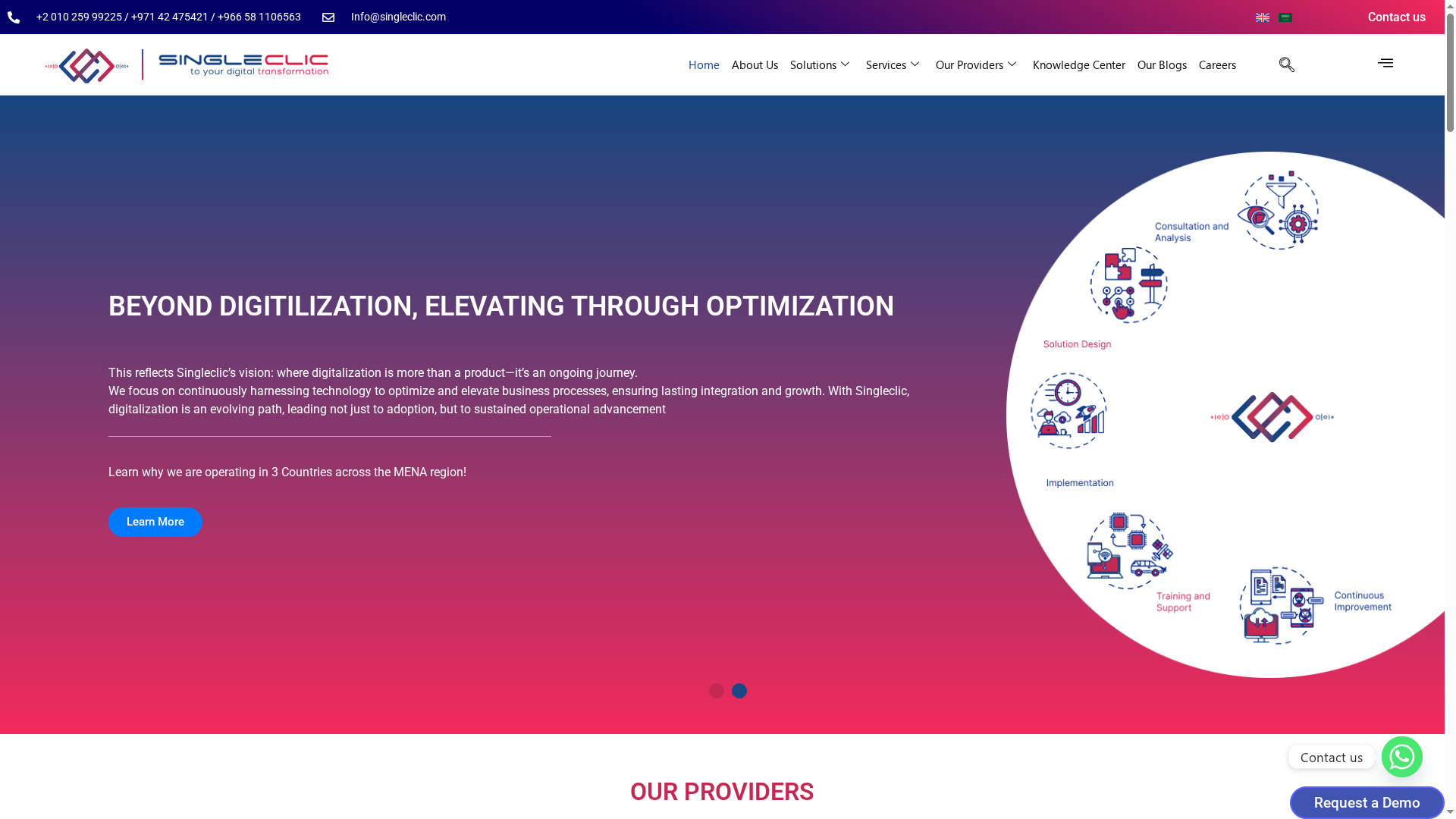
Ready to transform your government operations with trusted regional leaders? Discover how Singleclic’s comprehensive suite and expert support can accelerate your digital transformation journey today. Visit Singleclic to learn more and engage a partner focused on true optimization, not just deployment.
Frequently Asked Questions
What are the key features to look for in ERP tools for government?
Key features to consider include process automation, data analytics, and integration capabilities with existing systems. Evaluate tools that offer low-code development for quicker implementation and operational optimization, ensuring that they can meet government-specific compliance needs.
How can ERP tools improve efficiency in government operations?
ERP tools can streamline workflows, reduce manual processes, and enhance data visibility across departments. Focus on selecting a tool that can automate routine tasks and consolidate information, which could lead to a 20% increase in operational efficiency over the first year.
What factors influence the pricing of ERP tools for government agencies?
Pricing is typically influenced by the number of users, required features, and implementation complexity. Contact your selected vendor for a customized proposal to understand costs specific to your agency’s scope and needs.
How long does it take to implement an ERP system in a government setting?
Implementation timelines can vary significantly based on the tool’s complexity and your agency’s readiness. Generally, expect the process to take anywhere from 6 to 12 months, making it crucial to set achievable milestones and keep stakeholders informed throughout.
What steps should be taken when transitioning to a new ERP system?
Begin with a thorough needs assessment to identify features essential for your agency. Follow this with a strategic plan for data migration, user training, and change management to ensure a smooth transition and minimize disruption to operations.