Test automation for Dynamics 365 means recording or scripting your key business processes once, then replaying them automatically after every update, customization or integration change. Start with regression tests on your highest-value processes, pick the Microsoft-supported tool that matches your app (Playwright for web-based apps, RSAT for Finance and Operations), and run the suite from a release pipeline so a failed test blocks the deployment. This guide shows how to do that, and what UAE organizations should watch for with test data.
Dynamics 365 changes often: Microsoft application updates, your own customizations, and the systems connected to it all alter behavior. Manual retesting of every process after each change does not scale. The same discipline applies to any system that changes constantly, from managing website updates to an ERP release.
TL;DR
- Automate regression, functional and end-to-end tests first. Microsoft recommends introducing automation during functional testing and building it up progressively.
- Use Playwright for cross-browser web testing and RSAT for Finance and Operations. RSAT is marked for deprecation and will not be supported after May 15, 2027, so plan the migration now.
- Make tests reliable: same locale everywhere, unique data per run, and isolated tests that do not depend on what a previous run left behind.
- Run the suite in Azure Pipelines so results gate each release.
- In the UAE, keep real personal data out of test environments and align with the federal and DIFC data protection laws.
Table of Contents
- What test automation covers in Dynamics 365
- Which tests to automate first
- Microsoft tools and frameworks to know
- How to plan and build your first suite
- Making tests reliable instead of flaky
- Running tests in a release pipeline
- UAE considerations: data, privacy and test environments
- Use cases
- Our perspective
- How Singleclic helps
- Promo: talk to our Dynamics 365 team
- SEO details
- FAQ
- Sources
What test automation covers in Dynamics 365
Microsoft’s implementation guidance groups Dynamics 365 testing into regression, functional and end-to-end tests. Each has a different purpose:
- Functional tests confirm that a feature behaves as designed, for example that a purchase order approval routes to the right manager.
- Regression tests confirm the solution still works after a change, such as an update, a new customization or a configuration edit.
- End-to-end tests check a full business process across the solution and its integrations, for example lead to quote to order to invoice, including the connected finance or logistics system.
According to Microsoft, automation improves coverage and repeatability, lowers testing cost and reduces the risk of human error. It also helps keep the solution healthy and up to date. Regression testing is where the payoff is clearest: the solution keeps changing with application updates and business needs, and manual regression is slow and labor-intensive.
User acceptance testing (UAT) is a different job. Business users still judge whether the system fits how they work. Automation clears the repetitive checks so that UAT time goes to judgment, not to re-clicking the same invoice screen.
Which tests to automate first
You cannot automate everything on day one, and you should not try. Microsoft advises starting early with key business processes and building up. A practical order:
- Revenue and cash processes. Order to cash, procure to pay, period-end posting. A failure here stops money moving.
- Processes touched by customizations. Any custom workflow, plugin or extension is a regression risk with every update.
- Integration points. Bank files, e-invoicing, logistics, HR or payroll feeds, and CRM-to-ERP handoffs.
- Approval flows. Multi-step approvals with role-based routing are easy to break with a security change.
- High-volume, low-variation tasks. Repetitive data entry checks give the best return per hour of scripting.
Leave rarely used screens, one-off reports and unstable features still under design for later. Automating a process that changes every week costs more than it saves.
A simple scoring approach
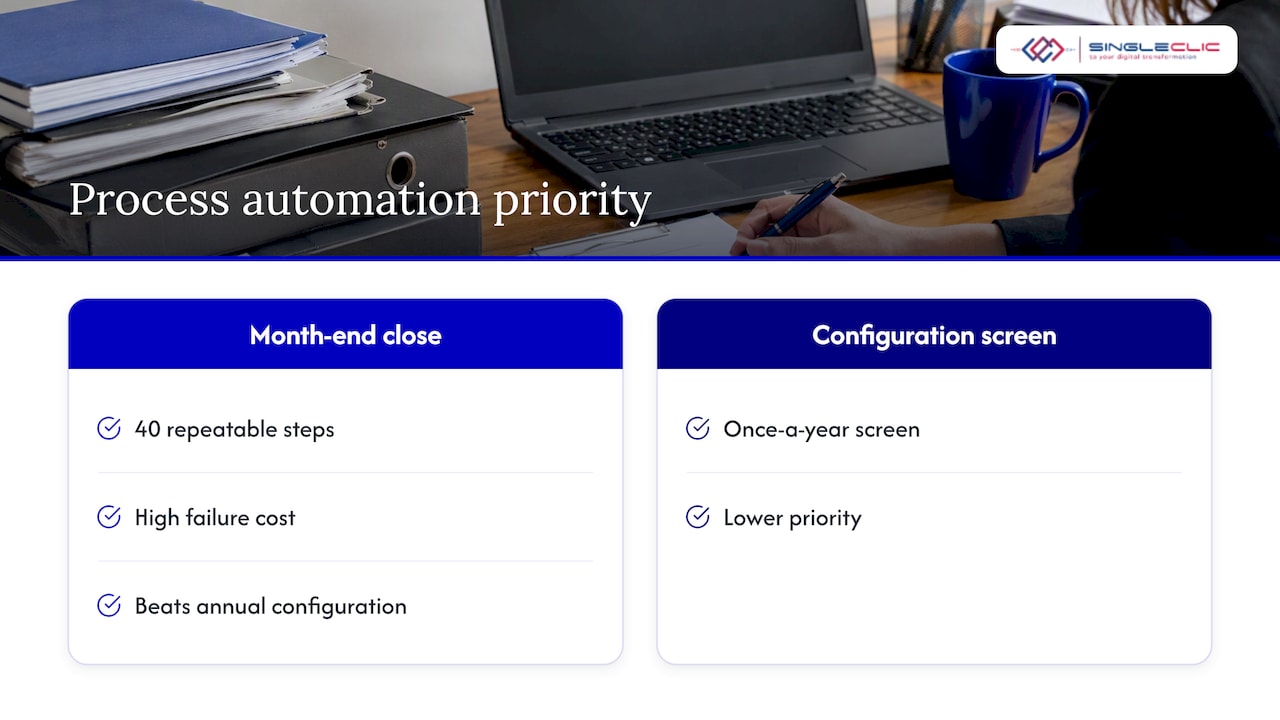
Rate each candidate process from 1 to 3 on business impact, change frequency and how repeatable the steps are. Automate anything scoring high on all three first. A month-end close with 40 repeatable steps and a high failure cost beats a once-a-year configuration screen every time.
Microsoft tools and frameworks to know
Microsoft’s guidance on regression testing options lists Playwright for cross-browser web automation, RSAT for Finance and Operations UAT, and EasyRepro for UI testing of Dynamics 365 Online versions 9.0 or 9.2. It tells teams to weigh setup effort, test creation and maintenance, support and documentation, cost and return on investment.
| Tool | Best for | Skills needed | Watch out for |
|---|---|---|---|
| Playwright | Web-based apps, such as model-driven CRM apps, across browsers | Developers (JavaScript, TypeScript, C# or Python) | You maintain the scripts and selectors |
| RSAT | Finance and Operations processes recorded with Task Recorder | Power users, no code | Not supported after May 15, 2027 |
| EasyRepro | UI testing of Dynamics 365 Online 9.0 or 9.2 | Developers | Version scope is limited |
Playwright
Microsoft describes Playwright as an open-source framework that supports JavaScript, TypeScript, C# and Python and lets developers write end-to-end tests that run across modern web browsers. It suits teams with in-house developers who want tests stored in source control and reviewed like any other code.
RSAT
The Regression Suite Automation Tool lets power users record business tasks with Task Recorder and convert them into automated tests without writing code. It integrates with Azure DevOps for execution, reporting and investigation. Two facts matter for planning:
- Microsoft states that RSAT is marked for deprecation and will no longer be supported after May 15, 2027. Do not build a five-year test strategy on it alone. Keep test cases documented in a tool-neutral way so they can move to another framework.
- User-based authentication is the only supported method for authenticating RSAT to Finance and Operations environments, and certificate-based authentication is deprecated. Create a dedicated test user with the roles your scenarios need.
Choosing between them
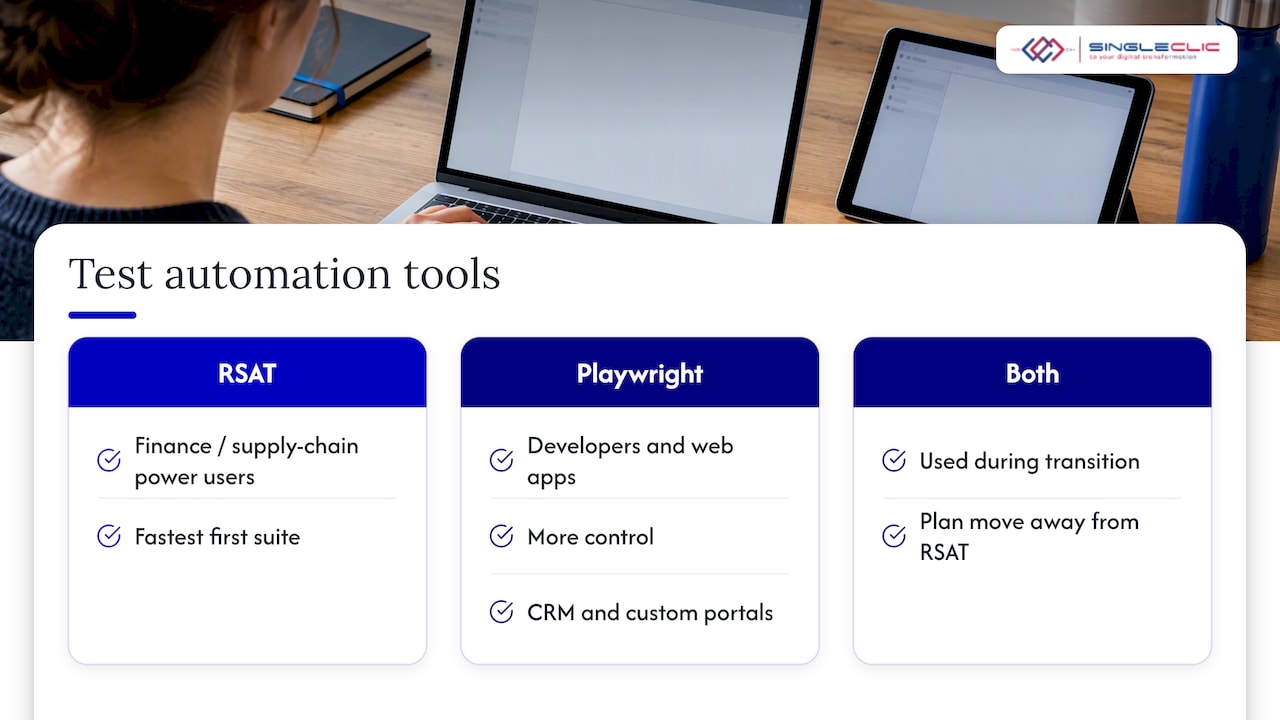
If your testers are finance and supply chain power users, RSAT gets you to a first suite fastest. If you have developers and run web-based apps, or you want one framework across CRM and custom portals, Playwright gives more control. Many programs use both for a time while they plan the move away from RSAT.
How to plan and build your first suite
Microsoft says to start test planning in the Initiate phase. Define scope, test types, cycles and outcomes from your business processes and requirements. Each test case should state its prerequisites (data or configuration), the steps to reproduce and the expected outcome, and you should adapt it as the solution design changes.
- List the processes. Take them from your process map or requirements, not from what is easy to click.
- Write the test case before the script. Prerequisites, steps, expected result. A clear case can be moved between tools later.
- Prepare the data. Decide which records each test needs, who owns them, and how they are reset.
- Record or script. Task Recorder for RSAT, Playwright code for web apps.
- Parameterize. Move values such as customer accounts, amounts and dates out of the steps and into parameter files.
- Run, review, repair. Treat the first runs as a stabilization phase. Expect to fix scripts before they find real defects.
- Assign an owner. A suite without an owner decays within a few release cycles.
Test data that does not collide
For RSAT parameter files, Microsoft’s best practices recommend using Excel’s RandBetween function to generate unique values for fields such as invoice numbers. That prevents duplicate-key errors when a test runs twice. For web tests, generate unique identifiers in code and clean up what the test creates.
A tester who generates many scenario variations can borrow a risk-based mindset, as in this risk-based approach to choosing what to test, then apply it to data coverage: test the combinations that carry the most business risk, not every possible one.
Making tests reliable instead of flaky
A test that fails randomly teaches the team to ignore failures. Microsoft’s guidance on testing says reliability is critical: tests must be isolated so they pass or fail consistently regardless of external factors, such as leftover data from earlier runs. The usual causes and fixes:
- Mixed locales. Use the same locale for language and for date, time and number formats to reduce validation errors. This matters in the UAE, where users may work in English with regional date formats.
- Recorded lookup keys. For reference-group controls, replace recorded lookup keys with actual values in Excel so the test does not depend on a key that changes.
- Rerunning on changed data. Errors such as “Unexpected difference between request and session data” often come from rerunning a test that relies on data modified or removed by a previous execution. Reset or regenerate the data before each run.
- Missing isolation in developer tests. In X++ unit tests, the SysTestTransaction attribute controls isolation, and AutoRollback is the default, which stops data persisting across tests.
- Timing and selectors. In web automation, rely on stable selectors and built-in waiting rather than fixed delays.
When a test fails twice for no clear reason, fix it or retire it the same week. Never leave it red.
Running tests in a release pipeline
Automation pays off most when it runs without anyone pressing a button. For RSAT, Microsoft documents how to integrate with Azure Pipelines. Pipeline jobs can call the RSAT console app through PowerShell tasks, or you can use the preconfigured RSAT extension from the Visual Studio Marketplace to avoid custom scripts. The prerequisite is a self-hosted Windows agent on a machine where RSAT is installed. Microsoft’s guidance is to create a dedicated agent pool with a single agent, install the 64-bit agent, and run only one agent per RSAT client machine.
A workable release flow looks like this:
- A change is built and deployed to a test environment.
- The pipeline triggers a smoke suite (10 to 20 critical tests, a short run).
- If it passes, the full regression suite runs, usually overnight.
- Results are published to the team. A failure blocks promotion to UAT or production.
- After Microsoft’s release waves land in a sandbox, the same suite runs again before you accept the update in production.
For the update step, our Dynamics 365 release wave readiness primer lists what to validate before a wave reaches production. For web apps tested with Playwright, the equivalent is a pipeline job that installs the browsers, runs the tests and publishes the report.
UAE considerations: data, privacy and test environments
Test environments are often copies of production, which means real customer and employee data in a less protected place. UAE organizations should treat that as a compliance question, not only an IT one.
- The UAE Personal Data Protection Law, Federal Decree Law No. 45 of 2021, came into force on January 2, 2022 and governs the confidentiality and privacy of information processed through electronic systems. The UAE Government portal states that processing personal data without the owner’s consent is prohibited, except in specific cases such as public interest or legal procedures.
- Entities in the Dubai International Financial Centre must meet DIFC Law No. 5 of 2020, including appropriate technical and organizational measures and data protection by design and default.
- Federal Decree Law No. 46 of 2021 on Electronic Transactions and Trust Services requires the protection of personal data and controls in line with the requirements of the competent authorities.
In practice, this points to a few habits: mask or synthesize personal data when refreshing a sandbox, restrict who can see test results that contain real values, give the automation user only the roles it needs, and record where test data is hosted. Your legal or data protection officer should confirm how these laws apply to your entity, especially for regulated sectors such as banking and healthcare.
Use cases
- Banks and fintech: regression suites for payments, approvals and reporting before each release. See our notes on Dynamics 365 for fintech compliance and banking modules to pilot.
- Healthcare: end-to-end checks from patient registration to billing, with synthetic patient data only.
- Construction and real estate: project cost, procurement and contract workflows that depend on customizations.
- Government: approval chains and role-based access, tested after every security or workflow change. Our guide to Dynamics 365 approval workflows covers the design side.
- Finance teams: period-end posting, intercompany and tax scenarios run after each update.
Our perspective
Most test automation projects fail for a simple reason: the suite is treated as a side task after go-live. We see better results when the test cases are written from the business process map during design, when the same people who own the process approve the test, and when the suite runs automatically with every release.
The second lesson is to automate the business rules, not only the screens. Approvals, integrations and data flows are where the expensive failures hide. That is why we connect testing to the way the process is built, whether in Dynamics 365, in an integration layer or in a workflow on Cortex, our low-code and BPM platform.
Finally, plan for tool change. Tools come and go, as the RSAT timeline shows. Business-readable test cases outlive any framework, and they let you move without starting over.
Tamer Badr
How Singleclic helps
We are a Microsoft Dynamics 365 integrator with consultants and engineers across KSA, UAE and Egypt. Testing is part of a well-run Dynamics 365 project, not an afterthought, and these are the places we can help:
- Planning: turning your process map into a test scope and test cases during D365 implementation and consultancy.
- Customization and integration: building extensions and integrations with testability in mind, then supporting them after go-live.
- Performance: checking that the system stays fast under load with our performance tuning fixes.
- Process automation: connecting approvals, ERP, CRM, data and legacy systems on Cortex, which supports full Arabic UI, unlimited users and on-premise deployment for banks and governments.
- Ongoing support: D365 support and maintenance so each update is validated before it reaches your users.
Promo: talk to our Dynamics 365 team
If you run Dynamics 365 in the UAE or Saudi Arabia and want a clear plan for regression testing, our team can review your processes, customizations and release cadence with you. See our Microsoft Dynamics 365 services or contact us through singleclic.com.

We will help you decide what to automate first, which tool fits your landscape, and how to keep personal data safe in test environments.
SEO details
- SEO title: Test automation for Dynamics 365: a practical guide
- Slug: test-automation-for-dynamics-365
- Keyword: test automation for dynamics 365
- Secondary keywords: Dynamics 365 regression testing, RSAT, Playwright for Dynamics 365, Dynamics 365 UAT, Dynamics 365 release testing
- Pillar cluster: Microsoft Dynamics 365 implementation and support
FAQ
What is test automation for Dynamics 365?
It is the use of recorded or scripted tests to check that Dynamics 365 processes still work after changes. It covers functional, regression and end-to-end tests. Microsoft notes that automation improves coverage and repeatability and reduces the risk of human error.
Which tool should I use, RSAT or Playwright?
RSAT lets power users record tests for Finance and Operations without code, but Microsoft will not support it after May 15, 2027. Playwright is an open-source framework for developers that runs tests across browsers. Choose by team skills and app type, and keep test cases documented so they can move between tools.
When should we start automating?
Start planning in the Initiate phase of the project. Microsoft recommends introducing automation during functional testing and building it up progressively, beginning with key business processes.
Why do our automated tests keep failing?
Common causes are mixed locales, recorded lookup keys, and reruns on data that a previous run changed or deleted. Use one locale, replace recorded keys with real values, generate unique data per run and keep tests isolated.
Can we use production data in test environments in the UAE?
It carries risk. The federal personal data law and DIFC Law No. 5 of 2020 both set expectations for protecting personal data. Mask or synthesize data when you refresh sandboxes, and ask your data protection officer or legal counsel how the rules apply to your entity.
Sources
- Types of tests that implementation projects use, Microsoft Learn
- Options for regression testing for Dynamics 365 solutions, Microsoft Learn
- Set up test automation with Playwright, Microsoft Learn
- Regression suite automation tool (RSAT), Microsoft Learn
- User-based authentication for RSAT, Microsoft Learn
- Create a test plan for your implementation projects, Microsoft Learn
- Regression suite automation tool best practices, Microsoft Learn
- Testing and validations, Microsoft Learn
- Request and session data difference, Microsoft Learn
- Integrate RSAT with Azure Pipelines, Microsoft Learn
- Data protection laws, UAE Government portal
- DIFC Law No. 5 of 2020
- Federal Decree Law No. 46 of 2021 on Electronic Transactions and Trust Services