Many CIOs and CTOs in Saudi Arabia and UAE still face confusion about what ERP dashboards truly offer. Relying on outdated myths can prevent organizations from using these tools to their fullest potential. By understanding the difference between static reporting and dynamic, intelligent platforms designed specifically for construction and healthcare, leaders can shape data-driven strategies that improve performance, streamline workflows, and foster better decision-making at every business level.
Table of Contents
- ERP Dashboards Defined and Common Myths
- Major Types of ERP Dashboards Explained
- Key Features Enabling Data-Driven Insights
- Optimizing Dashboards for Construction and Healthcare
- Risks, Cost Implications, and Best Practices
Key Takeaways
| Point | Details |
|---|---|
| ERP Dashboards Enable Insights | ERP dashboards visualize critical data for quick decision-making and strategic alignment. |
| Common Myths Debunked | Dashboards are not limited to large enterprises or static reporting; they are dynamic tools. |
| Sector-Specific Optimization | Tailored dashboards in construction and healthcare address unique operational challenges. |
| Phased Implementation Recommended | Gradual rollout and user training ease the transition and enhance adoption success. |
ERP Dashboards Defined and Common Myths
An Enterprise Resource Planning (ERP) dashboard represents a powerful visual interface that consolidates critical business data from multiple organizational systems into a single, interactive display. These advanced analytical tools transform complex data streams into meaningful, actionable insights that enable executives and managers to make strategic decisions rapidly.
Dashboards provide a comprehensive snapshot of organizational performance through several key characteristics:
- Real-time data visualization
- Customizable performance metrics
- Interactive graphical representations
- Cross-departmental data integration
- Drill-down capabilities for granular analysis
Despite their widespread adoption across Saudi Arabia and UAE’s enterprise sectors, several persistent myths continue to misrepresent ERP dashboard functionality. Many business leaders mistakenly believe dashboards are merely static reporting tools, when in reality, they represent dynamic, intelligent platforms capable of driving organizational transformation.
Common misconceptions about ERP dashboards include:
- Dashboards are only for large enterprises
- They require extensive technical expertise to utilize
- Implementation is prohibitively expensive
- Data visualization provides no genuine strategic value
In reality, modern solutions like our low-code platform Cortex democratize dashboard development, enabling organizations of all sizes to create sophisticated analytical interfaces without extensive programming knowledge.

Pro tip: When implementing an ERP dashboard, prioritize user experience and focus on metrics that directly align with your strategic business objectives.
Major Types of ERP Dashboards Explained
ERP dashboards serve diverse organizational needs by presenting data through specialized interfaces designed for specific strategic purposes. Dashboard types vary based on organizational objectives, offering unique perspectives that enable targeted decision-making across different business levels.
The primary categories of ERP dashboards include:
- Strategic Dashboards: Focus on long-term organizational goals and high-level performance indicators
- Operational Dashboards: Monitor real-time daily activities and immediate performance metrics
- Analytical Dashboards: Provide deep, comprehensive data exploration and trend analysis
Each dashboard type addresses distinct organizational requirements, transforming raw data into actionable intelligence. Strategic dashboards help executives track progress toward annual objectives, while operational dashboards enable managers to monitor immediate team performance and quickly identify potential bottlenecks.
The following table compares the three main ERP dashboard types and their typical use cases:
| Dashboard Type | Core Focus | Typical User | Example Use Case |
|---|---|---|---|
| Strategic | High-level objectives | Executives | Annual goal tracking |
| Operational | Daily workflow monitoring | Managers | Team performance oversight |
| Analytical | Deep trend analysis | Analysts, specialists | Predictive modeling |
Analytical dashboards represent the most sophisticated dashboard category, offering advanced data visualization techniques that enable deep computational insights. These complex interfaces allow organizations in Saudi Arabia and UAE to perform sophisticated trend analysis, predictive modeling, and comprehensive performance evaluation across multiple departments.
Organizational stakeholders can leverage role-based dashboard configurations to customize their data views, ensuring that each user receives precisely targeted information relevant to their specific responsibilities.
Pro tip: Implement a phased dashboard rollout strategy, starting with operational dashboards and progressively introducing more complex analytical interfaces to minimize user adaptation challenges.
Key Features Enabling Data-Driven Insights
Modern ERP dashboards are sophisticated analytical tools that transform complex organizational data into actionable intelligence. Hierarchical information structures enable businesses in Saudi Arabia and UAE to navigate intricate data landscapes with unprecedented clarity and precision.
The key features driving data-driven insights include:
- Real-time Data Integration: Seamless connection across multiple organizational systems
- Customizable Visualization: Adaptive interfaces tailored to specific user roles
- Advanced Filtering Mechanisms: Granular data exploration capabilities
- Predictive Analytics: Machine learning-powered trend identification
- Interactive Drill-Down Functionality: Enabling deep-dive data investigations
Contextual visualization represents a critical breakthrough in dashboard design, allowing users to understand complex information through intuitive graphical representations. These intelligent interfaces go beyond traditional reporting by providing dynamic, context-sensitive insights that adapt to changing organizational needs.
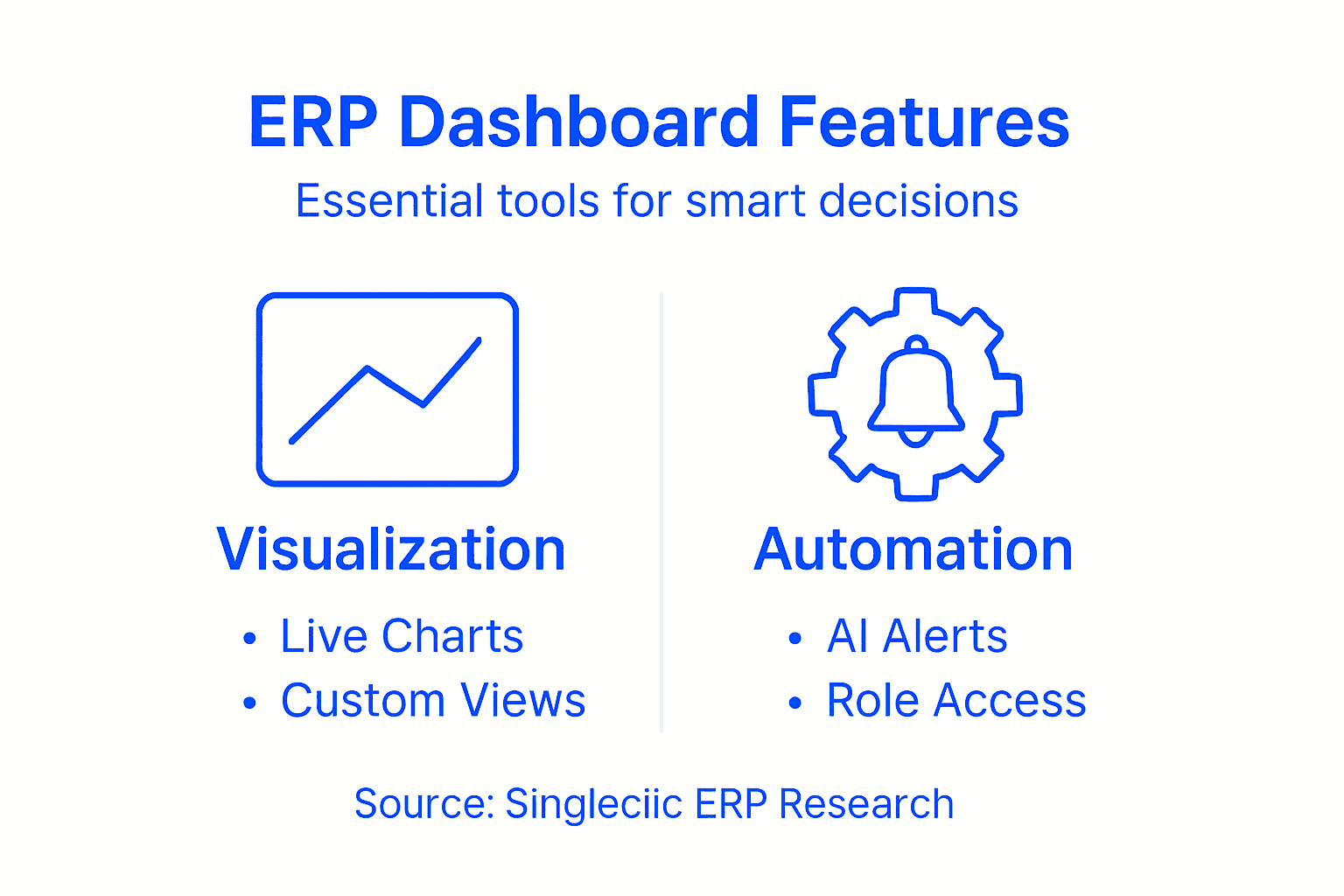
Emergent technologies like artificial intelligence are revolutionizing dashboard functionality, introducing predictive capabilities that transform static reporting into proactive decision-making tools. By leveraging machine learning algorithms, modern dashboards can now anticipate potential challenges, recommend strategic interventions, and highlight emerging business opportunities before they become apparent through traditional analysis methods.
Pro tip: Configure dashboard permissions strategically, ensuring data accessibility aligns with organizational roles while maintaining robust security protocols.
Optimizing Dashboards for Construction and Healthcare
Dashboards in construction and healthcare sectors require specialized configurations that address the unique operational challenges and regulatory requirements specific to these industries. By leveraging our Cortex low-code platform, organizations can develop highly targeted dashboards that transform complex data into actionable insights.
Key optimization strategies for construction and healthcare dashboards include:
- Performance Tracking: Real-time monitoring of project milestones and patient care metrics
- Compliance Visualization: Integrated views of regulatory requirements and adherence
- Resource Allocation: Dynamic tracking of equipment, personnel, and financial resources
- Risk Management: Predictive analytics for potential project delays or clinical interventions
- Budget Forecasting: Detailed financial tracking across project or departmental levels
In the construction sector, dashboards must address multifaceted challenges such as project timeline management, resource allocation, and financial tracking. Critical metrics like worker safety, equipment utilization, and project budget adherence become immediately visible through intelligent dashboard design.
Healthcare dashboards demand an even more nuanced approach, balancing patient care metrics, operational efficiency, and strict regulatory compliance. These specialized interfaces must provide instantaneous insights into patient flow, treatment outcomes, resource utilization, and critical performance indicators while maintaining stringent data privacy standards.
Pro tip: Implement role-based dashboard access, ensuring that each stakeholder receives precisely targeted information relevant to their specific responsibilities and decision-making requirements.
Risks, Cost Implications, and Best Practices
Implementing ERP dashboards involves navigating complex technological and organizational challenges that can significantly impact business performance and financial investments. Organizations in Saudi Arabia and UAE must carefully evaluate potential risks and develop comprehensive strategies to mitigate potential implementation barriers.
Key risks and considerations include:
- Data Security Vulnerabilities: Potential breaches in sensitive information management
- Integration Complexity: Technical challenges in connecting multiple organizational systems
- User Adoption Resistance: Organizational cultural barriers to technological transformation
- Performance Overhead: Potential system slowdowns from extensive data processing
- Initial Implementation Costs: Significant upfront investment requirements
Cost implications represent a critical dimension of dashboard implementation, extending far beyond initial software and hardware expenses. Organizations must consider comprehensive expenditure factors, including staff training, system customization, ongoing maintenance, and potential productivity disruptions during transition periods.
Best practices for mitigating risks and managing implementation costs involve a strategic, phased approach. This includes conducting thorough needs assessments, selecting scalable solutions like our Cortex low-code platform, implementing robust change management protocols, and developing comprehensive user training programs that facilitate smooth technological transitions.
Here is a summary of ERP dashboard risks alongside best mitigation strategies:
| Risk Area | Example Challenge | Recommended Solution |
|---|---|---|
| Data Security | Sensitive data exposure | Strong encryption protocols |
| Integration Complexity | System compatibility issues | Use standardized connectors |
| User Adoption Resistance | Staff reluctance to change | Comprehensive user training |
| Performance Overhead | Slow data processing | Optimize dashboard architecture |
| Cost Implications | High initial expenses | Detailed cost-benefit analysis |
Pro tip: Conduct a comprehensive cost-benefit analysis before dashboard implementation, incorporating both direct technological expenses and potential indirect organizational productivity gains.
Transform Your ERP Dashboards Into Smart Decision-Making Engines
The challenges highlighted in the article around ERP dashboards—such as overcoming myths about accessibility, mastering data integration, and delivering real-time actionable insights—are very real for businesses striving to drive smarter decisions. Many organizations struggle with costly, complex dashboard implementations that fail to engage users or align metrics with strategic objectives. Your goal is clear: to unlock dynamic, role-based, and interactive dashboards that empower every team member while optimizing costs and user adoption.
Singleclic understands these pain points deeply. Our Arabic-enabled low-code platform Cortex [https://singleclic.com] is designed to seamlessly integrate data across multiple systems, enabling organizations throughout Saudi Arabia, UAE, and Egypt to build customized ERP dashboards without extensive coding expertise. By leveraging Cortex and our ERP implementation expertise with Odoo and Microsoft Dynamics 365, you can accelerate your transformation from digitalization to true optimization—making your dashboards a powerful tool for strategic, operational, and analytical insights.
Ready to elevate your business intelligence and break free from dashboard myths? Discover how our scalable solutions can help you craft user-friendly, secure, and adaptive ERP dashboards that align with your unique business processes. Visit Singleclic today to start your journey toward smarter business decisions with precision and confidence.
Frequently Asked Questions
What are ERP dashboards and how do they function?
ERP dashboards are visual interfaces that consolidate critical business data from various systems into a single display, enabling organizations to monitor performance and make informed decisions using real-time data.
What types of dashboards are available in ERP systems?
There are three main types of ERP dashboards: strategic dashboards that focus on long-term goals, operational dashboards that monitor daily activities, and analytical dashboards that provide deep trend analysis and insights.
How can dashboards help improve business decision-making?
Dashboards transform complex data into actionable insights by providing customizable metrics, real-time visualization, and interactive analysis, allowing executives and managers to make faster, data-driven decisions.
What are the best practices for implementing ERP dashboards?
Best practices include conducting thorough needs assessments, utilizing scalable solutions, implementing robust change management protocols, and developing comprehensive user training programs to ensure smooth transitions.