Yes, Microsoft Dynamics 365 is a strong fit for public-sector citizen engagement and service delivery. It unifies citizen data into a single record, automates intake and case workflows, and uses Copilot-enabled agents to cut manual work across departments. The sections below walk through the features, licensing signals, implementation steps, and documented outcomes that matter before you commit budget.
TL;DR:
- SIAG reported about 30% of Level 1 cases resolved within weeks, while Washington, DC’s CFSA expects 1 to 4 hours saved per case.
- Audit duplicate citizen records and inconsistent program codes before configuring agents; automation cannot route cases reliably when underlying categories remain inconsistent.
- Treat the government accelerator as an adaptable schema rather than a finished application, and budget time to map it to legacy registries before launch.
- Customer Insights uses tenant level prepaid billing, while Copilot draws from prepaid quotas before pay as you go; configure Azure alerts to prevent interruptions.
- Pilot one benefits program or permit type first, then track resolution rates, intake time, and service level compliance against prelaunch baselines before expanding.
Table of Contents
- Why dynamics 365 matches public-sector goals and outcomes
- How core features map to citizen services and operations
- What the government accelerator gives you, and what you still build
- Deployment checklist: data, integration, and localization choices
- Licensing and capacity signals to budget for
- Rollout roadmap: from pilot to agency-wide scale
- Evidence and outcomes agencies have actually measured
- How Singleclic supports public sector Dynamics 365 projects
- What actually determines success, and what gets overrated
- Ready to assess your fit for a public sector CRM deployment
- FAQ
- Sources
Why dynamics 365 matches public-sector goals and outcomes
Public agencies juggle disconnected spreadsheets, legacy case systems, and siloed department records. Dynamics 365 addresses that by giving every caseworker, contact center agent, and supervisor a single, unified view of each citizen, which cuts down on redundant data entry and lets cross-agency workflows move without re-keying information.
The AI layer changes how staff spend their day. Copilot agents can triage incoming requests, classify them, and route them to the right queue, shifting teams away from reactive firefighting toward planned, proactive casework, according to Microsoft adoption guidance.
That shift shows up in real numbers. At SIAG, Level 1 support teams resolved a significant portion of citizen cases within weeks of deployment, and intake time per report dropped by a measurable amount, according to Microsoft’s SIAG customer story.
What this generally delivers for agencies:
- A single citizen record shared across departments and channels.
- Automated triage and routing that reduces manual sorting.
- Faster report intake, with measurable time savings per case.
- A platform built to extend into permits, benefits, and licensing workflows.
How core features map to citizen services and operations
Dynamics 365’s public-sector value comes from how its parts connect, not from any single module working alone.
- Omnichannel intake and automatic case creation. Requests arriving by phone, email, web form, or chat get matched against automatic record creation (ARC) rules, so a citizen inquiry becomes a structured case without a staff member manually opening a new record.
- Case timelines and AI-generated summaries. Each case carries a running history, and the Case Management Agent can draft summaries, classify incoming emails, and surface collaboration prompts that point caseworkers to the right internal expert, per Dynamics 365 release documentation.
- Contact center agenting and self-service portals. Power Pages lets agencies stand up citizen-facing portals for status checks and document uploads, while contact center agents handle live interactions with context pulled from the same unified record.
- Field service and permit workflows. Inspections, site visits, and permit approvals connect front-office intake to back-office scheduling, so a permit application and the inspector’s field update live in the same system instead of two.
For agencies exploring how these pieces apply specifically to citizen-facing programs, our guide to CRM’s role in citizen services walks through practical service-design patterns.
What the government accelerator gives you, and what you still build
Microsoft’s Dynamics 365 government accelerator is a starting blueprint, not a finished product. It ships with Common Data Model extensions built for government, sample apps, a resident portal template, and workflow building blocks for permits, benefits, grants, and program management, according to Microsoft Learn’s accelerator overview.
What it typically includes:
- Government-specific CDM tables for applications, permits, licenses, and program participants.
- A sample government services app and resident portal template.
- Standardized schemas that make licenses, permits, benefits, and program records interoperable across departments.
The standardized schema is the real win for agencies running multiple programs, since it means a benefits case and a permit case can share the same underlying data shape instead of each department inventing its own fields.
Pro Tip: Treat the accelerator as the schema you adapt, not the schema you keep untouched, and budget separate time for mapping it to your legacy registries before go-live.
Deployment checklist: data, integration, and localization choices
A pilot that looks clean in a demo can stall in production if these decisions get made late. Settle them early:
- Define citizen identifiers and data residency requirements before configuring any workflow, since retrofitting identity rules later is expensive.
- Map integrations for ERP and finance systems, identity providers, document stores, and any legacy case management system still in use.
- Plan Copilot governance up front: quota planning, prepaid capacity, and usage monitoring so AI features do not stop mid-cycle.
- Confirm whether cloud or on-premise deployment fits your regulated data obligations, and verify regional availability before locking the architecture.
Teams planning a Gulf-region rollout often find it useful to review a regional implementation checklist alongside localization and compliance notes for finance and IT, since data residency rules vary by jurisdiction and need to be confirmed against your own regulator, not assumed from general guidance.
Licensing and capacity signals to budget for
Dynamics 365 Customer Insights uses a tenant-level, prepaid capacity model rather than simple per-seat pricing, and understanding that model avoids budget surprises mid-project.
As of Q2 2026, the Customer Insights combined offering uses a starter pricing model at the tenant level, with costs depending on customer status, according to Microsoft’s Customer Insights FAQ.
Copilot features draw from prepaid capacity before falling back to pay-as-you-go consumption, so administrators need budget alerts configured in Azure to avoid an abrupt loss of AI functionality when quotas run out. Confirm current regional pricing and procurement channels directly with Microsoft or an authorized partner before finalizing a budget, since capacity pricing is adjusted periodically.
Rollout roadmap: from pilot to agency-wide scale
Public-sector Dynamics 365 projects tend to follow a similar arc, and the phases below reflect what published implementations describe.
- Discovery and data mapping. Inventory existing case systems, data fields, and citizen touchpoints before any configuration starts.
- Pilot on one program. Stand up a single service line, such as one benefits program or one permit type, to validate workflows.
- Configure AI agents. Turn on triage, classification, and summary agents once the pilot’s data model is stable.
- Integrate portals and channels. Connect Power Pages and contact center channels so citizens see one consistent experience.
- Scale and optimize. Extend the validated pattern to additional departments and tune based on pilot metrics.
Washington, DC’s Child and Family Services Agency moved from feature delivery taking months to roughly three weeks after adopting this iterative approach, according to Microsoft’s CFSA customer story.
Pro Tip: Track Level 1 resolution rate, time saved per case, and SLA compliance from day one of the pilot, since those three metrics are what justify scaling budget later.
Evidence and outcomes agencies have actually measured
Published customer stories give a realistic range for what to expect, and the variance between them is worth understanding before you set targets.
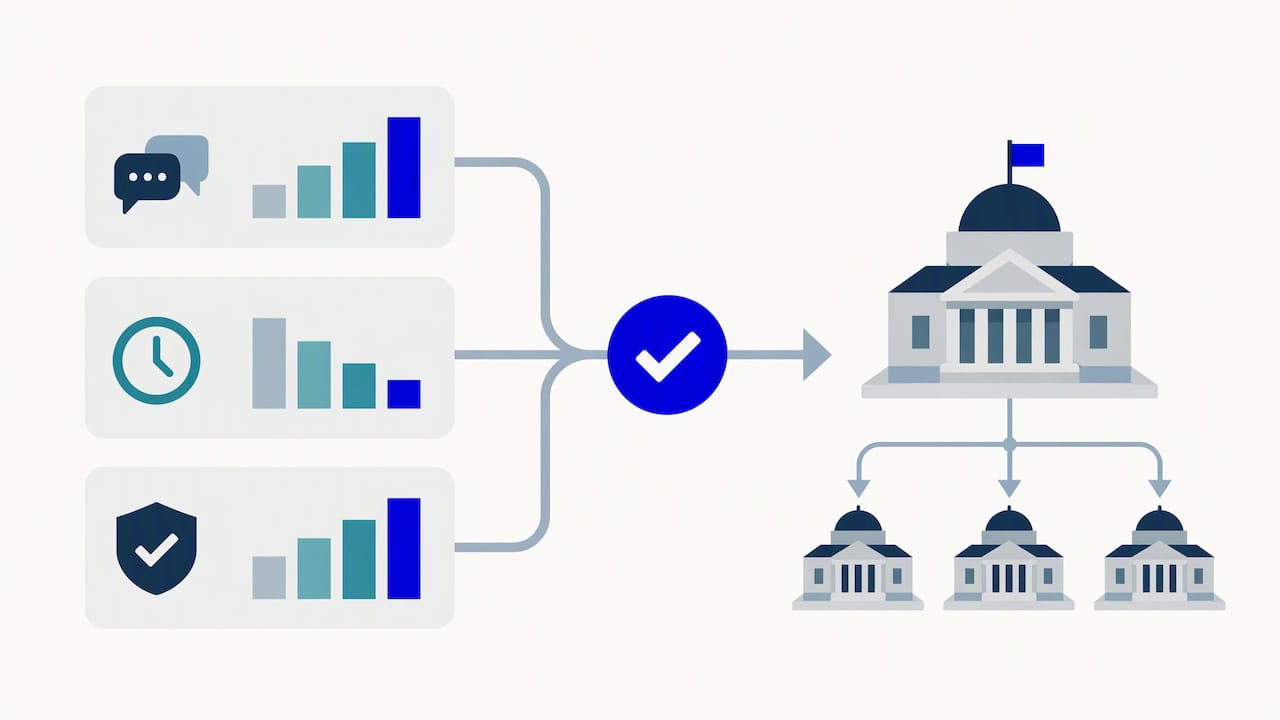
- SIAG’s Level 1 teams resolved about 30% of cases within weeks, with intake time cut by roughly 45 minutes per report, according to Microsoft’s SIAG story.
- Washington, DC’s CFSA expects 1 to 4 hours saved per case on intake and investigations, with new feature delivery dropping from months to about three weeks, per Microsoft’s CFSA story.
Agencies measuring impact during a pilot should baseline current resolution rates and intake times before go-live, so the comparison after launch is accurate rather than anecdotal. For a deeper look at government transformation patterns, our guide to digital transformation in government covers additional scenarios.
How Singleclic supports public sector Dynamics 365 projects
We implement and customize Dynamics 365 CRM for government and regulated clients, and build integrations that connect to legacy case systems, ERP, and identity providers. For agencies with strict data residency or on-premise requirements, we also offer an Arabic-enabled, on-premise low-code platform that connects approvals, ERP, CRM, data, and legacy workflows without requiring custom code for every process change.
What we bring to a public-sector engagement:
- Dynamics 365 implementation, customization, and integration work across ERP, CRM, and legacy registries.
- Cortex for agencies that need full Arabic UI/UX, unlimited users, and on-premise deployment for regulated data.
- More than a decade of regional delivery experience with engineering teams serving the MENA region.
Before a first conversation, it helps to have an inventory of your current intake channels, a short list of which programs you’d pilot first, and the name of whoever owns data governance on your side.
What actually determines success, and what gets overrated
The conventional advice for public-sector CRM projects leans hard on the technology: pick the right accelerator, enable the right Copilot agents, and outcomes follow. That understates the real variable, which is data quality going in. A government accelerator with clean schemas cannot fix a citizen database full of duplicate records and inconsistent program codes, and no AI triage agent routes a case correctly if the underlying case type taxonomy was never standardized.
The data model was fixed before automating around it. If you take one thing from this guide, prioritize a disciplined data audit over feature selection. The features are largely proven. The data underneath them is usually the part nobody budgeted time for.
— Tamer Badr
Ready to assess your fit for a public sector CRM deployment
We offer a practical starting point: a discovery conversation focused on your specific programs, not a generic platform pitch. Our Microsoft Dynamics 365 services cover implementation, customization, integration, and ongoing support for government and regulated organizations.

Before the call, have ready: a list of your highest-volume citizen programs, a summary of your current intake channels, and the KPIs you want to move first, whether that’s resolution time, SLA compliance, or citizen satisfaction.
FAQ
Is Dynamics 365 the same as Business Central?
No. Dynamics 365 is Microsoft’s broader suite of business applications, while Business Central is one product within that suite, built specifically for small and mid-sized business financial and operations management. Public-sector CRM work typically uses Dynamics 365 Customer Service and Customer Insights rather than Business Central.
What is replacing Microsoft Dynamics 365?
Nothing is replacing Dynamics 365. Microsoft continues to expand it through regular release waves that add Copilot and AI agent capabilities, as outlined in the 2026 wave 1 release plan.
What does “D365 CE” stand for?
D365 CE stands for Dynamics 365 Customer Engagement, an older umbrella term for the customer-facing applications now organized under Dynamics 365, including Sales, Customer Service, and Marketing. The term has largely fallen out of official use as Microsoft rebranded these as individual Dynamics 365 apps.
Which company owns Microsoft Dynamics 365?
Microsoft owns and develops Dynamics 365 as part of its core business applications portfolio. Organizations deploy it directly through Microsoft or through implementation partners who handle configuration, customization, and integration.
How is Dynamics 365 typically rolled out in public-sector agencies?
Most successful rollouts start with a narrow pilot on a single program, such as one permit type or benefits category, before scaling to additional departments. Published implementations show this phased approach, moving from discovery and data mapping through pilot, AI agent configuration, and portal integration, tends to produce more reliable outcomes than an agency-wide launch on day one.
Sources
- SIAG transforms public services and enhances support for citizens with Microsoft Dynamics 365, Power Platform, and AI agents | Microsoft Customer Stories
- Streamline complex service requests – Microsoft Adoption