Dynamics 365 supports UAE localization, enabling VAT reporting, FTA Tax Audit File exports, and e-invoicing readiness once a legal entity is configured for ARE. Getting there means setting up Electronic Reporting configurations, choosing the right report layouts, and planning around the UAE’s phased e-invoicing deadlines and national cloud security rules before a single invoice goes live.
TL;DR:
- Activating UAE localization in Dynamics 365 requires setting the legal entity country to ARE and importing multiple Electronic Reporting configurations for VAT, SAF-T, and FAF, which demand thorough testing before go-live.
- The VAT setup is the initial step, but implementing FAF and e-invoicing features often takes more time due to complex configurations and the need to validate structured invoice transmission paths.
- Compliance deadlines for e-invoicing are phased, with penalties already in force, making early selection of an Accredited Service Provider crucial to meet deadlines and avoid fines.
- Data residency and security compliance are mandatory, requiring encryption, strict access controls, and clear data classification, especially for regulated industries opting for sovereign cloud hosting.
- A successful rollout involves mapping obligations, configuring the system, onboarding third-party providers, and conducting extensive testing, with multi-entity organizations needing additional validation cycles.
Table of Contents
- What UAE localization in Dynamics 365 actually includes
- How to enable and configure UAE localization step by step
- E-invoicing obligations and timelines in the UAE
- Data residency and the National Cloud Security Policy
- Implementation checklist and realistic timeline
- Singleclic’s regional capability for UAE localization
- Lock compliance before you automate
- How Singleclic can help with Dynamics 365 UAE localization
- FAQ
- Sources
What UAE localization in Dynamics 365 actually includes
UAE localization is not a single toggle. It is a set of features that touch tax, audit, invoicing, payroll, and the user interface itself, and each one has its own configuration path.
Microsoft’s documentation confirms that UAE-specific functionality activates when a legal entity’s primary address country or region code is set to ARE, which then exposes the localization patterns and reporting tools built for the UAE market. From there, the scope widens quickly:
- VAT setup requires the Federal Tax Authority configured as a sales tax authority, a UAE report layout, and specific tax reporting codes.
- FAF and SAF-T mapping generate the audit file the FTA expects, using Electronic Reporting configurations rather than a built-in report.
- E-invoicing output needs structured invoice formats and a transmission path to an Accredited Service Provider, not just a PDF.
- Payroll and WPS add a bilingual layer, since salary files and UI screens need to work in Arabic and English for Wages Protection System compliance.
- Multi-company and multi-currency setups multiply the testing load, because every legal entity under ARE needs its own validated tax and reporting configuration.
Finance teams often assume VAT setup is the whole localization job. It is the starting point, and the audit file and e-invoicing layers tend to demand more implementation time than the tax configuration itself.
How to enable and configure UAE localization step by step
Activating localization is a sequence, not a single setting, and skipping a step tends to surface as a failed report months later; understanding the essential Lean Six Sigma metrics for operational excellence can help manage these implementation stages effectively.
- Set the legal entity’s country or region to ARE. This single field unlocks the UAE-specific feature set across Dynamics 365 Finance.
- Import the Electronic Reporting configurations for VAT declaration, SAF-T General model mapping, and FAF in TXT format, since Microsoft notes that the FAF export depends on this specific ER configuration and model mapping.
- Enable the relevant Feature Management items and select the UAE report layout under Sales tax authorities, which drives both the VAT declaration and the printed invoice format.
- Test the outputs. Generate a VAT report, produce a FAF file, check invoice formatting in both Arabic and English, and reconcile the numbers against your general ledger before go-live.
Pro Tip: Run your first FAF export against a full fiscal quarter of real transaction data, not a test batch. SAF-T mapping errors usually only surface at volume.
E-invoicing obligations and timelines in the UAE
The UAE’s e-invoicing framework is now written into law, and it changes how every taxable transaction gets issued, transmitted, and stored. Ministerial Decision No. 244 of 2025 sets out the implementation of the Electronic Invoicing System, establishing the phased rollout and the appointment deadlines for Accredited Service Providers that businesses must follow.
The penalty framework is already in force. Cabinet Decision No. 106 of 2025 lists administrative penalties for failing to appoint a provider, failing to issue or transmit electronic invoices, and failing to notify authorities of system failures, meaning the compliance risk is procedural as well as financial.
For a Dynamics 365 rollout, this translates into concrete tasks:
- Confirm which rollout phase applies to your entity and revenue band.
- Appoint and integrate an Accredited Service Provider well before your deadline, not at it.
- Validate that your invoice output is structured correctly for transmission, not just readable on screen.
- Build a fallback process for transmission failures, since the penalty schedule treats notification delays as a separate violation.
Data residency and the National Cloud Security Policy
Where your Dynamics 365 environment lives is now a compliance decision, not just a cost one. The National Cloud Security Policy requires data location transparency, data classification, strict access controls, and supply-chain security across any cloud deployment serving UAE organizations.
For banks, government entities, and healthcare providers, this often tips the decision toward on-premise or sovereign-cloud hosting rather than standard public cloud. Our data residency guidance for UAE enterprises covers this tradeoff in more depth. Whichever path you choose, a handful of technical controls are non-negotiable:
- Encryption at rest and in transit for all financial and personal data.
- Detailed access logging tied to named users, not shared service accounts.
- A documented incident reporting process aligned with national cyber requirements.
- Clear data classification so sensitive payroll and tax records get the strongest controls.
These requirements belong in your vendor contract and SLA, not just your technical design document. A partner who understands the data security practices UAE and KSA teams are expected to follow will build these controls in from day one rather than retrofitting them after an audit flags a gap.
Implementation checklist and realistic timeline
A UAE-localized Dynamics 365 rollout moves through four distinct stages, and rushing the early ones almost always costs more time later.
- Pre-project: map your VAT, e-invoicing, and payroll/WPS obligations, decide on your data residency model, and get sign-off from finance, IT, and compliance stakeholders together.
- Configuration: set the legal entity to ARE, import ER configurations, assign tax reporting codes, build bilingual UI screens, and map payroll output to WPS file formats.
- Integration: onboard your Accredited Service Provider and connect bank, WPS, and tax authority systems, which is usually the slowest stage because it depends on a third party’s own readiness.
- Testing and go-live: run full reconciliation cycles, validate FAF and SAF-T output against FTA formats, complete user acceptance testing, and confirm audit readiness before cutover.
Pro Tip: Treat Accredited Service Provider onboarding as its own project stream with its own deadline. It is the dependency most likely to delay a go-live date that otherwise looks achievable.
Multi-entity groups and regulated sectors such as banking and healthcare typically need more cycles of testing because every legal entity and every integration point adds its own validation pass. Our roadmap for Finance and Operations implementations breaks this timeline down further for organizations scoping a multi-entity project.
Singleclic’s regional capability for UAE localization
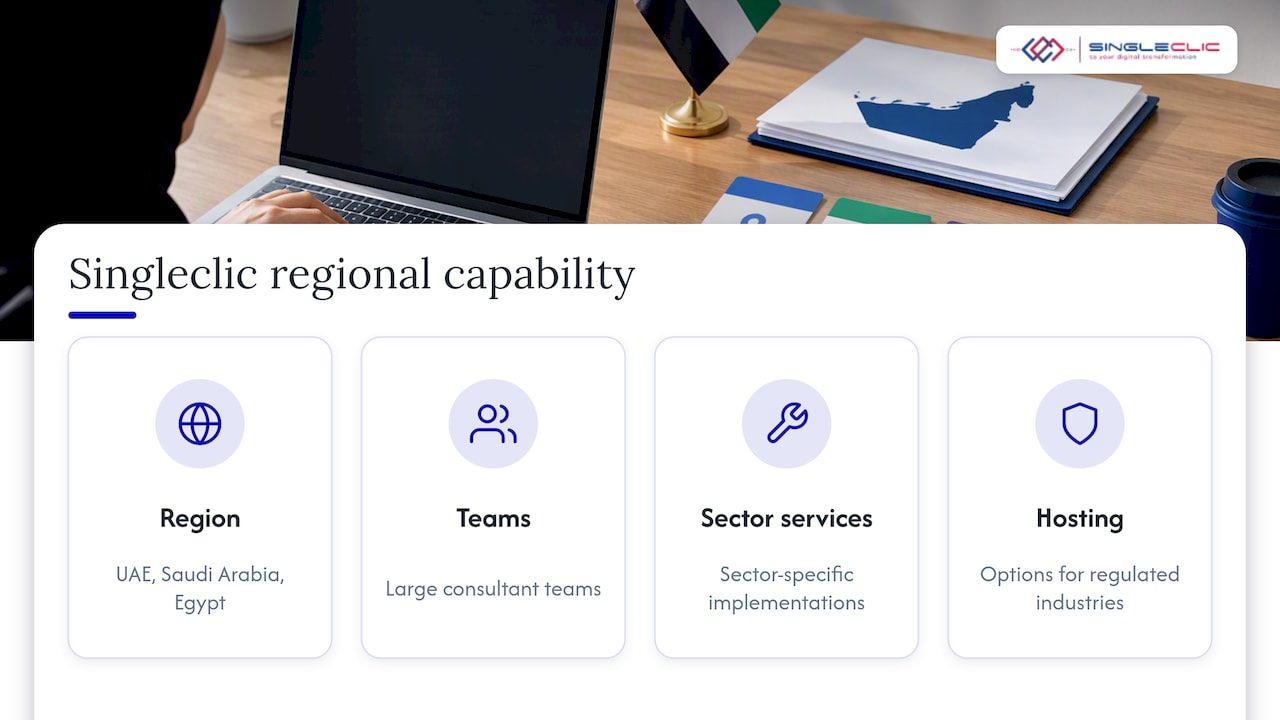
There are market providers with extensive experience delivering Microsoft Dynamics 365 and Odoo projects across the UAE, Saudi Arabia, and Egypt, often with large consultant teams. Some clients in the region have utilized sector-specific implementation services.
This often includes ER outputs for VAT and FAF, Arabic-enabled interfaces through low-code platforms, and hosting options aimed at regulated industries. For organizations starting a localization project, this can help facilitate regulatory mapping and reduce audit testing issues.
Lock compliance before you automate
The temptation in any ERP project is to chase automation first and fix compliance later. In the UAE, that order is backward: a VAT report or FAF export that fails validation after go-live is far more expensive to repair than one tested before launch. Lock your tax and e-invoicing outputs down, choose sovereign hosting where the sector demands it, and bring your Accredited Service Provider in early. Automation built on an unverified compliance layer just automates the mistake.
— Tamer Badr
How Singleclic can help with Dynamics 365 UAE localization
Some regional providers implement and customize Dynamics 365 for organizations, handling VAT configuration, FAF and SAF-T mapping, and e-invoicing integration as part of the build. For regulated sectors, Arabic-enabled, on-premise low-code platforms may be deployed where national cloud security requirements call for sovereign hosting instead of public cloud.

If your team is scoping a localization project, our Dynamics 365 services page outlines implementation, integration, and support options, and our implementation guide for UAE leaders covers partner selection in more detail. Reach out through our services page to scope a compliance readiness review before your next FTA deadline.
FAQ
Who is a Dynamics 365 partner in the UAE?
A Dynamics 365 partner in the UAE is a Microsoft-authorized implementer that configures, customizes, and supports Dynamics 365 Finance, Business Central, or CRM for local organizations, typically handling VAT, FAF, and e-invoicing localization as part of the build. Singleclic is one such regional integrator, working across the UAE, Saudi Arabia, and Egypt.
What is the salary range for a Dynamics 365 consultant in Dubai?
Published salary data for Dynamics 365 consultants in Dubai is not publicly listed in a way that supports a specific figure here. Compensation generally varies with seniority, module specialization (Finance and Operations versus CRM), and whether the role sits with a Microsoft partner or an end-user organization.
Is MS Teams allowed in the UAE?
Microsoft Teams is a standard, widely used collaboration tool in the UAE and operates under the same general licensing as other Microsoft 365 services. Organizations in regulated sectors should still confirm their configuration meets the National Cloud Security Policy requirements for data handling and access control.
Why is the UAE on high alert over e-invoicing compliance?
The UAE has moved e-invoicing from guidance into binding law, with Ministerial Decision No. 244 of 2025 setting phased deadlines and Cabinet Decision No. 106 of 2025 attaching administrative penalties to noncompliance. Businesses that delay Accredited Service Provider onboarding risk missing their assigned rollout phase.
How do I activate UAE localization in Dynamics 365?
Set the legal entity’s primary address country or region to ARE, which unlocks the UAE-specific feature set in Dynamics 365 Finance. From there, import the required Electronic Reporting configurations for VAT, FAF, and SAF-T mapping, and select the UAE report layout under Sales tax authorities.
Sources
- FTA Tax Audit File (FAF) in TXT format for the United Arab Emirates
- United Arab Emirates (UAE) overview – Finance | Dynamics 365 | Microsoft Learn
- Set up and report value-added tax (VAT) – Finance | Dynamics 365 | Microsoft Learn
- National Cloud Security Policy | The Official Platform of the UAE Government
- The Implementation of the Electronic Invoicing System (Ministerial Decision No. 244 of 2025)