IBM BAW case management is the part of IBM Business Automation Workflow that handles work with no fixed path: a loan exception, a patient complaint, a permit review, a supplier dispute. Instead of forcing every item through the same flowchart, you model a case, its documents, data, tasks and rules, and let people decide the next step while the platform enforces policy and keeps the audit trail. This guide explains how it works, how it differs from straight-through process automation, and what a UAE CIO or operations head should settle before a project starts.
TL;DR
- Case management in IBM Business Automation Workflow (BAW) suits knowledge-driven work where the path depends on judgment, documents and evolving facts, not on a fixed sequence.
- BAW brought IBM Case Manager and IBM Business Process Manager together, so cases and BPMN processes can live in one solution.
- Teams on IBM Case Manager have a documented upgrade path to BAW 25.0.0.0, but it needs planning, not a quick patch.
- For UAE banks, health and government bodies, the deployment model (on premise, containers or regional cloud) matters as much as the features.
- Most failed case projects fail on scoping and integration, not on the tool. Start with workflow analysis.
Table of Contents
- What case management means in BAW
- Case management or process automation: how to choose
- Where case management earns its keep in the UAE
- How a BAW case project is structured
- Deployment: on premise, containers or regional cloud
- Moving from IBM Case Manager to BAW
- Common mistakes in case projects
- Our perspective: where BAW cases succeed
- How Singleclic helps
- Related reading and article details
- FAQ
- Sources
What case management means in BAW
A classic process has a start, a sequence and an end. Case management works differently. A case is a container for everything about one matter: the customer, the documents, the data, the history, and a set of tasks that may or may not be needed. Caseworkers add, skip or repeat tasks depending on what they find.
IBM describes the lineage of today’s product as the result of combining IBM Case Manager with IBM Business Process Manager. In BAW, you can use BPMN processes inside case solutions, including Coach Views in case pages, while the older FileNet-based processes remain available for compatibility with solutions built on IBM Case Manager.
In practice, a BAW case solution usually contains these building blocks:
- Case type: the template for a kind of case, such as a vendor onboarding or a customer complaint.
- Properties: the data that travels with the case, such as an account number, a priority or a due date.
- Documents and folders: the content attached to the case, stored in the enterprise content layer.
- Tasks and activities: the units of work, some mandatory, some optional, some added by a caseworker on the fly.
- Roles: who may see, start or complete which activity.
- Pages: the screens caseworkers use to see the case and act on it.
- Rules and events: the conditions that start a task automatically, such as a document arriving or a deadline passing.
Case management or process automation: how to choose
Most enterprises need both. The question is which one fits a given piece of work. A simple test: if you can draw the whole path in advance and 90 percent of items follow it, use a process. If every item is different and people need room to decide, use a case.
| Criterion | Structured process (BPMN) | Case management |
|---|---|---|
| Path | Known in advance | Emerges as facts arrive |
| Who drives | The workflow engine | The caseworker, within rules |
| Typical content | Forms and data | Documents, correspondence, evidence |
| Duration | Hours to days | Days to months |
| Examples | Purchase approval, leave request | Claims dispute, regulatory inquiry, patient complaint |
| Main risk | Rigid design | Loose design with no accountability |
BAW lets you mix them. A case can call a BPMN process for a well-defined step, for example a three-level approval, while the case itself stays flexible. If you are still mapping which of your processes belong where, our guide to types of business workflows is a good starting point.
Where case management earns its keep in the UAE
The pattern is the same across sectors: many documents, several departments, regulators who ask for evidence, and a cost every time a case sits unowned. These are the use cases we see most often for organizations in the UAE and the wider Gulf.
Banking and financial services
Credit exceptions, KYC refreshes, dispute handling and fraud investigations are cases. Each needs documents, approvals at different authority levels and a complete record for auditors. A case solution gives the investigator one place to see the file and gives compliance one place to prove what happened and when.
Healthcare
Patient complaints, insurance pre-authorization disputes, credentialing of clinicians and incident reviews do not follow a straight line. A case can hold clinical and administrative documents together, assign tasks to the right department and track service-level deadlines. Our own work with healthcare clients such as Emirates Health Services and Dubai Healthcare City shapes how we approach this sector.
Government and public services
Licence applications, grievance handling, inspections and inter-agency requests involve multiple entities and strict timelines. Case management gives each request a single reference, clear ownership and a visible history, which supports transparency commitments.
Construction, real estate and telecom
Contract variations, snagging and handover disputes, tenant complaints, enterprise customer escalations and number-porting exceptions all behave like cases. They run longer than a standard approval and touch ERP, CRM and document stores along the way.
How a BAW case project is structured
Whatever the sector, a sound project follows the same sequence. Skipping steps is where budgets leak.
- Pick one case type. Choose a high-volume, painful one, not the most politically visible. Complaint handling or onboarding exceptions usually work well.
- Analyze the real work. Interview caseworkers, not only managers. Collect twenty real files and trace what actually happened. Our piece on starting with workflow analysis explains why this step decides the outcome.
- Model the case. Define properties, documents, roles, mandatory tasks and optional tasks. Decide which steps are structured enough to hand to a BPMN process.
- Design the caseworker pages. The screens should show what a person needs to decide, not every field in the database. Bilingual Arabic and English screens are a requirement for many UAE organizations, so plan them from day one.
- Integrate. Connect the case to the systems of record: ERP, CRM, identity, email, e-signature and the content repository.
- Set up the environment and DevOps. Case solutions need a release path across development, test and production. Teams regularly raise CI/CD for case applications as a planning item, so decide on source control, testing and promotion before the first build.
- Pilot, measure, extend. Run one department for a quarter, track cycle time and rework, then add the next case type.
Deployment: on premise, containers or regional cloud
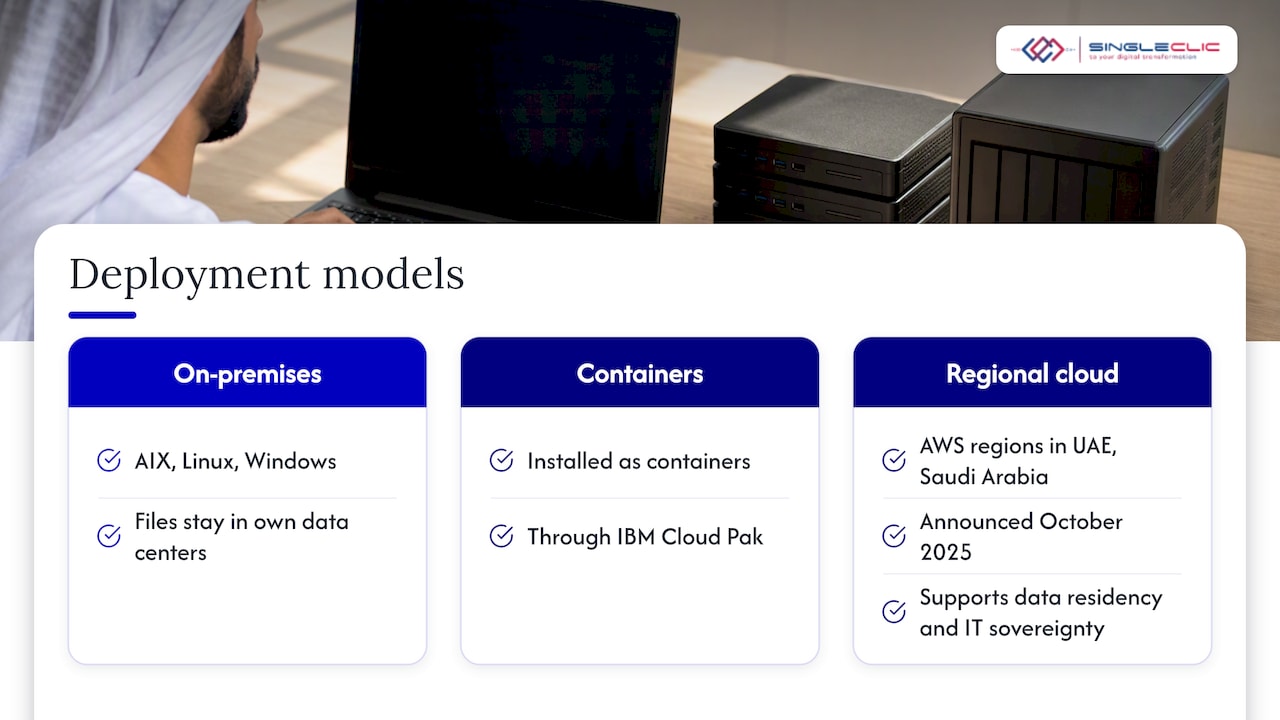
For many UAE entities, where the system runs is a regulatory and risk decision. According to an independent vendor profile, BAW can be installed on premises on AIX, Linux and Windows, or as containers through IBM Cloud Pak. That flexibility matters for banks and government bodies that keep sensitive case files inside their own data centers.
The cloud picture is also shifting. In October 2025, IBM and AWS announced they would host IBM enterprise software on AWS cloud regions in the UAE and Saudi Arabia, which supports regional data residency and IT sovereignty goals. Check with your IBM account team which specific products and services are available in the region before you design around it.
If your organization is leaning toward self-hosting, read our note on IBM BAW on premise for the infrastructure and upgrade constraints regulated IT teams should know early.
Moving from IBM Case Manager to BAW
If you run IBM Case Manager today, you are not starting from zero. IBM publishes instructions for upgrading from IBM Case Manager to BAW 25.0.0.0, and the steps include installing BAW at an earlier level first and then applying the cumulative fix, using a properties file for the configuration utility.
Before you commit to a date, work through this checklist:
- Inventory your solutions. List every case type, custom widget, script and integration.
- Separate FileNet processes from BPMN. Existing FileNet-based activities remain supported for compatibility, but new work can use BPMN with Coach Views.
- Plan a rehearsal. Upgrade a copy of production first and replay real cases against it.
- Freeze changes. Agree a change freeze window with business owners.
- Decide on the target model. An upgrade is a good moment to decide whether containers suit you better than a traditional install.
An upgrade is also the cheapest time to retire cases nobody uses and to fix the pages caseworkers complain about.
Common mistakes in case projects
- Modeling the org chart instead of the work. Roles should follow what people do, not their titles.
- Making everything mandatory. If every task is required, you have rebuilt a rigid process with extra steps.
- Making nothing mandatory. Without required tasks and deadlines, cases drift and nobody is accountable.
- Treating integration as phase two. A case that cannot read the customer record or post to the ERP sends people back to copy and paste.
- Ignoring Arabic. Right-to-left layouts, Arabic documents and bilingual correspondence are design inputs, not polish.
- No measurement. Without a baseline for cycle time and backlog, you cannot show the benefit.
Our perspective: where BAW cases succeed
We work with IBM BAW alongside Microsoft Dynamics 365, Odoo and our own low-code platform, so we see case management from the point of view of the whole system landscape. Our view is that the case model is the easy part. The hard part is the surroundings: who owns the case at each moment, which system holds the master data, and how a caseworker’s decision flows back to ERP, CRM and legacy applications.
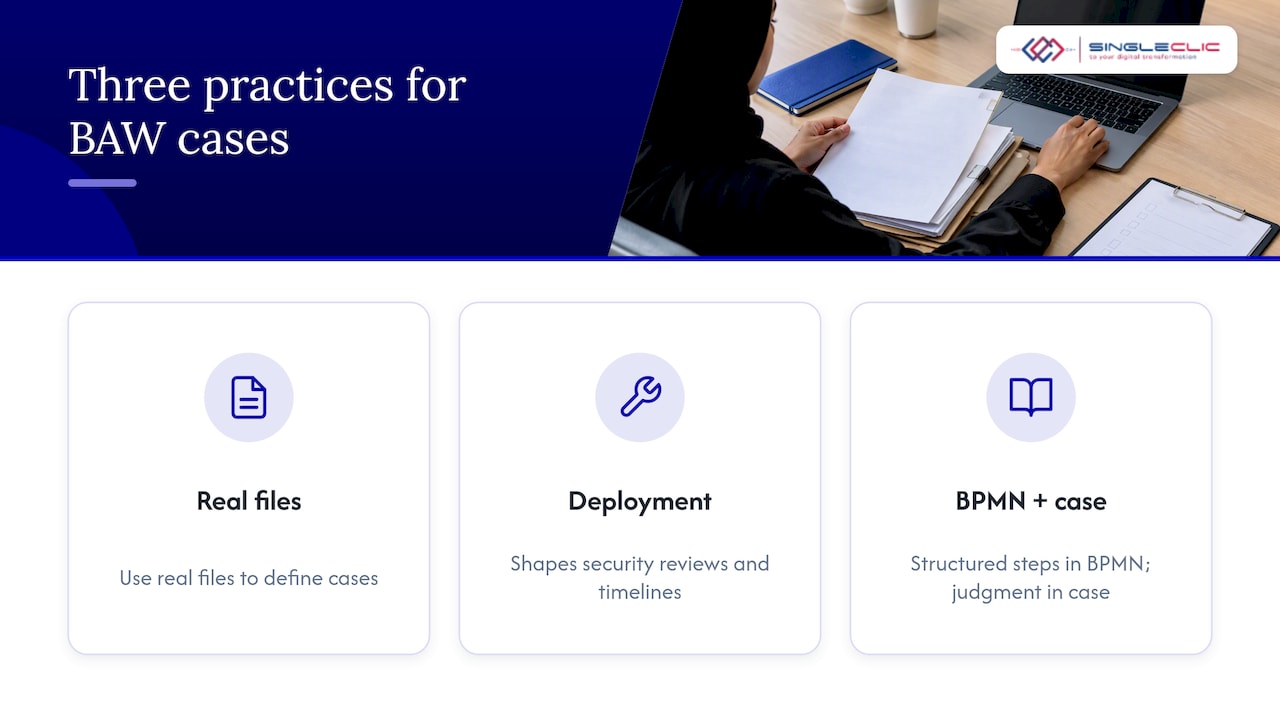
For regulated clients, we push three habits. First, define the case from real files, not from workshops alone. Second, decide the deployment model before the design, because it shapes security reviews and timelines. Third, keep the structured steps in BPMN and the judgment steps in the case, so each part does what it does best.
When a client needs Arabic-first screens, on-premise deployment and fast changes to rules without downtime, we bring in Cortex, our Arabic-enabled low-code platform, to connect approvals, ERP, CRM, data and legacy systems around the IBM core.
A case solution is only as good as the data and decisions around it. Get the ownership and the integrations right first, and the screens become straightforward.
— Tamer Badr
How Singleclic helps
Singleclic is an IBM BAW specialist and Microsoft Dynamics 365 integrator with 10+ years of delivery in the region and 70+ consultants and engineers across KSA, UAE and Egypt. Our IBM implementation service covers BAW design, build and integration. If you want the broader picture first, read our guide to IBM BAW process automation.
What that looks like in a case project:
- Workflow analysis from real case files before any modeling.
- Case and BPMN design that fits your sector, whether banking, healthcare, government, construction or telecom.
- Integration with ERP, CRM, content stores and legacy systems.
- Bilingual Arabic and English user experience.
- Support for on-premise and regulated deployments.
If you want a second opinion on a planned case project or an Case Manager upgrade, talk to our team through the Singleclic services page and tell us which case type hurts most today.
Related reading and article details
To extend this topic, these guides on our site cover the surrounding ground: workflow automation for enterprise efficiency, the enterprise workflow optimization process and AI in business process automation.
- SEO title: IBM BAW case management: a guide for UAE enterprises
- Slug: ibm-baw-case-management
- Primary keyword: IBM BAW case management
- Secondary keywords: IBM Business Automation Workflow cases, IBM Case Manager upgrade, BPMN and case management, Open BPM, workflow automation UAE
- Pillar cluster: Business process automation, IBM BAW
FAQ
What is the difference between IBM Case Manager and IBM BAW?
IBM Case Manager was a separate product for case-centric work. IBM combined it with IBM Business Process Manager into Business Automation Workflow, so one platform now covers both cases and structured processes. Existing Case Manager customers can upgrade rather than rebuild.
Can BAW case solutions use BPMN processes?
Yes. BAW lets you implement case activities with BPMN processes, use Coach Views in case pages and interact with the case instance from the process. FileNet processes remain available for compatibility with older Case Manager solutions.
Can BAW run on premise in the UAE?
Yes. An independent profile lists on-premise installation and container deployment through Cloud Pak among the options, as noted above. Which option fits depends on your data classification, your regulator’s expectations and your infrastructure team. We help clients weigh these before design starts.
When should I use case management instead of a workflow?
Use case management when each item needs judgment, documents and flexible task ordering, such as disputes, investigations and complaints. Use a structured workflow when the path is stable and repeatable, such as approvals. Most organizations end up using both in the same solution.
How long does a case management project take?
It depends on the number of case types, integrations and the deployment model, so we do not quote a generic duration. A single well-scoped case type with a clear pilot group is the safest way to start. We scope timelines after workflow analysis.
Sources
- Upgrading from IBM Case Manager to IBM Business Automation Workflow 25.0.0.0 (IBM Support)
- IBM Business Automation Workflow vendor profile (EU Sovereignty Score)
- IBM and AWS partner to bring enterprise software to cloud regions in UAE and Saudi Arabia (MEA Tech Watch)