Dynamics 365 warehouse management is the module inside Dynamics 365 Supply Chain Management that controls goods from the dock door to shipment, tells each worker what to do next and tracks stock by location. For a UAE business with a distribution center, a free zone hub or several sites, it replaces spreadsheets and paper pick lists with directed, scanned work. It works best when someone configures it around your real operation and your master data. That is the work our Dynamics 365 implementation team does with regional organizations.
TL;DR
- Warehouse management is a module of Dynamics 365 Supply Chain Management. It covers receiving, putaway, picking, packing, cycle counting and shipping.
- It can also run in warehouse management only mode, so you can add advanced warehouse control without replacing your current ERP.
- Behavior is mostly set by configuration, not code. That makes warehouse layout, work templates and location directives the decisions that matter.
- Workers use a mobile app on Android, iOS or Windows devices, with camera or wearable scanning.
- Results depend on clean item, location and unit-of-measure data, and on a plan for security roles and integrations.
Table of Contents
- What Dynamics 365 warehouse management is
- The workflows it covers
- How the system decides what workers do
- The mobile app your floor teams will use
- How it connects to the rest of your business
- Use cases for UAE and Saudi organizations
- What to plan before you implement
- Questions to settle in the business case
- How Singleclic helps
- Plan your warehouse rollout with Singleclic
- FAQ
- Sources
What Dynamics 365 warehouse management is
Microsoft describes the module as the part of Supply Chain Management that moves goods from arrival to shipment, directs worker tasks and tracks inventory by location and license plate. A license plate is a unique ID for a pallet, carton or tote. Scan it once and the system knows every item inside and where the container sits.
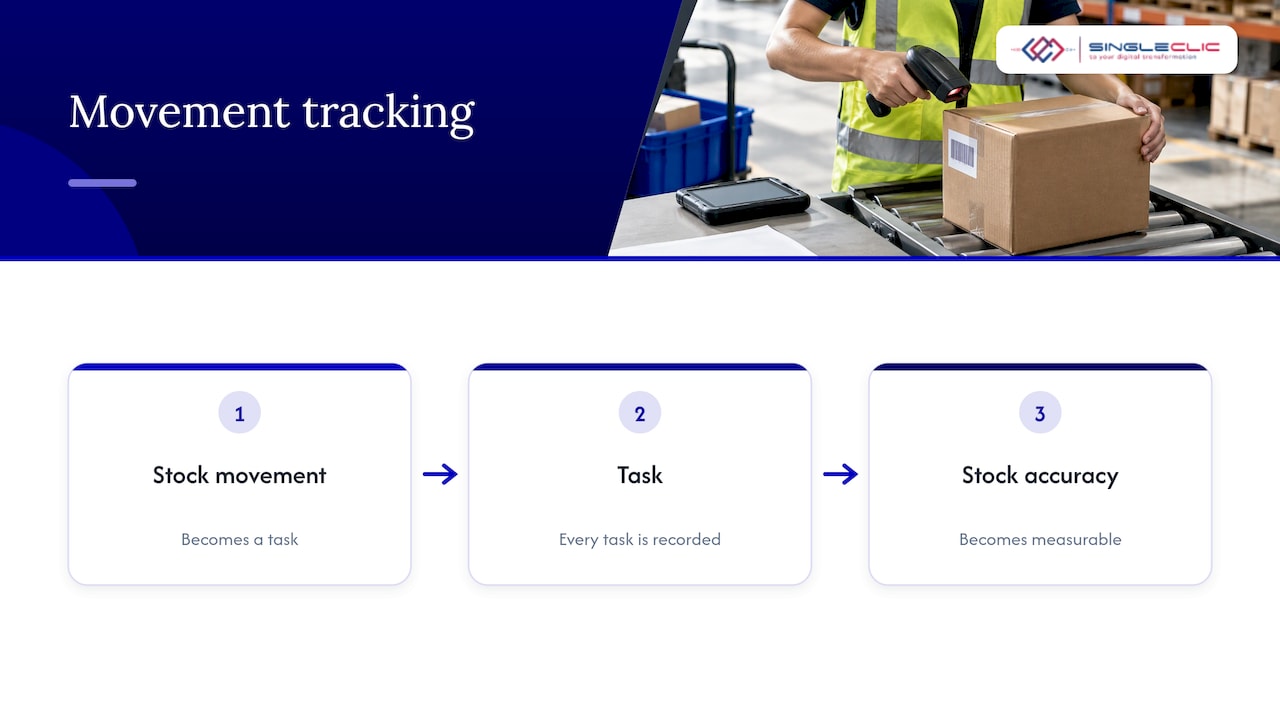
If you are a CEO or CFO, the point is simpler. The system stops depending on what a supervisor remembers. Every movement is a task, every task is recorded, and stock accuracy becomes something you can measure rather than hope for.
You will see it called D365 WMS, advanced warehouse management or the Warehouse management module. They all refer to the same capability.
Two ways to run it
| Option | What it means | Typical fit |
|---|---|---|
| Inside Supply Chain Management | Warehousing shares inventory, procurement, sales and planning in one system | Organizations replacing or consolidating their ERP |
| Warehouse management only mode | Warehouse functions run independently of the full ERP and connect to other systems | Groups with an existing ERP or order management system they are not ready to change |
Microsoft’s guidance presents only mode as a way to use advanced warehouse features without committing to a full ERP implementation immediately. For a holding company with different ERPs across subsidiaries, that gives you one warehouse standard without a single-ERP project first.
The workflows it covers
The module supports the full physical flow. Here is each stage and what it means on the floor.
- Inbound receiving. Goods are received against purchase orders or transfers. Each pallet or carton gets a license plate, so later steps start from a scan, not a keystroke.
- Putaway. The system proposes where stock should go, based on rules you define for each product type and zone.
- Inventory control. Stock is tracked by location and license plate, not only by warehouse total. Cycle counting lets teams count a few locations daily instead of closing the site for a full stocktake.
- Wave planning and picking. Demand is grouped into waves, then released as pick work. Several picking methods are supported.
- Packing and shipping. Packed orders are consolidated and loaded, with shipment confirmation closing the loop.
All of this is listed in Microsoft’s warehouse management overview. The practical gain is that one set of rules drives all five stages, so a change in how you pick does not require retraining on paper procedures.
How the system decides what workers do
Two configuration objects do most of the work, and both are worth understanding before you speak to any implementer.
- Work templates define what warehouse work is created and how it is broken into tasks. A pick template might create one task per pallet or split work by zone.
- Location directives identify the pick and put locations those tasks point to. One directive might say fast-moving items are picked from ground-level bins first, while another sends overflow to reserve racking.
Waves tie them together. A wave takes released orders and creates work from the templates, while directives decide the locations.
This is where most warehouse designs succeed or fail. Poorly designed directives send workers across the building. Overly complex templates create tasks nobody can finish in one trip. The software does exactly what you configure, which is the strength and the risk.
Configuration, not code
Microsoft notes that warehouse behavior is mostly defined through configuration instead of code. For a UAE operation, this matters in practice. Order volumes swing around Ramadan, Eid and year-end promotions. Staffing changes with seasonal labor. You can adjust how the warehouse runs without a development project each time.
The mobile app your floor teams will use
Warehouse staff work through the Warehouse Management mobile app, not the ERP screens. Based on Microsoft’s documentation:
- It runs on Android 7.0 or later, iOS 13.0 or later, and Windows 10 May 2020 update 1904.1 or later, so you are not locked into one rugged-device vendor.
- Connection settings can be pushed to devices through MDM providers, QR codes or JSON files, which suits fleets of dozens of handhelds.
- Menu items can be set up for inquiries, label printing, license plate generation and work such as putaway or picking.
- Camera scanning is supported, as are advanced scanners for wearable and arm-mounted devices, per the overview.
- Detours let a worker step out of a flow, answer a question such as an item-data inquiry, and return without losing their place.
For a CIO, the device question is usually the first to come up. The answer is that you can start with existing Android handhelds or phones and move to dedicated scanners where throughput demands it.
How it connects to the rest of your business
A warehouse is rarely an island. It receives against purchase orders, ships against sales orders, feeds production and reports to finance. Within Supply Chain Management, the warehouse capability acts as a hub for inbound and outbound delivery requests, production and integrations with other systems.
In only mode, the module can integrate through OData, API processes or Dataverse virtual entities. Typical integration points for UAE organizations include:
- the existing ERP that owns orders and finance
- e-commerce and marketplace order feeds
- carrier and last-mile delivery systems
- document storage and approvals, for example through Dynamics 365 SharePoint integration
- approval flows for stock adjustments or write-offs, which can be built as Dynamics 365 approval workflows
Integration scope is where budgets drift. Decide early which system is the master for items, customers and orders, and write it down.
Use cases for UAE and Saudi organizations
Distribution and trading. Multi-SKU stock across free zone and mainland sites needs location-level accuracy. Directed putaway and cycle counts reduce the time spent searching and reconciling.
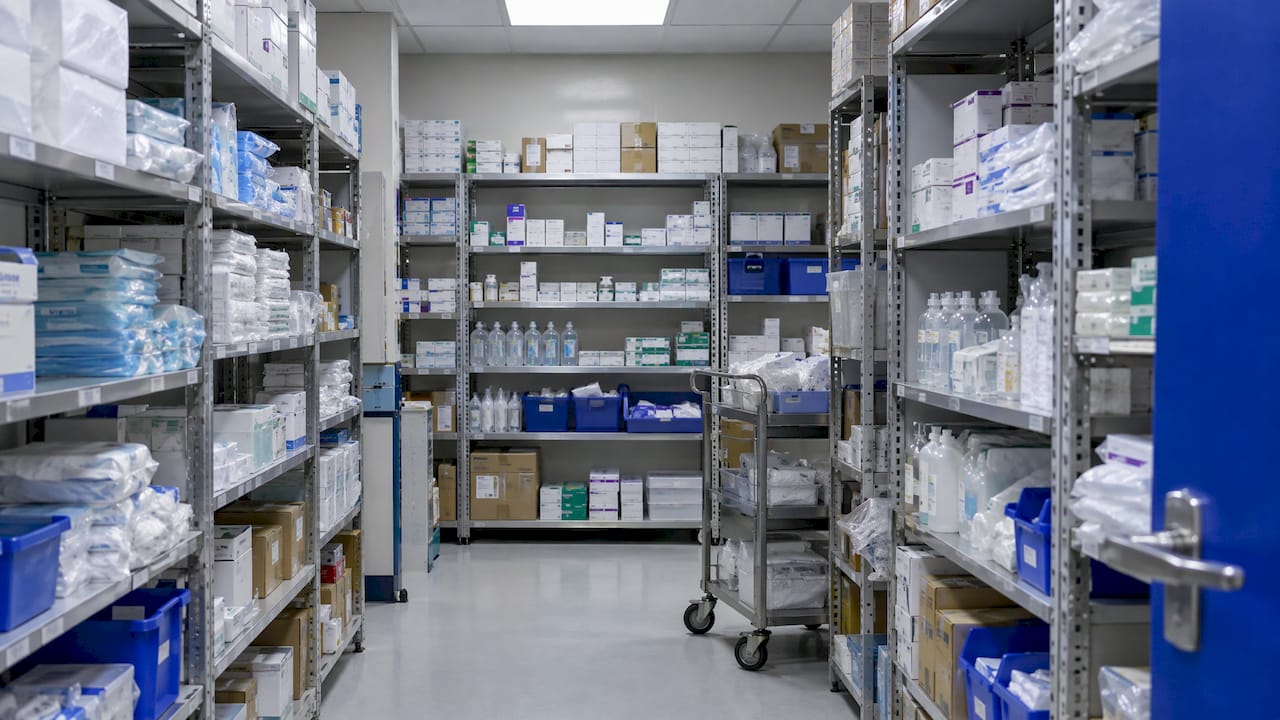
Healthcare supply. Hospitals and clinic groups hold consumables where traceability and expiry matter. License plate tracking and structured counts give pharmacy and store teams a consistent routine. We work with healthcare organizations across the region, including Emirates Health Services and Dubai Healthcare City.
Construction and real estate. Project materials move between central stores and sites. Clear receiving and issuing steps make material consumption visible to project managers.
Multi-entity groups. One warehouse standard across subsidiaries, with only mode where legacy ERPs stay in place for now.
What to plan before you implement
Implementation is mostly configuration, so the work is decision-making. Microsoft provides wizards and checklists, including the Warehouse implementation tasks workspace, to track parameters, layout and workflow setup. Use them. They give your steering group a visible task list.
1. Fix master data first
Warehouse logic runs on item dimensions, units of measure, storage dimensions and location profiles. If those are wrong, directed work will be wrong. Our guide on fixing master data before Dynamics 365 Supply Chain explains why this step decides the timeline.
2. Define the warehouse layout
Microsoft’s warehouse configuration overview explains how to configure a warehouse and enable its layout and processes. Walk the building with your operations manager before modeling it. Zones, aisles and bin types should match what people see.
3. Design templates and directives from real flows
Start with your highest-volume flow, for example pallet receiving or case picking. Model it, test it on the floor, then add exceptions. Teams that model every exception on day one end up with rules nobody understands.
4. Assign security roles
In only mode you can limit access to other modules by assigning only warehouse-related roles, such as Warehouse manager, Receiving clerk or Shipping clerk. Apply the same least-privilege thinking everywhere. For the wider system perimeter, security configuration for business systems is a useful companion to the role design.
5. Train supervisors before operators
Supervisors resolve exceptions. If they understand work templates and wave release, floor adoption follows faster.
6. Plan go-live by site
A phased rollout, one warehouse or one flow at a time, lets you tune directives with real data. Our ERP implementation checklist lays out twelve phases that apply to this kind of rollout, and our Dynamics 365 implementation guide for the UAE covers the local context.
Questions to settle in the business case
When you weigh the investment, put these on one page for your board:
- Scope: Is the goal one warehouse, or a standard across the group?
- ERP path: Full Supply Chain Management now, or only mode first?
- Inventory accuracy: What is your current count accuracy, and what target will you hold the project to?
- Devices: Which handhelds or scanners will you use, and who manages them?
- Integrations: Which systems must exchange data on day one?
- Ownership: Who owns item and location master data after go-live?
A project with answers to these usually moves faster than one that starts with software selection and discovers them later.
How Singleclic helps
Singleclic delivers Dynamics 365 implementation, customization, integration, support and consultancy for organizations in the UAE, Saudi Arabia and Egypt. We have more than ten years of digital delivery in the region, 70+ consultants and engineers across KSA, UAE and Egypt, and 100+ enterprise clients, including Emirates Health Services, Dubai Healthcare City and QNB.
For a warehouse project, that means one team can cover the ERP, the integrations and the approval workflows around it. Our Dynamics 365 ERP page shows how we approach the wider system.
Warehouse projects go wrong when the team configures the software before it has agreed how the warehouse should run. We start from the physical flow: how goods arrive, where they rest, who moves them and what the business needs to see. Then we map that to work templates, directives and mobile menus.
Our clients in healthcare, construction, real estate and government have complex approvals and many systems around the warehouse. We connect them through Dynamics 365 integration and, where the process needs it, through workflow automation on Cortex, our Arabic-enabled low-code platform with on-premise deployment for organizations that require it.
Get the master data right, phase the rollout, and let supervisors own the rules. That is how a warehouse system becomes part of daily management.
Tamer Badr
Plan your warehouse rollout with Singleclic
If you are evaluating Dynamics 365 warehouse management, our team can help you scope the layout, the data and the integrations, and decide between the full Supply Chain Management route and warehouse management only mode. Explore our Dynamics 365 services, covering implementation, customization, integration, support and consultancy.
To discuss your warehouse operation, contact the team through singleclic.com.
FAQ
Is Dynamics 365 warehouse management a separate product?
It is a module within Dynamics 365 Supply Chain Management. It can also run in warehouse management only mode, which lets organizations with another ERP use it on its own and connect it through APIs. Your implementation partner can confirm which fits your landscape.
Does it need custom code to fit our warehouse?
Most of the behavior is defined through configuration. Work templates, location directives and mobile menu items shape how work is created and presented, so many changes are settings, not development. Integrations to other systems are a separate scope.
What devices can warehouse workers use?
The mobile app supports Android 7.0 or later, iOS 13.0 or later and Windows 10 May 2020 update 1904.1 or later. It supports camera scanning and advanced scanners for wearable and arm-mounted devices. Settings can be distributed to devices through MDM, QR codes or JSON files.
How do we limit what warehouse staff can see?
Assign security roles based on the job. In warehouse management only mode, users can be given only warehouse-related roles such as Warehouse manager, Receiving clerk or Shipping clerk. This keeps access to other modules closed.
How long does implementation take?
It depends on the number of sites, flows, integrations and the quality of your item and location data. Using the built-in implementation checklist and phasing by site keeps the plan visible. A scoping workshop with your implementer gives a realistic estimate.
Sources
- Warehouse management overview, Microsoft Learn
- TechTalk: Warehouse management only mode, Microsoft Learn
- Warehouse management only mode FAQ, Microsoft Learn
- Control warehouse work by using work templates and location directives, Microsoft Learn
- Install the Warehouse Management mobile app, Microsoft Learn
- Create and configure mobile device menu items, Microsoft Learn
- Get started with setting up the Warehouse management module, Microsoft Learn