Customer onboarding automation means using workflow software, integrations and AI to handle the repetitive steps between a signed deal and a client who is live: data entry, document collection, compliance checks, approvals, provisioning and welcome communication. Done well, it removes the waiting between steps, keeps an audit trail, and leaves your people free for the conversations that win trust. This guide shows what to automate, how to map the workflow, where humans must stay involved, and what UAE rules shape the design.
TL;DR
- Automate the process, not the relationship: intake, documents, checks, approvals, provisioning and reminders suit software. Kickoff calls and escalations need a person.
- Map the onboarding stages first, give each one an owner, and gate each step so the next cannot start until the previous one is complete.
- In the UAE, build identity verification, consent, retention and audit records into the workflow from day one, especially for banks, financial institutions and healthcare providers.
- Measure calendar time from signature to first value, plus rework, drop-off and exceptions.
- Start with one high-volume journey, connect it to your ERP and CRM, then widen it.
Table of Contents
- What customer onboarding automation covers
- Why automate: benefits and risks
- How to map and automate the workflow
- Capabilities and approval points to include
- UAE data-protection, identity and recordkeeping requirements
- How to measure an onboarding workflow
- Introducing automation and improving it over time
- Use cases in the UAE and Saudi Arabia
- Our perspective
- How Singleclic helps
- Automate your onboarding with Singleclic
- Article details
- FAQ
- Sources
What customer onboarding automation covers
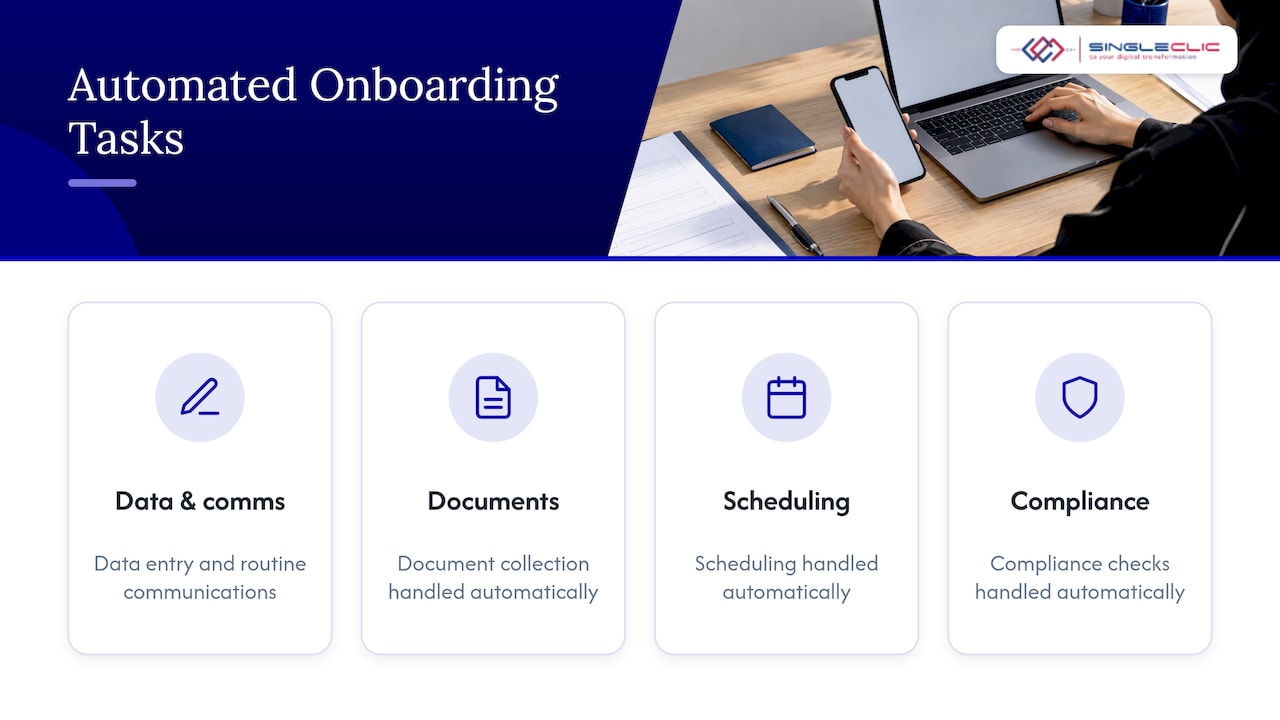
IBM describes automated customer onboarding as software and AI handling repetitive tasks such as data entry, routine communications, document collection, scheduling and compliance checks. The same logic applies whether you call the process customer onboarding or a client onboarding workflow. In B2B, a “client” usually means a corporate account with several stakeholders, contracts, legal entities and system access to set up. That is where manual handling hurts most.
The stages you can automate
Published process guides split onboarding differently, but the stages are consistent. CustomerExperience.io lists sales-to-onboarding handoff, kickoff and alignment, information and document collection, setup and configuration, training and enablement, go-live and validation, and transition to the ongoing relationship. Here is how automation fits each one:
| Stage | What software can do | What a person should do |
|---|---|---|
| Sales handoff | Create the onboarding case from the closed deal in your CRM, copy deal terms, assign an owner | Brief the onboarding lead on promises made during the sale |
| Intake | Send a structured form, validate fields, route by client type or risk tier | Review unusual answers |
| Document collection | Request, chase and check completeness of trade licenses, IDs and signatory documents | Judge borderline documents |
| Compliance review | Run identity and sanctions checks, flag exceptions, record every result | Decide on flagged cases |
| Contract and signature | Generate the contract from templates, route approvals, capture e-signatures | Negotiate non-standard clauses |
| Provisioning | Create accounts in ERP, CRM, portal and billing, set permissions | Approve privileged access |
| Kickoff and training | Schedule sessions, send materials, track attendance | Lead the conversation |
| Go-live and handoff | Confirm checklist completion, trigger the first check-in, hand over to the account owner | Own the relationship |
The repeating pattern is simple: software moves information and enforces order, and people handle judgment.
Why automate: benefits and risks
IBM lists five benefits: efficiency, a better client experience, fewer human errors, stronger compliance and better data visibility. It also reports that process mining can lift operational efficiency by up to 72% and customer satisfaction by 63%. Treat those as upper-end results from IBM’s own analysis, not a forecast for your project.
The practical gains are easy to see in an enterprise setting:
- Fewer gaps between steps. Most onboarding delay is waiting: for a missing document, an approval buried in email, or a handoff nobody noticed. Automated routing and reminders remove that waiting.
- Scale without headcount. A workflow handles the fiftieth client the same way as the fifth.
- Consistency. Every client receives the same sequence, which builds trust early and supports retention.
- Evidence. Each action is timestamped, which matters when an auditor or regulator asks how a client was accepted.
If you are also looking at the wider habit of removing repetitive work, a checklist for automating repetitive work is a handy way to sort tasks into automate now, automate later and keep manual.
Risks to design around
The risks are design problems, and each has a design answer:
- Silent failure. A compliance check that fails without alerting anyone is worse than a manual check. Build explicit failure states, alerts and escalation owners into every automated step.
- Cascading delays. If provisioning depends on one integration, an outage stalls every client in the queue. Use retries, queues and a visible exception dashboard.
- Impersonal handling. An automated message sent when a client is frustrated can damage the account. Route anything flagged as a complaint, silence or high value to a named person.
- Weak audit trails. If actions happen across email, spreadsheets and chat, reconstructing a case becomes an investigation. A single workflow engine that logs decisions solves this.
How to map and automate the workflow
Start on paper. Teams that automate a messy process only get a faster mess.
- Pick one journey. Choose a segment with high volume or high delay, such as corporate account opening, a new enterprise customer, or a new supplier-customer in a regulated sector.
- Draw the actual current path. Include the emails, spreadsheets and phone calls nobody documented. Record who touches each step and how long it waits.
- Assign an owner to every stage. CustomerExperience.io’s Maya Renner argues that a reliable workflow has three properties: every stage has a clear owner, every client request is confirmed immediately, and steps are gated so the next stage cannot start until the prior one is complete.
- Define the data once. Decide which system holds the customer record (usually your CRM or ERP) and make the workflow read from and write to it, instead of asking clients for the same details repeatedly.
- Set rules and thresholds. Define which clients take the standard path, which need enhanced review, and what triggers escalation.
- Automate the handoffs first. Case creation, document requests, reminders and approvals deliver the quickest visible gains.
- Add integrations. Connect identity verification, e-signature, ERP, CRM and billing so that provisioning follows approval automatically.
- Test with real exceptions. Run missing documents, mismatched names, expired licenses and rejected approvals through the flow before launch.
The measure Renner calls the best single indicator is calendar time from signature to first value. We agree with using it as your north star, because it captures waiting that internal task timers hide.
Capabilities and approval points to include
When you evaluate a platform or scope a build, look for these capabilities:
- Visual workflow design that business analysts can adjust, not only developers.
- Dynamic forms and document handling with validation and completeness checks.
- Rules and routing by client type, entity, country, risk tier or contract value.
- Integration with ERP, CRM, e-signature, identity services and legacy systems.
- Role-based approvals with delegation and deadlines.
- Full audit logging of who decided what and when.
- Runtime changes so you can adjust a rule without taking the process offline.
- Deployment options that fit your data policy, including on-premise or private cloud where required.
- Arabic and English interfaces for clients and staff.
The deployment point is not theoretical in the UAE. ruya Bank reportedly deployed agentic AI across its operations in August 2026, keeping humans involved in significant decisions and running AI inside its own private cloud so that customer personal data stays within the bank’s infrastructure. Whatever your sector, the same questions apply: where does the data live, and who approves what?
Where people should stay in the loop
IBM advises that automation should augment customer success teams rather than remove people, with clear escalation triggers for high-value clients, complex accounts and at-risk customers, and workflows built for easy handoff. In practice, keep humans at these points:
- The kickoff call, where expectations are set.
- Approval of flagged compliance cases and enhanced due diligence.
- Non-standard contract terms.
- The first escalation, when someone must take responsibility.
- Any moment a client goes quiet: a personal message works better than a fourth automated nudge.
UAE data-protection, identity and recordkeeping requirements
Your workflow handles personal data, identity documents and, for many clients, regulated customer due diligence. The rules differ by sector, so confirm the requirements that apply to you with your compliance officer or legal counsel before go-live. The points below are the ones that most often shape workflow design.
Personal data
Federal Decree-Law No. 45 of 2021 on personal data protection requires personal data to be processed fairly, transparently and lawfully, for a specific and clear purpose, and kept securely. It also requires that data not be retained once its purpose is exhausted, and, where consent is the legal basis, that consent be provable and withdrawable. For your workflow, this translates into:
- A stated purpose on every intake form.
- Consent captured with a timestamp and version of the notice.
- Retention rules that archive or delete onboarding documents when the purpose ends.
- Role-based access so only the people who need a document can see it.
Identity verification
For licensed financial institutions, designated non-financial businesses and professions, and virtual asset service providers, the CBUAE Rulebook requires verifying the identity of the customer and the beneficial owner before or during the establishment of a business relationship or account opening. The Rulebook provision (CAB RES 134/2025) took effect on 14 December 2025.
For Emirates ID checks, the CBUAE Rulebook states that licensed financial institutions must use the government validation gateway, the UAE Pass app or another supported government solution, and keep a copy of the Emirates ID together with its digital verification record. A well-designed workflow stores both automatically against the customer file.
Companies in the DIFC and ADGM answer to their own regulators, the DFSA and the FSRA, so check which rulebook governs your entity before you configure the checks.
A national KYC platform on the way
Reports indicate that the central bank is working on a unified digital KYC platform under Federal Decree-Law No. 30 of 2024, intended to automate customer and corporate onboarding using verified government data under a consent-based framework. If you are in banking, design your workflow with an integration layer so that you can connect to such a platform when your regulator confirms the details, instead of rebuilding.
How to measure an onboarding workflow
Pick a small set of measures and review them monthly. A sensible dashboard for a UAE enterprise includes:
- Time from signature to first value. This is the headline measure. Track the median and the slowest 10%, because the slow cases show where the process breaks.
- Time in each stage. It shows where clients wait, and whether the wait is on your side or theirs.
- First-pass completeness. The share of submissions that arrive with every required document and field correct.
- Rework and rejected approvals. A high rate points to unclear forms or unclear rules.
- Exception rate and handling time. How many cases leave the standard path, and how long they take to resolve.
- Drop-off and abandonment. Where clients stop responding.
- Early activation and satisfaction. Whether clients are using the product or service in the first weeks, and what they say about the process.
- Audit readiness. Can you produce the full decision trail for any client in minutes?
Baseline each measure before you automate. Without a baseline, a good-looking result cannot be separated from a seasonal change in volume.
Be careful with vendor case studies. Published figures, such as a mid-market company cutting time to first value from days to hours, come from different industries, volumes and starting points. Use them to set a direction, then set your own targets from your baseline.
Introducing automation and improving it over time
A phased rollout reduces risk and builds internal support:
- Pilot with one journey and one team. Keep the scope small enough to finish in a quarter.
- Run old and new in parallel for a short period so staff can compare and report problems.
- Collect frontline feedback weekly. The people who chase documents know exactly where the form confuses clients.
- Review exceptions monthly. Every recurring exception is either a rule you should add or a form you should fix.
- Extend to the next journey. Reuse components such as identity checks, e-signature and provisioning connectors.
- Add intelligence gradually. Once the process is stable, add AI for document extraction, classification, summarization and next-best-action suggestions, with humans approving significant decisions.
- Govern changes. Version your rules, record who changed them, and test before releasing.
This is also where a platform that allows changes at runtime pays off: improvements ship without downtime, so the process keeps pace with regulation and with the business.
Use cases in the UAE and Saudi Arabia
These are the patterns we see as most relevant in the Gulf. They are scenarios for planning, not claims about specific client results.
- Banking and financial services. Corporate account opening with identity verification, beneficial owner capture, risk scoring, approvals and an audit trail. Sensitive data often points to on-premise or private-cloud deployment.
- Healthcare. Patient or provider registration, insurer verification and consent capture, with strict access control.
- Construction and real estate. Buyer or tenant onboarding: documents, payment plans, contract generation, unit allocation and handover tasks across CRM and ERP.
- Telecom and utilities. High-volume enterprise customer activation with credit checks, provisioning and billing setup.
- Government and semi-government. Service enrollment with multi-level approvals, Arabic interfaces and records retention.
- B2B services and distribution. New customer or supplier setup with credit approval, contract signature and ERP account creation.
For related reading, see our guides on a digital onboarding workflow for enterprises, digital onboarding software, and how AI enhances customer service automation. If your own people are the ones being onboarded, our pages on employee onboarding automation cover that side.
Our perspective
Most onboarding projects stall for the same reason: the process lives in people’s inboxes, and the systems that should support it, the CRM, the ERP, the document store and the approval chain, do not talk to each other. We start by connecting them.
For regulated organizations in Saudi Arabia and the UAE, we believe the platform matters as much as the process. That is why we built Cortex, our Arabic-enabled low-code and BPM platform. It connects approvals, ERP, CRM, data, legacy systems and workflows, supports full Arabic UI and UX, and can be deployed on-premise for banks and governments. Teams can change a workflow at runtime without downtime, which suits onboarding rules that evolve with regulation.
Our advice is to automate the handoffs and checks first, keep people on the relationship moments, and make every decision traceable from the first day. That is how onboarding becomes a competitive advantage instead of an administrative burden.
Tamer Badr
How Singleclic helps
We deliver onboarding automation as an end-to-end project, from process mapping to integration and support, using the platform that fits your landscape:
- Process automation and BPM. We design and build workflows with business process automation and IBM BAW, including case management for onboarding cases that need documents, decisions and exceptions.
- ERP and CRM integration. As a Microsoft Dynamics 365 integrator and Odoo Silver Partner, we connect onboarding to the systems that hold your customer, contract and billing data. See our Dynamics 365 services and Odoo practice.
- Low-code delivery. Cortex lets your team design and evolve processes without writing code, and runs in Arabic and English. Read more about Cortex as an Arabic-first low-code platform.
- AI and analytics. We add AI-powered applications and data analytics to onboarding, and our business case for AI in process automation explains how that progression works. For sensitive data, read why on-premise AI suits regulated industries.
Our clients include Emirates Health Services, Dubai Healthcare City, QNB, AlBaraka and Emaar Misr, and our team of more than 70 consultants and engineers works across KSA, the UAE and Egypt.
Automate your onboarding with Singleclic
If you are planning to shorten the path from signed contract to live client, we can help you map the journey, choose the right platform and deliver it. Our business process automation, ERP, CRM and AI services and the Cortex platform are built for organizations in the UAE and Saudi Arabia.
Talk to our team through singleclic.com and tell us which onboarding journey costs you the most time today.
Article details
- SEO title: Customer onboarding automation: a UAE enterprise guide
- Slug: customer-onboarding-automation
- Keyword: customer onboarding automation
- Secondary keywords: automate customer onboarding, client onboarding workflow
- Pillar cluster: Business process automation and Open BPM, supported by ERP and CRM integration, Cortex low-code and AI-enabled business applications
- Audience: CIOs, CTOs, C-level leaders and business owners in the UAE and Saudi Arabia
FAQ
What is customer onboarding automation?
It is the use of workflow software and AI to handle repetitive onboarding tasks: data entry, document collection, routine messages, scheduling, approvals and compliance checks. People stay responsible for decisions and relationships. The aim is a faster, more consistent and fully traceable path from signature to first value.
What should we automate first in a client onboarding workflow?
Start with the handoffs: creating the onboarding case from the CRM, sending the intake form, requesting and chasing documents, and routing approvals. These steps are high-volume and rule-based, and they remove the most waiting. Add identity checks, provisioning and AI document extraction once the basic flow is stable.
Does onboarding automation help with UAE KYC and data-protection rules?
It can, if you design for it. Automated workflows can capture consent, store identity verification records, enforce retention rules and log every decision. The rules that apply depend on your sector and regulator, such as the CBUAE, DFSA or FSRA, so confirm requirements with your compliance team before go-live.
Which metrics show that the workflow is working?
The headline measure is calendar time from signature to first value. Support it with time per stage, first-pass completeness, rework rate, exception rate, drop-off and early activation. Baseline them before automation so you can show the change.
Can we automate onboarding without replacing our ERP or CRM?
Yes. A workflow layer such as Cortex or IBM BAW can sit on top of your existing Dynamics 365, Odoo or legacy systems, reading and writing customer data through integrations. This lets you improve onboarding without a full system replacement.
Sources
- Customer onboarding automation: streamlining the onboarding process (IBM)
- Customer onboarding process steps, stages and workflow (CustomerExperience.io)
- Federal Decree-Law No. 45 of 2021 on personal data protection (UAE Legislation)
- Article 6, CBUAE Rulebook
- Customer due diligence, enhanced due diligence and ongoing monitoring, CBUAE Rulebook
- ruya Bank deploys agentic AI across banking operations in the UAE (Breaking AI News)
- CBUAE launches nationwide e-KYC platform (UAE Advisor Guide)