Odoo maintenance management gives you one place to register every piece of equipment, assign it to a team, schedule preventive work and log every breakdown, so that repair history stops living in spreadsheets, WhatsApp groups and technicians’ memories. For a CIO, COO or business owner in the UAE or Saudi Arabia, the value is not the module itself. It is whether the module is configured around your asset structure, your approval chain and your ERP data. That is the work we do at Singleclic as an Odoo Silver Partner, and this guide shows what the module does, how it is set up and where projects succeed or stall.
Article details
- SEO title: Odoo maintenance management for UAE and Saudi operations
- Slug: odoo-maintenance-management
- Keyword: odoo maintenance management
- Secondary keywords: odoo maintenance module, preventive maintenance software, equipment maintenance tracking, ERP maintenance workflow
- Pillar cluster: Odoo ERP and operations (manufacturing, facilities, service and warehouse)
TL;DR
- The Odoo Maintenance app schedules corrective and preventive maintenance on any equipment, from computers and vehicles to production machines, to avoid breakdowns and emergency repair costs.
- Setup rests on three records: equipment, maintenance teams and maintenance requests. Preventive requests can repeat automatically.
- Managers get a team dashboard, Kanban stages and failure metrics such as MTBF and MTTR per asset.
- The real gains come when maintenance connects to manufacturing, warehouse, service and approval workflows, which is where a partner-led implementation matters.
Table of Contents
- What the Odoo maintenance module manages
- Why maintenance belongs inside the ERP
- Setting up Odoo maintenance, step by step
- How requests move: stages and statuses
- Preventive versus corrective: a worked example
- Dashboards and reliability metrics
- Connecting maintenance to the rest of operations
- Use cases for the UAE and Saudi Arabia
- Rollout principles that keep adoption high
- How Singleclic helps
- Our perspective
- FAQ
- Sources
What the Odoo maintenance module manages
The Maintenance app is built around equipment. In Odoo’s documentation, equipment means any machine or tool the company uses: computers, power tools, vehicles and manufacturing machines all qualify. Each asset gets a record, and every maintenance job is a request linked to that record.
Two kinds of work are covered:
- Corrective maintenance is the repair after something fails or is reported faulty.
- Preventive maintenance is planned work done on a schedule so the failure does not happen.
The point of separating them is cost control. Emergency repairs interrupt production or service, and the module exists to move work from the first category to the second by making planned work visible, assigned and repeatable.
For an executive, three questions decide whether this is relevant to your organization:
- Do you own assets whose downtime costs more than the work to maintain them: production lines, generators, HVAC plant, vehicle fleets, medical or lab equipment, IT hardware?
- Can you today say, for any single asset, who owns it, who maintains it, when it was last repaired and what it cost?
- Does maintenance work reach technicians through a defined process, or through calls and messages?
If the answer to the second or third question is no, the module addresses a real gap.
Why maintenance belongs inside the ERP
A standalone maintenance tool records jobs. A maintenance app inside an ERP can also relate those jobs to the rest of the business: the equipment used in production, the spare parts held in stock, the employees and departments who use each asset, and the vendor and warranty data held against it. The equipment record in Odoo already carries owner, department, vendor, model, serial number, cost and warranty expiration, so procurement and finance facts sit next to the technical ones.
For multi-site groups in the Gulf, this matters. A group with plants in Jebel Ali and Dammam, or hospitals and clinics in several emirates, usually has the same asset types under different local routines. One system with a consistent equipment structure lets the head office compare sites on the same terms.
Setting up Odoo maintenance, step by step
The documented setup is short. The difficulty is not the clicks; it is deciding the structure before you enter data.
1. Define equipment categories
Categories are created under Maintenance, Configuration, Equipment Categories. A category groups similar assets, and it can carry an email alias, so an email sent to that address automatically creates a maintenance request. This is useful for facilities teams that receive reports from many staff.
Where it goes wrong: categories copied from an old asset register, with hundreds of overlapping names. Keep them few and tied to how work is routed: a category should map to a team or a skill set.
2. Create maintenance teams
Teams are created under Maintenance, Configuration, Maintenance Teams. You name the team and select its members, who appear as technicians in the maintenance calendar; in multi-company setups you also set the company.
Where it goes wrong: building teams around org charts rather than work. An electrical team that covers three sites needs to be one team with a clear lead, not three teams that cannot see each other’s load.
3. Register the equipment
Go to Maintenance, Equipment, New. The form takes the equipment name, category, company, owner, who uses it (an employee, a department or other), the maintenance team, the technician and the location. The Product Information tab holds vendor, vendor reference, model, serial number, effective date, cost and warranty expiration, as the documentation lists.
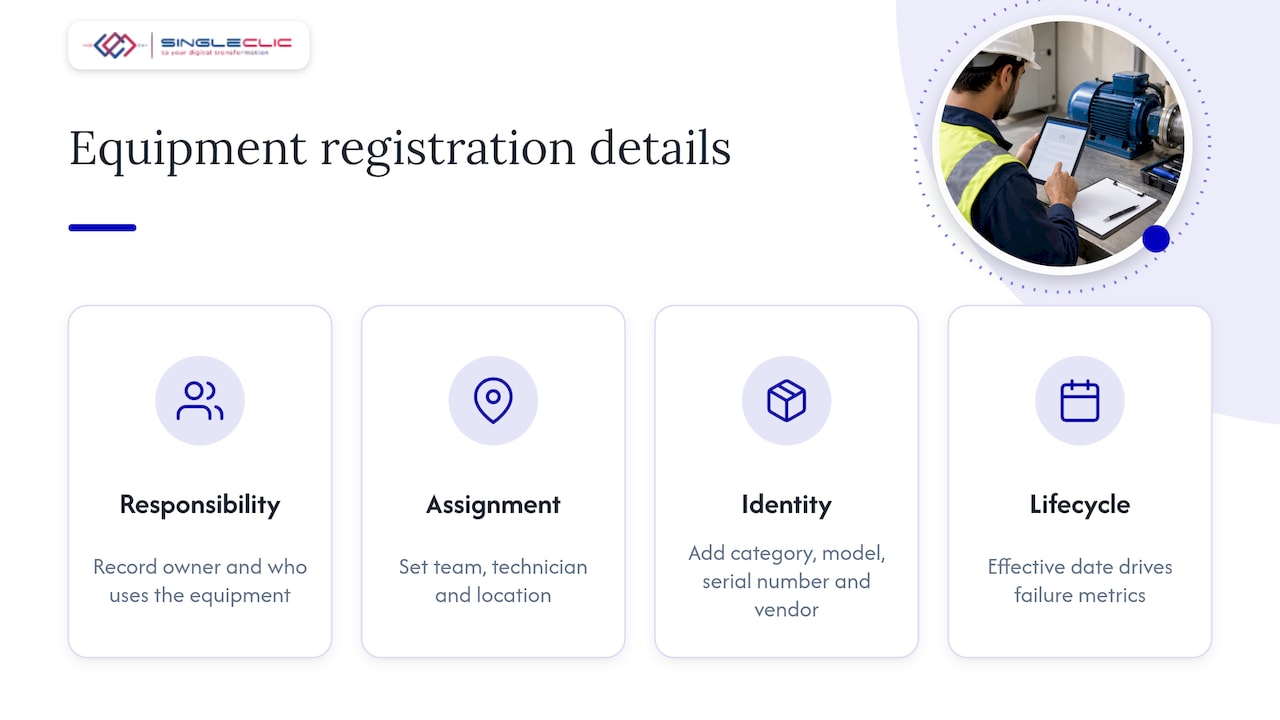
Where it goes wrong: skipping the effective date. It is the date Odoo uses to compute failure metrics, so a blank or wrong value distorts every reliability figure later.
4. Create maintenance requests
A request is created under Maintenance, Maintenance Requests, New. You enter a title, the equipment, the request date, the maintenance type (corrective or preventive), the team, the responsible person, the scheduled date and time, the duration and a priority of zero to three stars, per the requests documentation.
Where it goes wrong: treating every request as three stars. If everything is a priority, the dashboard cannot tell the team what to do first. Agree a short rule, for example three stars only when production or safety is stopped.
5. Turn preventive work into a recurring schedule
For preventive requests, ticking the Recurrent option reveals a Repeat Every interval and an end date. Odoo then creates the next occurrence once the current one is done. The next job is generated from completion, not from a calendar that runs regardless of whether the last job happened.
Where it goes wrong: intervals set by habit. Use the manufacturer’s service intervals and your own failure history, then review them after the first quarter of data.
How requests move: stages and statuses
Requests are tracked on a Kanban board. The default stages are New Request, In Progress, Repaired and Scrap, and each card also has a separate Kanban state that shows its status within the stage, per the requests documentation. Technicians move cards forward as work progresses, so a manager can see the queue without calling anyone.
A practical note for regulated or approval-heavy organizations: the default stages are a starting point. A hospital, a bank branch network or a government facility often needs an additional step, such as a budget approval before an expensive repair or a safety sign-off before equipment returns to service. Those steps are where a workflow layer on top of Odoo earns its place, which we return to below.
Preventive versus corrective: a worked example
Take a UAE food manufacturer with a packaging line that has a sealing unit. We use this as an illustration, not a client case.
- The sealing unit is registered with its vendor, model, serial number and warranty date, assigned to the Mechanical team and a named technician.
- A recurrent preventive request is set for the unit, repeating at the interval the manufacturer recommends. When the technician marks a job done, the next one is created.
- One afternoon, the unit stops. An operator emails the alias of the packaging equipment category, and a corrective request appears for the Mechanical team, flagged at three stars because the line is down.
- The technician repairs it, records the duration and moves the card to Repaired.
The corrective request is now part of the asset’s history. After a few of these, the equipment record shows patterns, and the planner can decide whether to shorten the preventive interval or replace the part. That decision rests on data rather than on the loudest voice in the plant.
Dashboards and reliability metrics
The Maintenance dashboard shows one card per team with its open requests, plus shortcuts to Scheduled, Top Priorities, Blocked and Unscheduled work. The gear menu opens request views and a Pivot or Graph view of maintenance requests for analysis.
On each equipment form, the Maintenance tab shows reliability figures:
- MTBF (mean time between failures) is the average running time between breakdowns. You can enter an expected value, and Odoo computes the actual one from completed corrective maintenance.
- Estimated next failure is the latest failure plus the MTBF.
- Latest failure is the date of the last corrective job.
- MTTR (mean time to repair) is the average time to fix the asset, updated when a request is completed.
The documentation describes these fields and notes that the equipment’s effective date feeds the MTBF calculation.
For a board or operations committee, a useful monthly view is small: open requests by team, blocked requests and the assets with the shortest MTBF. Anything more tends to be ignored.
Connecting maintenance to the rest of operations
The maintenance app is most useful when it is not an island. These are the connections we see leaders ask about, and the pages where we describe the surrounding Odoo areas:
- Production: equipment that runs a production line is the obvious candidate. Our Odoo manufacturing solution covers the production side, so maintenance windows can be planned around work orders rather than discovered by surprise.
- Stock and spare parts: repairs need parts. Linking maintenance to inventory is a warehouse design question, covered in our Odoo warehouse management work.
- Field and customer-facing work: where maintenance is a service you sell or deliver to clients, Odoo service management fits better than an internal-only setup.
- Facilities: for buildings and campuses, see our view on four workflow stages for MENA facilities management with Cortex.
- Projects: large shutdowns or installations behave like projects, and Odoo project management handles that planning.
For organizations whose asset base sits in Microsoft Dynamics 365, we also write about Dynamics 365 asset management for UAE enterprises. The same maintenance thinking applies; the platform choice depends on your existing estate.
Use cases for the UAE and Saudi Arabia
Construction and real estate. Developers and contractors run heavy equipment, site vehicles and, later, building systems. Odoo implementation in real estate and construction is one of our focus areas, and a maintenance register that follows assets from site to handover keeps warranty dates and service history attached to the right unit.
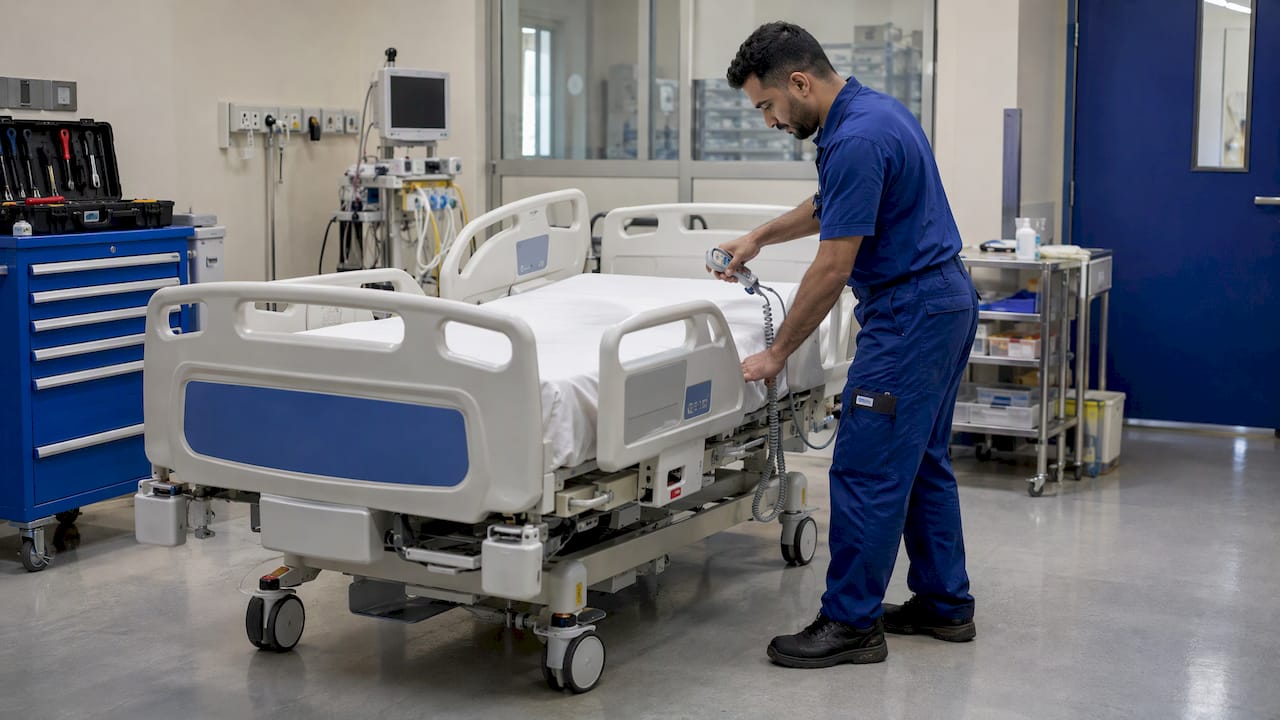
Healthcare. Clinics and hospitals depend on equipment that must be serviced on schedule. Preventive requests with fixed repeat intervals give a facility manager a predictable calendar, and the history per asset supports internal audits.
Manufacturing and logistics. Production lines, forklifts and cold-chain units are where unplanned downtime is most visible. MTBF and MTTR per asset help the maintenance lead decide where to invest.
Government and banking. Branch networks, data-center plant and office buildings need consistent routines across many locations, often with approval rules and, in some cases, on-premise hosting requirements.
Hospitality and food service. Kitchens, chillers and air conditioning need regular servicing, and the same structure applies; see our pages on hotel management and restaurant management in Odoo.
Rollout principles that keep adoption high
- Start with critical assets. Register the equipment where downtime hurts most, prove the routine, then widen.
- Give technicians a simple path. If reporting a fault takes more effort than calling a colleague, people will call. The email alias on categories exists to lower that effort.
- Name an owner for each team. Someone must own the board, review blocked requests and close stale ones.
- Review intervals with data. After a quarter of history, compare planned to actual failures and adjust.
- Plan for Arabic and English users. Technicians and managers often work in different languages, so decide early how requests and instructions will be written.
How Singleclic helps
Singleclic is a regional Odoo Silver Partner with more than ten years of digital delivery and over 70 consultants and engineers across KSA, UAE and Egypt. We implement and customize Odoo for sectors including construction, real estate, healthcare, banking, telecom and government, and we connect the result to approvals, ERP, CRM, data and legacy systems.
For maintenance, that means we configure the equipment structure, teams, request stages and recurring schedules around how your organization actually works, and we connect them to manufacturing, warehouse and service processes. Where maintenance needs approvals or runtime workflow changes, we use Cortex, our Arabic-enabled low-code and BPM platform, which supports on-premise deployment for banks and governments.
To see the full range of what we deliver, visit our Odoo page or our ERP, CRM and automation services.
If you are planning a maintenance rollout in the UAE or Saudi Arabia, talk to our team through the Singleclic website about your asset base and workflow.
Our perspective
Most maintenance projects we are asked about do not fail on software. They fail because the asset list is unstructured, nobody owns the board and approvals happen outside the system.
Our approach is to treat maintenance as a business process first. We agree the equipment categories, the teams and the priority rules with the people who run the plant or the facility, then configure Odoo to match. Where the process crosses departments, for example a repair that needs budget sign-off, we model it in Cortex so that the approval, the ERP record and the maintenance request stay connected.
For leaders in Saudi Arabia and the UAE, that combination of Odoo, Arabic-ready workflow and on-premise options for regulated sectors is what turns a maintenance module into an operating routine.
Tamer Badr
FAQ
What is the Odoo maintenance module used for?
It is used to schedule corrective and preventive maintenance on company equipment, from computers and vehicles to manufacturing machines, so breakdowns and emergency repair costs are reduced, as the Odoo maintenance documentation describes. Each asset has a record, and each job is a request linked to it. Managers see the workload by team on a dashboard.
How do I schedule preventive maintenance in Odoo?
Create a maintenance request, set the type to Preventive, tick Recurrent and set the Repeat Every interval and an end date. When the current request is marked done, Odoo creates the next occurrence. Choose intervals from manufacturer guidance and your own failure history.
Which metrics does Odoo track for equipment reliability?
The equipment form shows MTBF, estimated next failure, latest failure and MTTR on its Maintenance tab. MTBF is calculated from completed corrective requests and uses the equipment’s effective date, according to the setup documentation. These figures become more useful as completed requests accumulate.
Can Odoo maintenance connect to manufacturing, warehouse and service processes?
Yes, as part of an integrated Odoo implementation, where equipment, stock, production and service data live in one system. How those links are configured depends on your processes, which is where implementation design matters. Our team can scope it for your sites in the UAE or Saudi Arabia through our Odoo services.
Can maintenance approvals and workflows be customized?
Yes. The default request stages are New Request, In Progress, Repaired and Scrap, and organizations commonly add steps such as budget or safety approval. We build these with Odoo customization and with Cortex, our low-code and BPM platform, so the changes can be made without writing code.
Sources
- Maintenance setup, Odoo 18.0 documentation
- Add new equipment, Odoo 18.0 documentation
- Maintenance requests, Odoo 18.0 documentation